Participating Frequently
January 30, 2022
Question

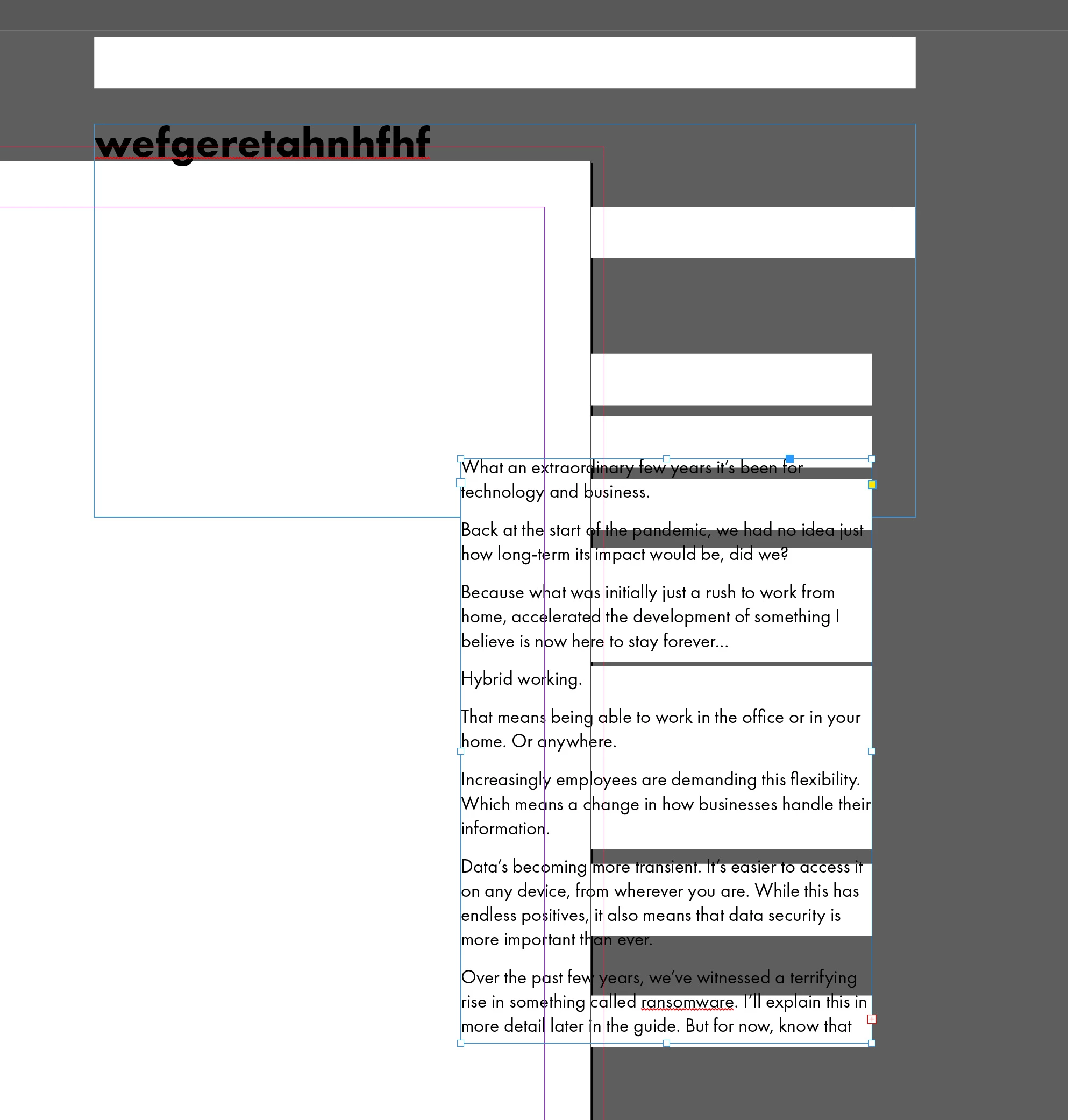
Glitch where horizontal white rectangular blocks are generated amongst text boxes.

  • January 30, 2022
  • 2 replies
  • 167 views

Does anyone know why indesign is creating these glitch white blocks in and around text boxes? It doesn't seem to do it on every document. I'm wondering if it's a buggy font or something. I'm on an iMac (Retina 5K, 27-inch, 2020), 

3.6 GHz 10-Core Intel Core i9, 

8 GB 2667 MHz DDR4 ... running Monterey.
This topic has been closed for replies.

2 replies

Barb Binder
Community Expert
Community Expert
January 30, 2022

Try setting UI Scaling back to Small in InDesign > Prefs > Interface.


~Barb

~Barb at Rocky Mountain Training
BobLevine
Community Expert
Community Expert
January 30, 2022

First thing to try is to turn off GPU Performance in your InDesign preferences.

Participating Frequently
January 30, 2022

Thank you Bob, I tried that I'm afraid it didn't help. I'm thinking it might be the version of Futura that I'm using. It seems to have triggered it somehow. The version is the one I've gort from the Adobe CC fonts collection. I'm phasing out all my existing fonts and aming to be pretty much exclusively making use of the CC font library. 

BobLevine
Community Expert
Community Expert
January 30, 2022

I just noticed you only have 8GB RAM. That is not even close to enough. Minimum recommendation is 16GB and for reference, I'm running a desktop (Windows) with 64GB and my laptop has 16.