Known Participant
February 15, 2022
Answered

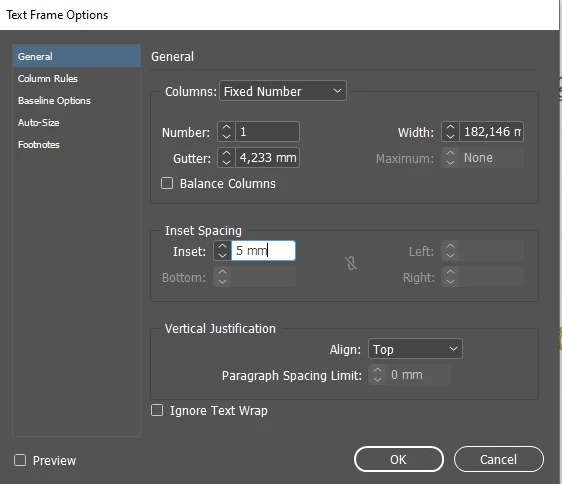
Gone is the activation of indentation in the text frame options.

  • February 15, 2022
  • 4 replies
  • 580 views

Hi all. I have a little problem. How do I turn all the indents back on for a shape? I have text in a rectangle and I want to increase the indents on the edges. I need to reduce the indents on the left and right and they are not active and I don't know how to activate them back. I will be very glad to get answers with explanatory screenshots, as the program interface is very complicated to understand. 


This topic has been closed for replies.
Correct answer SJRiegel

Your rectangle must be not quite a real rectangle - other shapes will not allow different indents. 

Select your text box and go to Object > Convert Shape > Rectangle

4 replies

SJRiegelCorrect answer
Legend
February 15, 2022

Your rectangle must be not quite a real rectangle - other shapes will not allow different indents. 

Select your text box and go to Object > Convert Shape > Rectangle

rob day
Community Expert
Community Expert
February 15, 2022

Hi @Leoekfwmf , the text frame must be a rectangle or square for the 4 insets to be available

LeoekfwmfAuthor
Known Participant
February 15, 2022

I click on this icon but it is not active and nothing happens.


Geоrge
Legend
February 15, 2022
Remember, never say you can't do something in InDesign, it's always just a question of finding the right workaround to get the job done. © David Blatner
LeoekfwmfAuthor
Known Participant
February 15, 2022

Thank you George, you have helped me a lot! I made the corners rounded and the function didn't work. You have a lot of experience thank you.)

Derek Cross
Community Expert
Community Expert
February 15, 2022

A screen shot might help. If you're having as issue with text not wrapping around a shape, tick Ignore Text Wrap to see if that overcomes the isssue.

LeoekfwmfAuthor
Known Participant
February 15, 2022


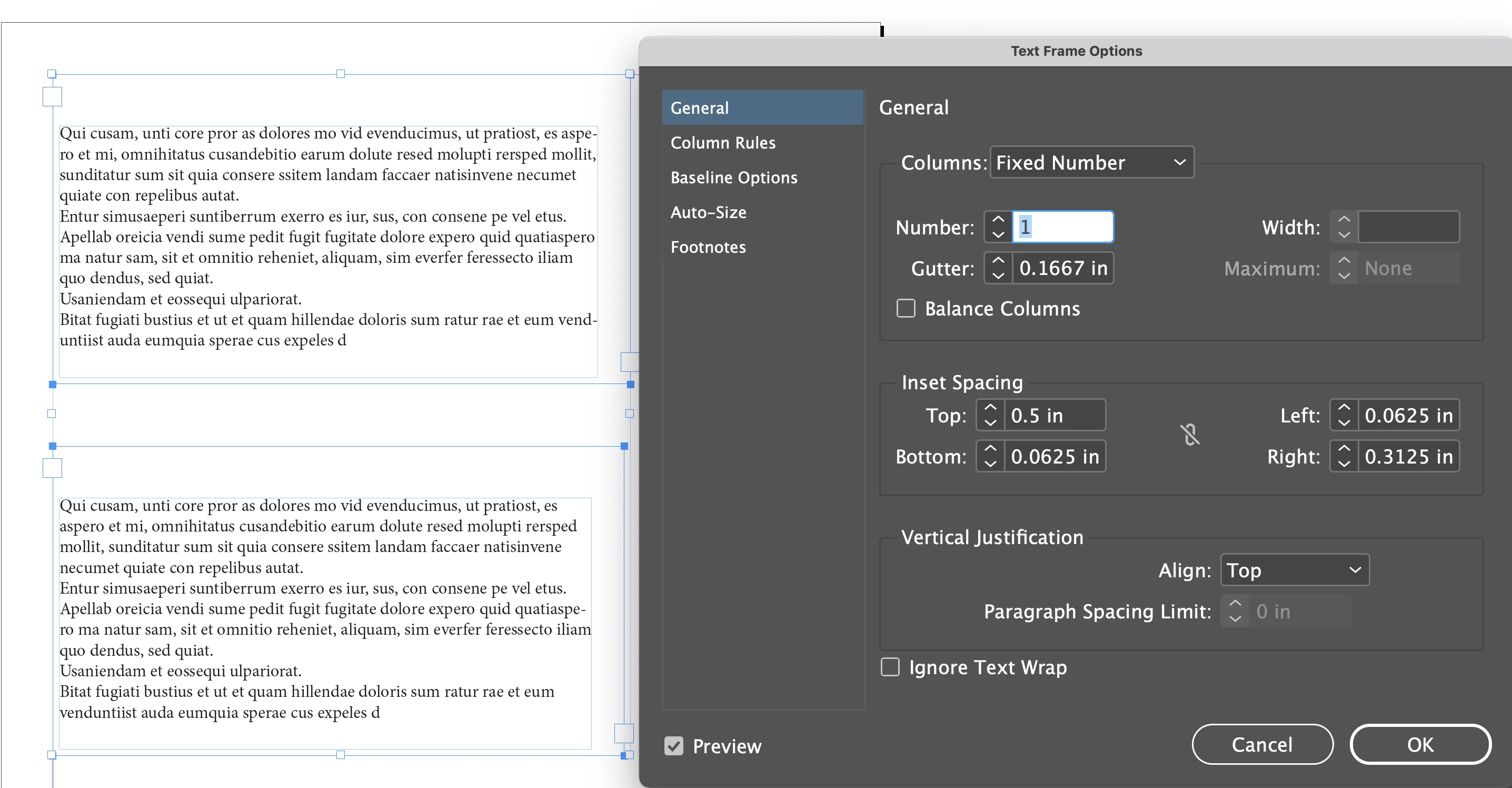
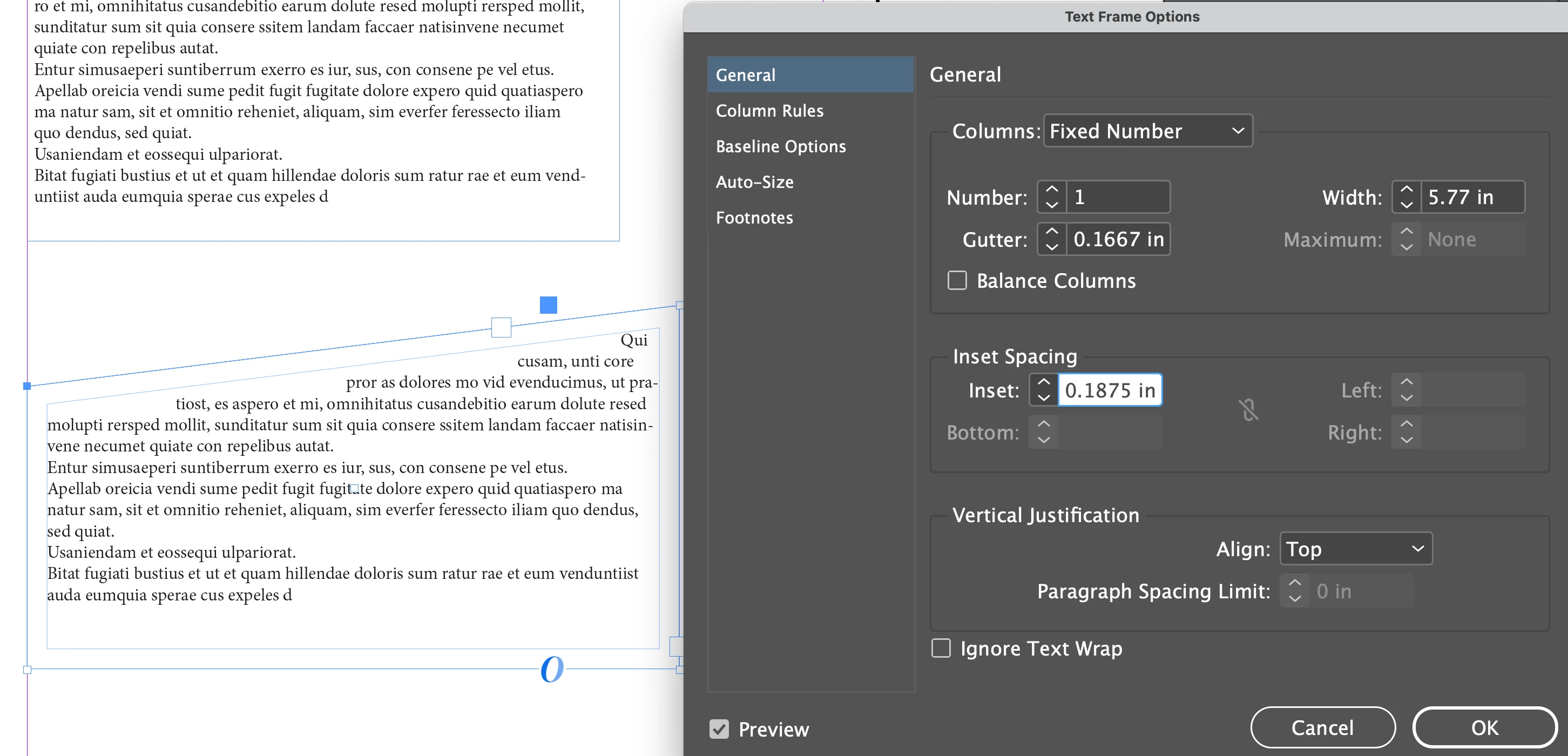
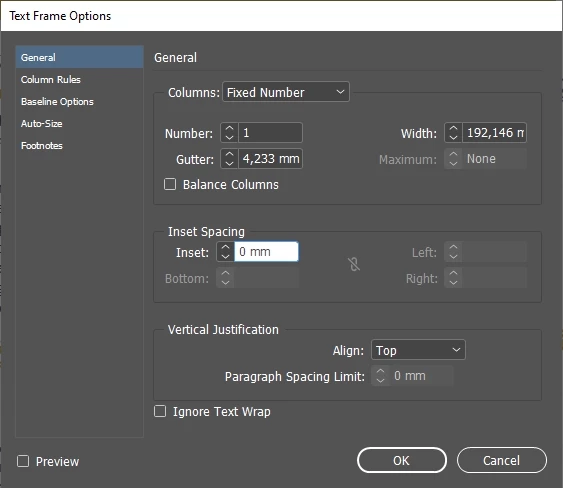
Additional screenshots. The indents increase evenly on all sides, and I only need to increase the indents on the left and right. There is no function to select the desired indents.