

Dayyyyvid
Participant
January 15, 2020
Question

GPU Performance Disabled & Laggy Performance on inDesign

  • January 15, 2020
  • 2 replies
  • 2538 views

Hi everyone!


So after debating for a while about whether I should update to Catalina or not, I bit the bullet and did it.

I started to get to work after the update and as soon as I opened an inDesign file (or opened a brand new one) all it did was just show a blank, white screen along with the toolbars etc. I could zoom around but there wasn't anything there, not even an artboard, just white nothingness.


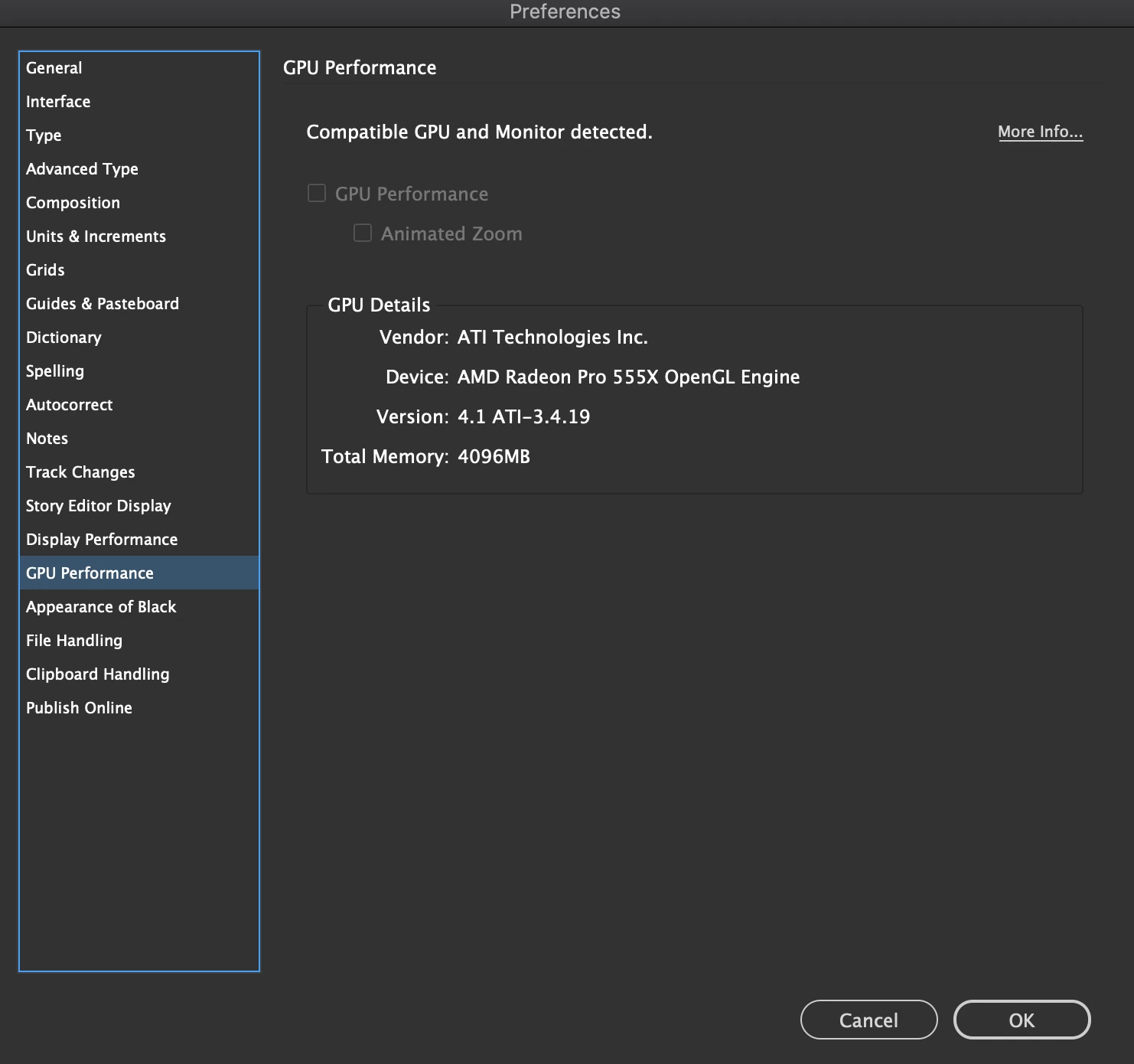
I tested an Illustrator file (Illustrator works now for some reason!), same thing, just a blank white screen with toolbars. I found a temporary fix online, it said to disable GPU Performance in the settings and it did work-ish, just unbearably laggy and kind of glitchy but workable... I just tried just restarting my computer and now GPU Performance is fully greyed out, the files are opening fully, super choppy and no animated zoom whatsoever. I opened Photoshop, same thing. Illustrator for some reason is fine now.


I would attach a screenshot of when it was just white pages, but now that seems to be fixed.
Only issue right now is the GPU performance setting is greyed out. Wondering if anyone has this issue?


Sorry for the long post just wanted to be as detailed as possible!
 

This topic has been closed for replies.

2 replies

Ashutosh_Mishra
Inspiring
January 15, 2020

Hi David,


Thanks for reaching out. Eugene has suggested correctly. Resetting the preferences is the first thing to do in this scenario. Instead using the keyboard shortcuts, you may also follow the help articles below to reset preferences:

1. For Illustrator: https://helpx.adobe.com/illustrator/using/setting-preferences.html#setting_illustrator_preferences 

2. For InDesign: https://helpx.adobe.com/indesign/using/setting-preferences.html 


**Please note that resetting preferences will remove all the custom settings and apps will launch with default settings. You can also take a backup of the folders in case you want to. Locations are mentioned in the articles. 


Let us know how it goes.


Regards,

Ashutosh


Dayyyyvid
DayyyyvidAuthor
Participant
January 15, 2020

Hello!


In regards to resetting my preferences, I did the combo of shift+control+option+cmd and reset the preferences.

They successfully reset with no issue, however the program itself is still behaving in the same way.

Super unsure of what to do at this point...


Thank you!

Community Expert
January 17, 2020

What graphics card have you got? Have you updated your graphics driver - go to the manufacturer's website and download the latest version.


Community Expert
January 15, 2020

Rebuild your indesign preferences - 

Launch or re-launch InDesign, and as the program launches immediately hold down the Shift-Control-Option-Command keys (all keys in the lower left corner of your keyboard), until InDesign asks you if you want to reset the preferences. If you weren't fast enough, the dialog won't show – in that case, exit and try again.
Dayyyyvid
DayyyyvidAuthor
Participant
January 15, 2020

Thank you for your quick reply!

I took those steps, ended up using CC Cleaner, did all the steps and reinstalled inDesign.

Once I booted it up, it shows the white screen again (ugh.)

I clicked, the screen turned red and I tried moving the screen around, it's now showing the art board (unless I open a new file then I have to repeat the click, move around and it shows the artboard.)

Whenever I place anything down, it shows the outlines before I place it, and when I finally place the object down, for e.g a square, I have to scroll and as soon as I scroll it shows what I placed. When I zoom around the rulers move, but the artboard or whatever I've placed / adjusted doesn't update until I scroll even the slightest bit. Even when I zoom in or out, nothing adjusts and I need to scroll around and the second I scroll everything adjusts accordingly. When I edit text, it doesn't show what I'm writing and I need to scroll to see the additions / removed letters.


Here is a photo of the white screen, GPU performance is now enabled and not greyed out!

I've also attached a photo of what objects look like before I scroll around, it basically shows an outline but no colour until I scroll? Weird.


EDIT: Just thought I'd add, all my other animations on my computer are working, the OS seems flawless besides Adobe products. My professor suspected it was a computer issue vs. an Adobe issue but I don't believe that's what is occuring here...