JonathanArias
Legend
April 14, 2021
Answered

gradient as character style not working

  • April 14, 2021
  • 2 replies
  • 821 views

Hey folks, i have a puzzler. 


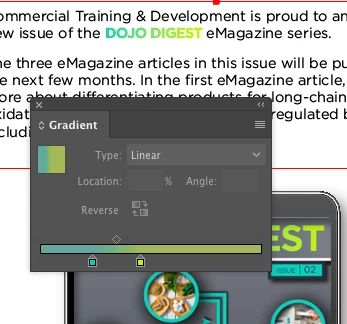
So i have a gradient:
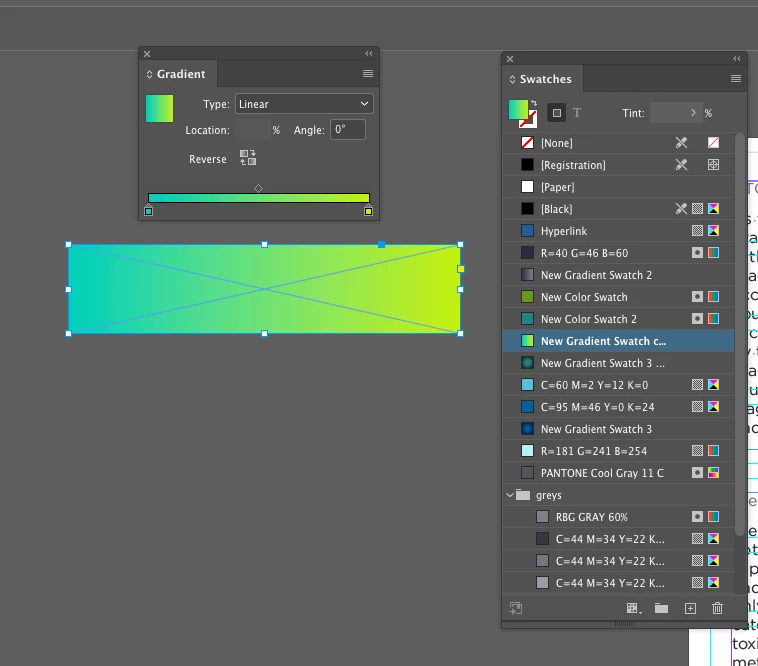
 

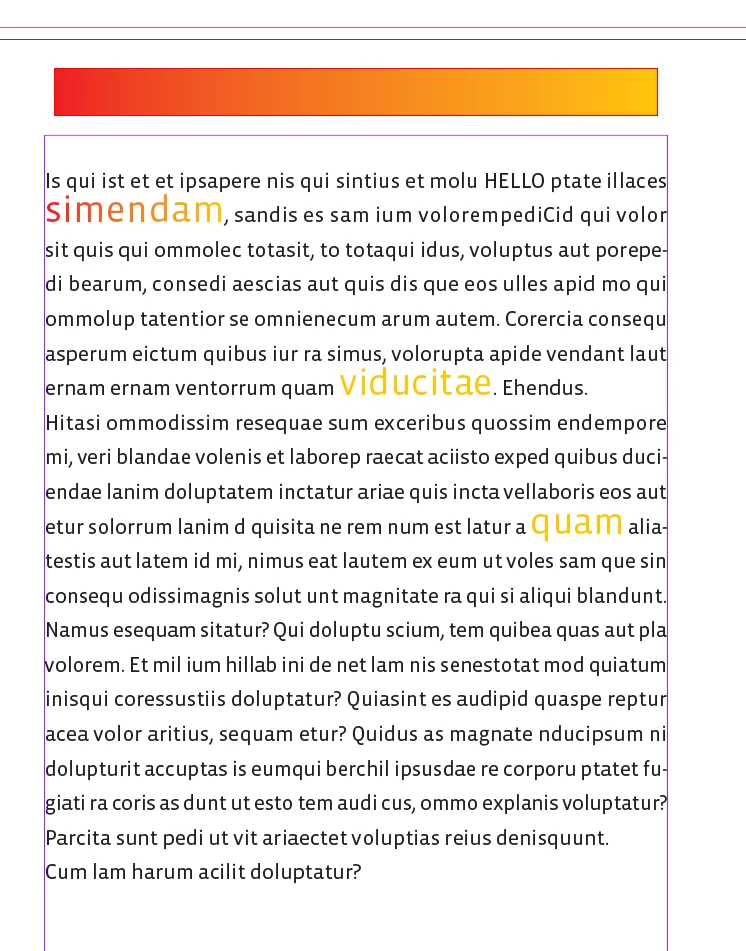
when i want to apply that gradient to text, and make a character style, i find the gradient slider stops need to be moved to different locations for every instance of the same text in every different location:


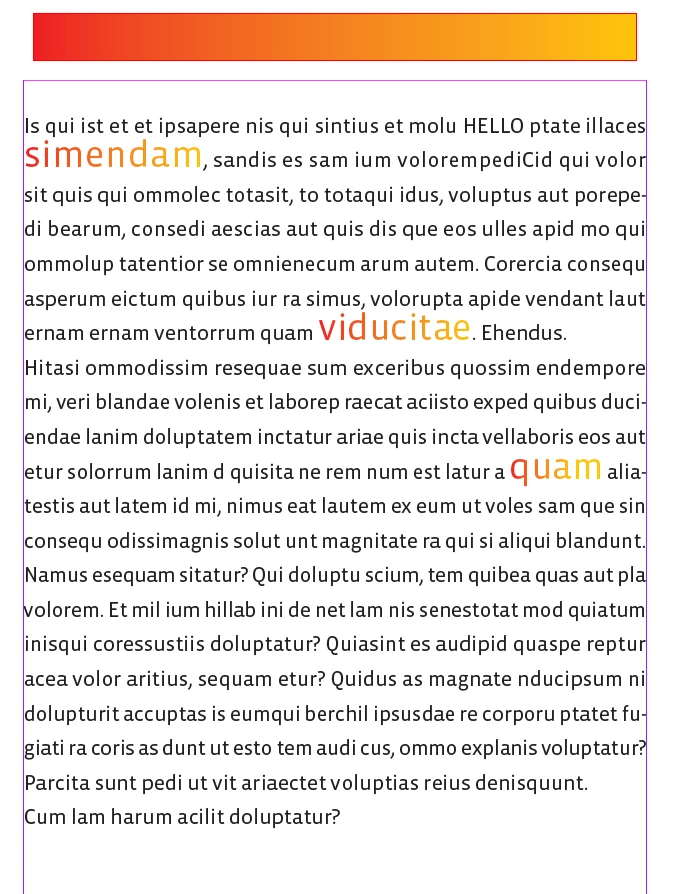
this is the layout:

and all 3 instances of this text need me to adjust the gradient manually to try to make it look consistent
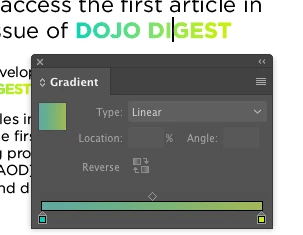
 

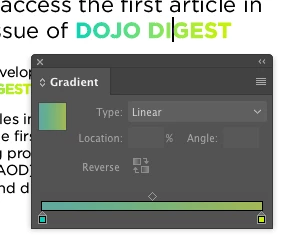
AND!!!


if i copy and paste it from one location to another. the gradient is gone:

 

Why?
This topic has been closed for replies.
Correct answer rob day

Hi Jonathan, I think it is because gradient fills have a starting point and a length, which is relative to the page and not the word.


You can get the word’s position on the page so it would be possible to script the gradient’s position to match the word’s position and length. Something like this might work, where the name of your character style for the gradient is "GradientWord"


var st = app.activeDocument.stories
var cs = app.activeDocument.characterStyles.itemByName("GradientWord")
var b,h,x,x2;
for(var i=0; i < st.length; i++){  
    var w = st[i].words; 
    for(var j=0; j < w.length; j++){  
        if (w[j].appliedCharacterStyle == cs) {
            b = w[j].baseline;
            h = w[j].horizontalOffset;
            x = w[j].parentTextFrames[0].geometricBounds[1];
            x2 = w[j].characters[w[j].length-1].horizontalOffset;
            w[j].gradientFillStart = [h-x, b];
            w[j].gradientFillLength = x2-h;
        } 
    }  
} 


2 replies

rob day
Community Expert
Community Expert
April 15, 2021

Also, if there are sequential words with the character style applied, this would be better.


var st = app.activeDocument.stories
var cs = app.activeDocument.characterStyles.itemByName("GradientWord")
var w,b,h,x,x2;
for(var i=0; i < st.length; i++){  
    //a range of words with the same style applied
    w = st[i].textStyleRanges; 
    for(var j=0; j < w.length; j++){  
        if (w[j].appliedCharacterStyle == cs) {
            //the gradient doesn’t work if the text range breaks
            w[j].noBreak = true;
            b = w[j].baseline;
            h = w[j].horizontalOffset;
            x = w[j].parentTextFrames[0].geometricBounds[1];
            x2 = w[j].characters[w[j].length-1].horizontalOffset;
            w[j].gradientFillStart = [h-x, b];
            w[j].gradientFillLength = x2-h;
        } 
    }  
} 
JonathanArias
Legend
April 15, 2021

wow. thats cool. thank you

Question. In our team there are 2 designers and 4 editors, all running indesign 2021, do they all need to load and run this spcript everytime they make edits, text will reflows and the gradient is off again correct? 


rob day
Community Expert
Community Expert
April 16, 2021

Yes, reflowing text will change the gradient positions—moving the text frame won’t. If a phrase breaks the gradient wont work, so I added a no break. It probably would be better to use a backward loop—you may have to run the script twice if words were breaking.

rob day
Community Expert
rob dayCommunity ExpertCorrect answer
Community Expert
April 15, 2021

Hi Jonathan, I think it is because gradient fills have a starting point and a length, which is relative to the page and not the word.


You can get the word’s position on the page so it would be possible to script the gradient’s position to match the word’s position and length. Something like this might work, where the name of your character style for the gradient is "GradientWord"


var st = app.activeDocument.stories
var cs = app.activeDocument.characterStyles.itemByName("GradientWord")
var b,h,x,x2;
for(var i=0; i < st.length; i++){  
    var w = st[i].words; 
    for(var j=0; j < w.length; j++){  
        if (w[j].appliedCharacterStyle == cs) {
            b = w[j].baseline;
            h = w[j].horizontalOffset;
            x = w[j].parentTextFrames[0].geometricBounds[1];
            x2 = w[j].characters[w[j].length-1].horizontalOffset;
            w[j].gradientFillStart = [h-x, b];
            w[j].gradientFillLength = x2-h;
        } 
    }  
} 


JonathanArias
Legend
April 15, 2021

That makes sense, would the script need to run in other machines? I go back with editors and they work from indesign.


thanks

jonathan

rob day
Community Expert
Community Expert
April 15, 2021

You’ll have to run the script anytime there is a text reflow.