alexanderb57709087
Participant
November 21, 2017
Question

Graphic glitches InDesign CC

  • November 21, 2017
  • 4 replies
  • 10410 views

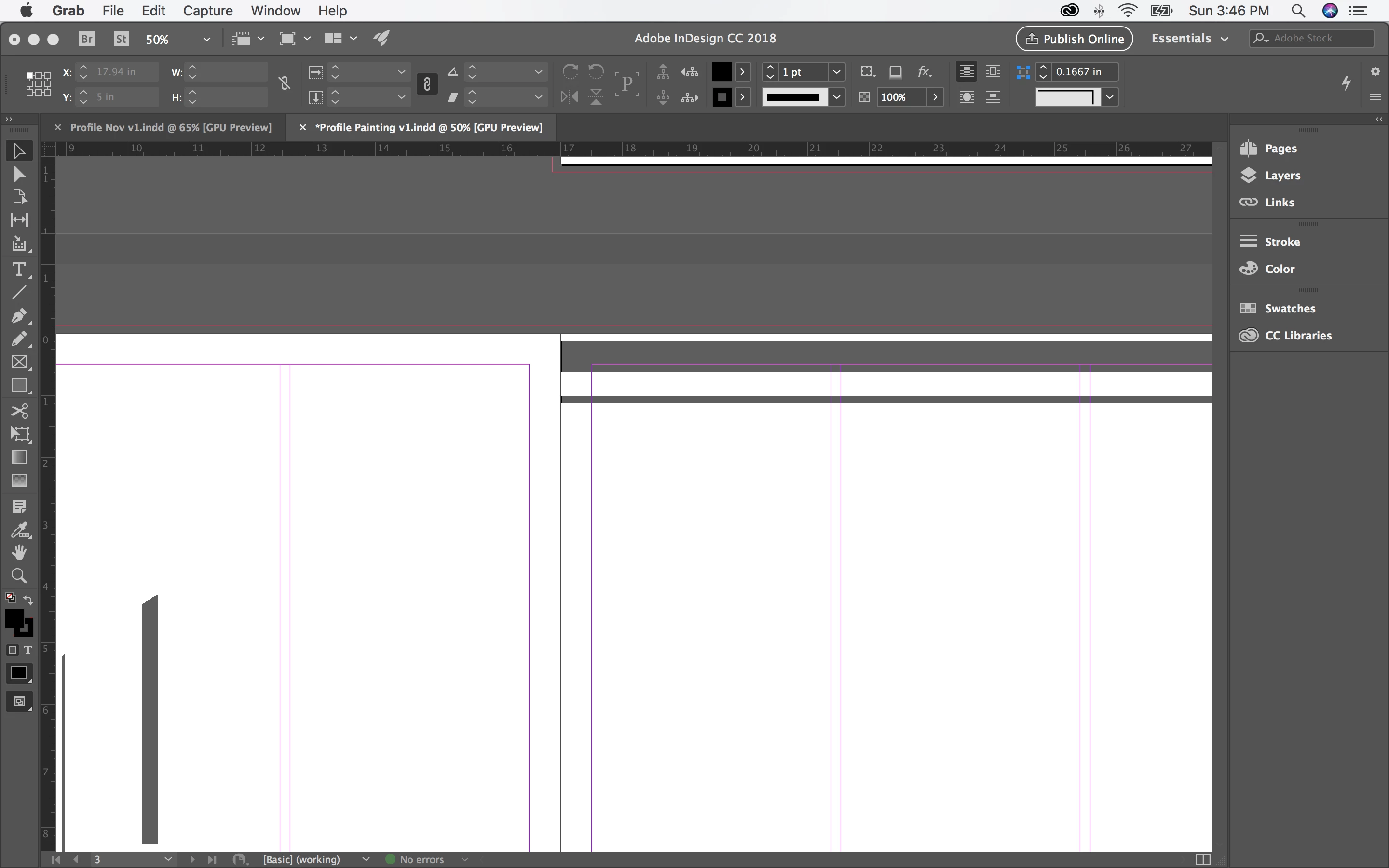
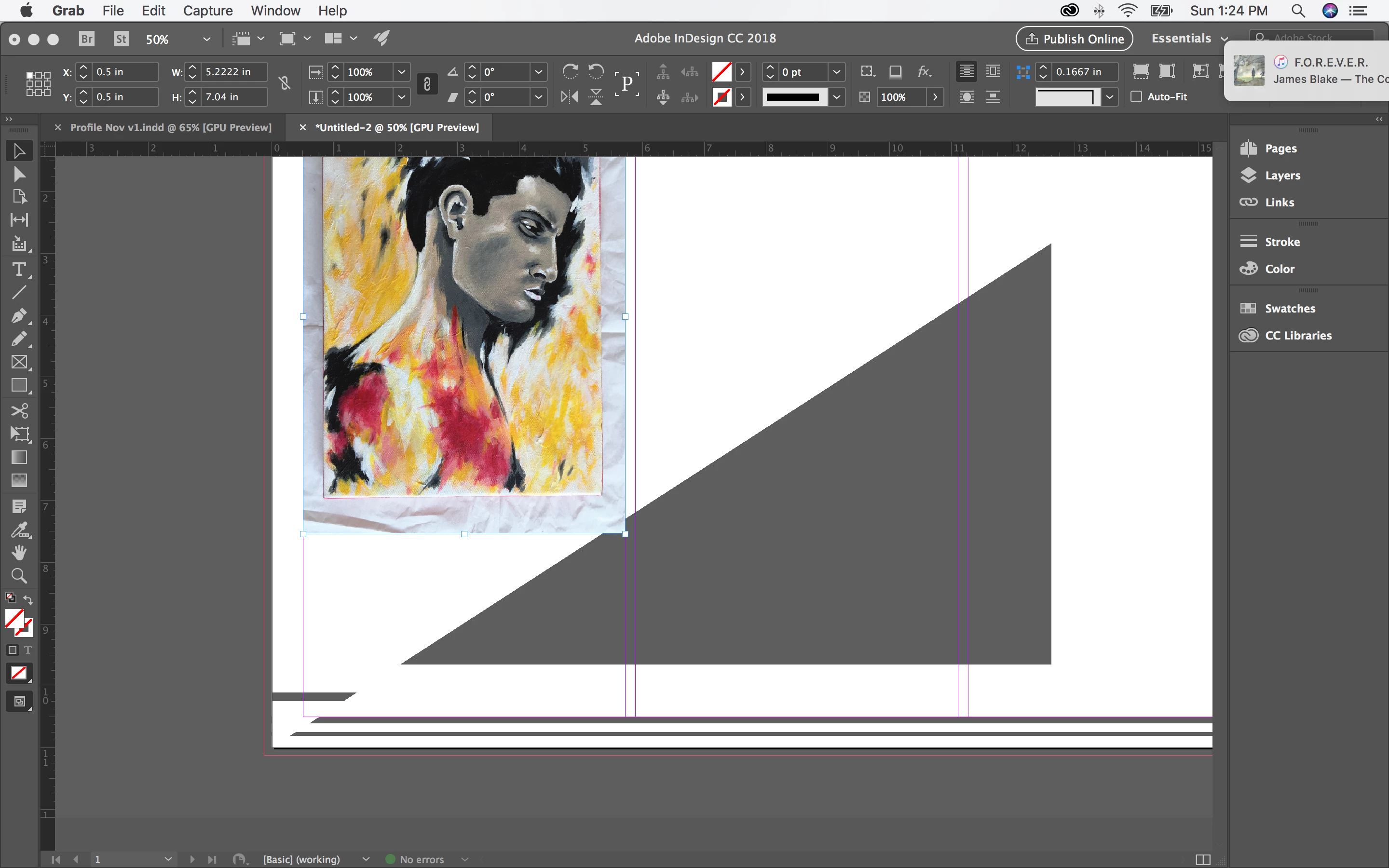
I have been working with Indesign CC for several months on a brand new MacBook Pro, first CC17 and then CC18 and have had no problems. I've also been using PhotoShop and Illustrator without issue. In the last couple week, since I installed the High Sierra OS update I've been experiencing graphic problems while running InDesign. I've attached two example of what's happening below.

I've tried reverting to the older version on CC and I still have the same issues.  I have also tried, under preferences turning off GPU performance. This made the whole program run with lag but I did not have the glitches.

I'm wondering if this is a problem with the computer I'm working on (though it's new), a lack of processing or graphic power, or if it's a compatibility problem to do with the respective new updates and the issue will be resolved in time.

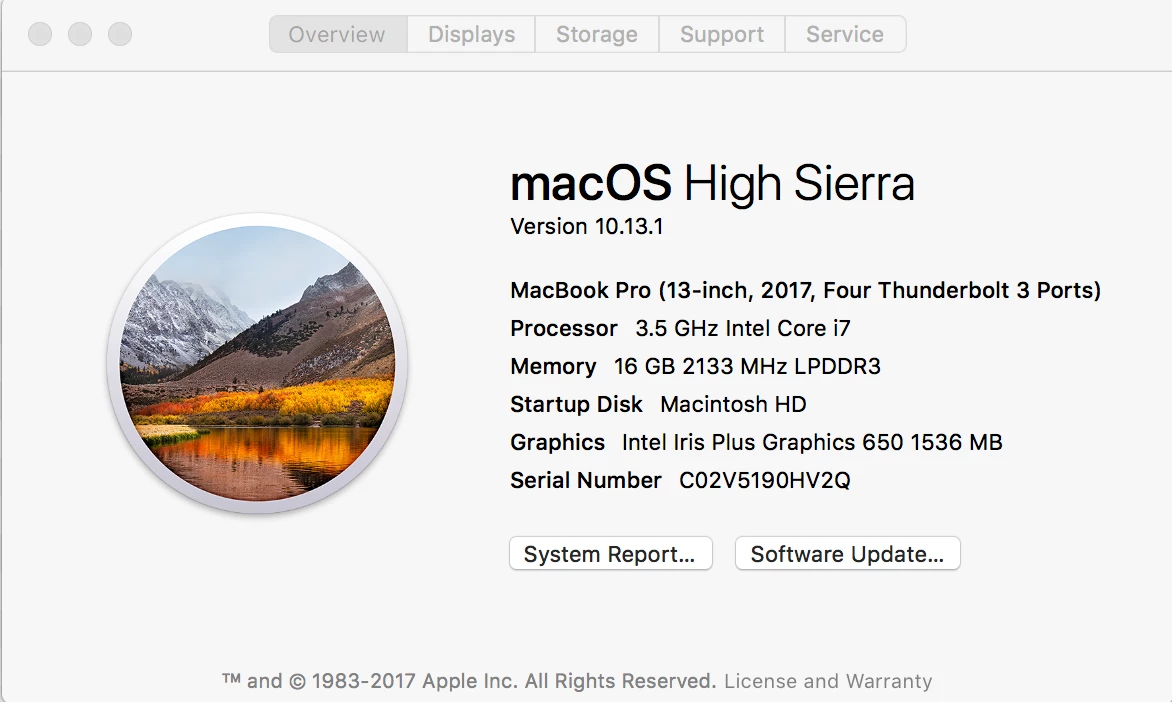
My computer specs:
Hope to get some answers!

Thanks

This topic has been closed for replies.

4 replies

Participant
February 1, 2018

Same issue for me. I'm on a brand new macbook pro and this is driving me insane. Any suggestions?

Known Participant
August 3, 2023

It's 2023 and this is still a constant problem Adobe. I'm begining to think if it's not some new and questionable AI thingy, then Adobe doesn't care.

kristianp83108041
Participating Frequently
January 28, 2018

Hi folks,

10.13.4 Beta 1 solves the problem …

Frans v.d. Geest
Community Expert
Community Expert
January 28, 2018

kristianp83108041  schreef

Hi folks,

10.13.4 Beta 1 solves the problem …

Strange, as this is an Adobe problem and not an Apple problem... so...????

BobLevine
Community Expert
Community Expert
January 28, 2018

What makes you think that?

Remember the cursor issue?

Steve Werner
Community Expert
Community Expert
December 6, 2017

Make feature requests here where the product managers can see it. We're just users like you who frequent this forum:

Feature Requests/Bug Reports

amaarora
Inspiring
November 21, 2017

Hi,

Turn off GPU performance from the preferences. Vote here:Distorted Text and Graphics in high sierra – Adobe InDesign Feedback

-Aman

Participant
November 30, 2017

Is this your actual solution? Or is this a workaround until a real solution is available?

Steve Werner
Community Expert
Community Expert
November 30, 2017

The bugs in GPU performance have not been worked out. Workaround: Turn the feature off when it fails.