Known Participant
July 1, 2025
Answered

Grayscale TIFF won't colour in InDesign

  • July 1, 2025
  • 3 replies
  • 597 views

Hi All

I hope someone can throw some light on why this is happening. I have done it so many times in the past but now it is not working.

So, black image with transparent background. Saved as transparent grayscale tiff in photoshop.


Import image into InDesign and apply colour from swatches but the image remains black. I know it should be changing as I have achieved this numerous times in the past.


Driving me nuts!


TIA


ID v20.4.1, Intel Mac, Ventura.
Correct answer rob day

I'm sure I've coloured transprent ones before


3 replies

rob day
Community Expert
Community Expert
July 1, 2025

Saved as transparent grayscale tiff in photoshop.


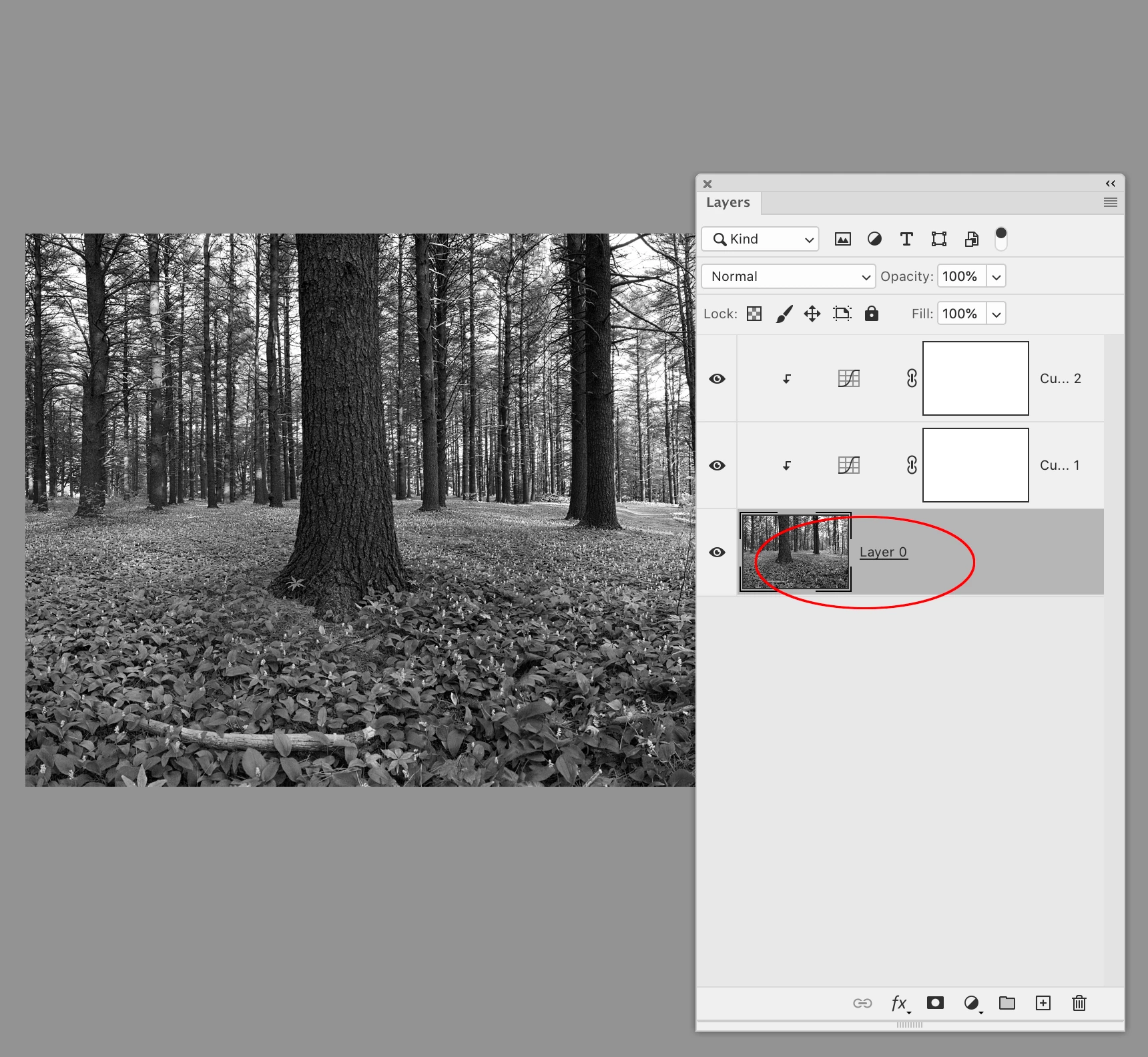
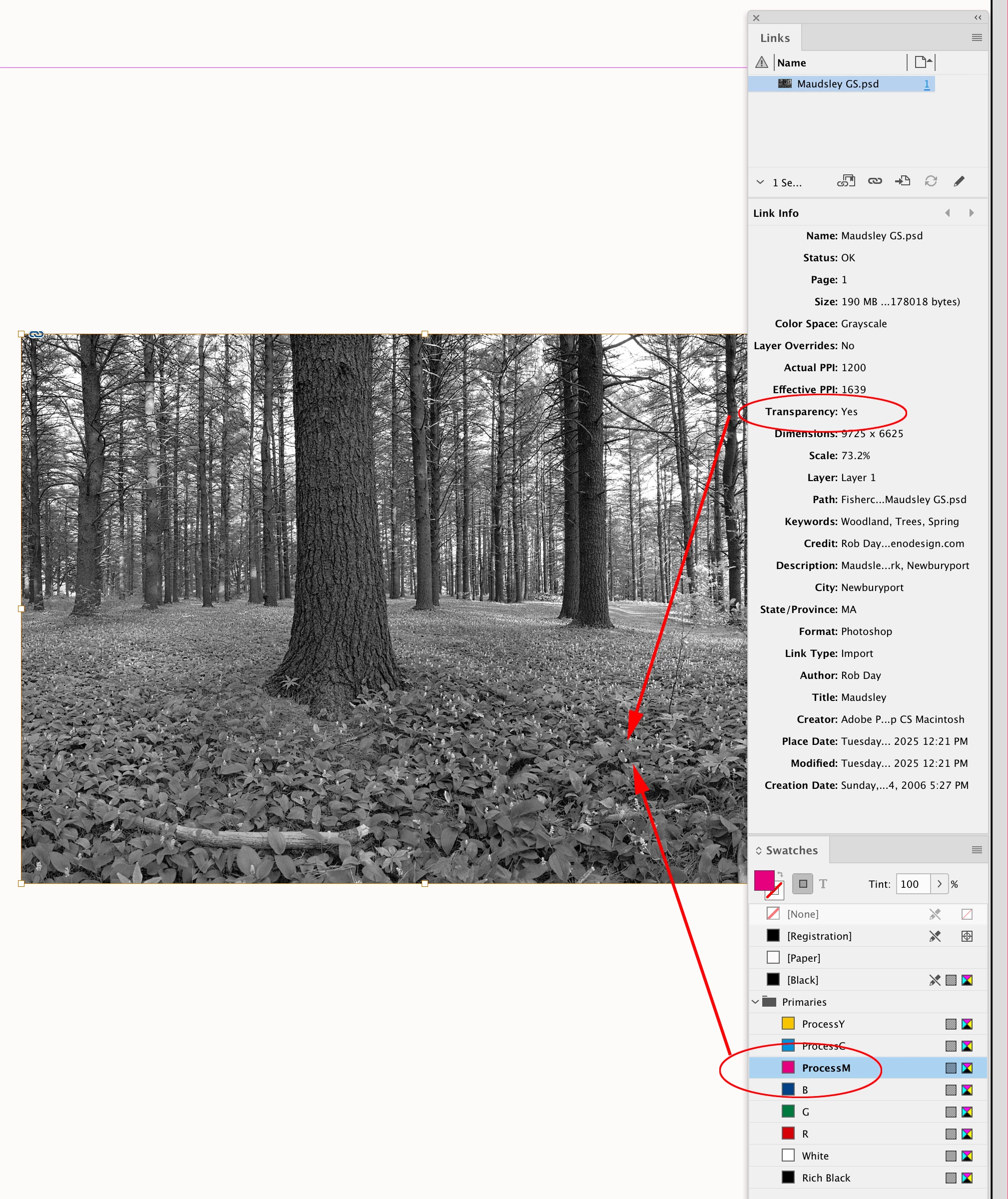
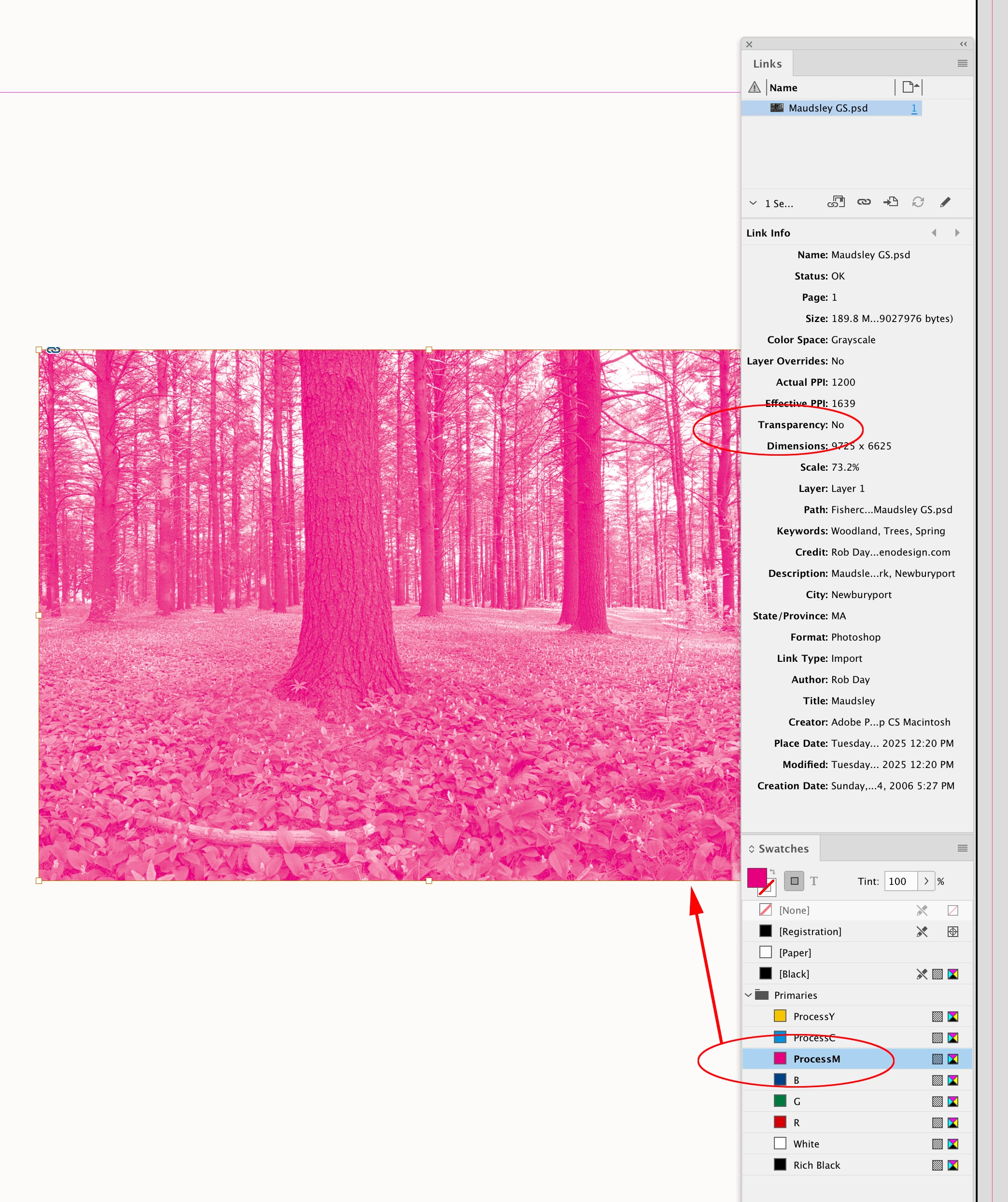
Hi @Gavin31332558259u , Also the grayscale can have layers and transparency, but the bottom layer must be set as Background (not transparent) which will list it as No Transparency in ID’s Links panel


Known Participant
July 1, 2025

Thanks Rob.

Yes, I understand that a flat GS tiff can be coloured but I'm sure I've coloured transprent ones before 🤷‍♂

rob day
Community Expert
rob dayCommunity ExpertCorrect answer
Community Expert
July 1, 2025

I'm sure I've coloured transprent ones before


Willi Adelberger
Community Expert
Community Expert
July 1, 2025

No layers in the tiff are allowed and no 16bit images.

BobLevine
Community Expert
Community Expert
July 1, 2025

As far as I can remember, this won't work with a transparent background.

Abhishek Rao
Community Manager
Community Manager
July 1, 2025

Hi @Gavin31332558259u,


I can totally understand how frustrating this must be, especially since it worked for you before. Bob is right, coloring grayscale TIFFs in InDesign works only when they have a solid (opaque) background. When your TIFF has transparency, InDesign treats it differently and won’t allow colorizing it through swatches.

You could try saving your image without transparency in Photoshop and then place it again in InDesign. 

Please give that a try and let me know if it helps or if you notice anything else.


Looking forward to your update!

Abhishek 

Known Participant
July 1, 2025

Flattening the image with a white background does not work – the image can be coloured but the background remains white.


I am 100% sure that I have done this in the past – maybe it was in QuarkXPress.

Feature request!