Answered
GREP Newbie find & delete text
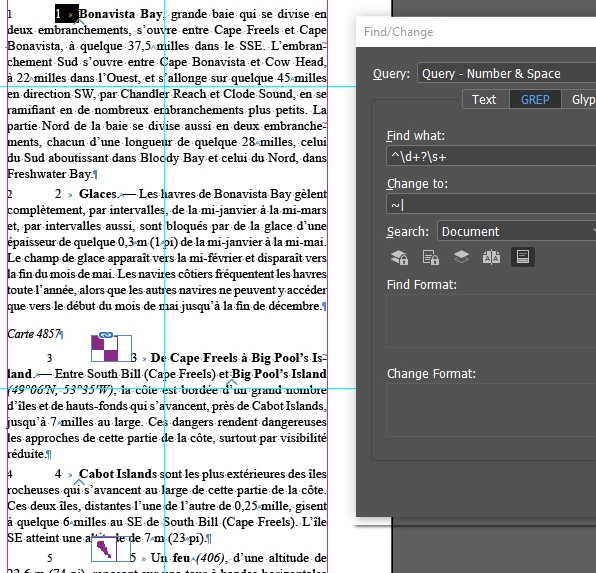
I am working on 14 documents that each paragraph has a number and a space or an inline icon, number and space. I need to remove the number & space. I am then changing each paragraph to a numbered list.
I am using ^\d+?\s+ which works fine for the paragraphs with ni icon.
^~a\d+?\s+ works for selecting the icon number & space, but I want just the number & space after the icon. Also ther can be anywhere from 1 to 4 icons.
Any ideas how this can be done? Look ahead of the icon doesn't seem to work.
Thanks
 AdChoices