
Participant
May 22, 2023
Answered

Grep style for bolding through a second m-dash

  • May 22, 2023
  • 3 replies
  • 1105 views

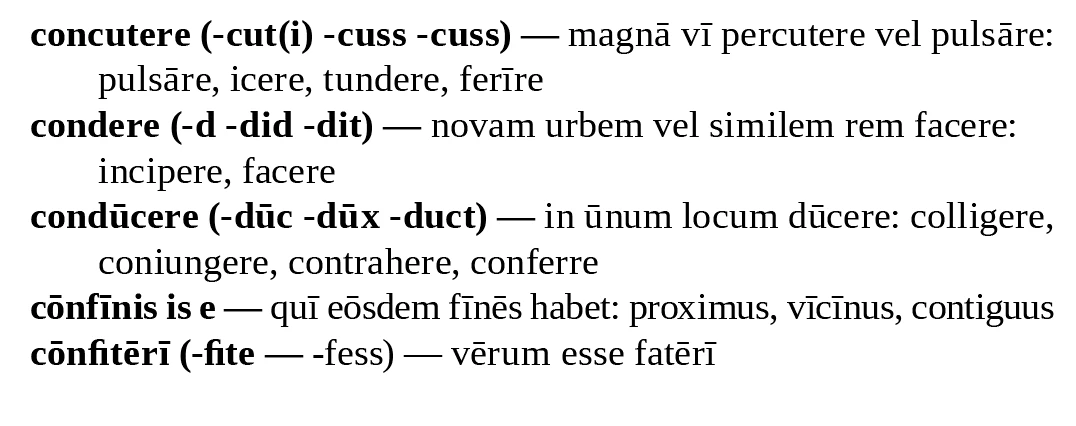
Hi there, I don't know how to use GREP very well and I'm looking for a way to bold dictionary entries through the second instance of an m dash. Some entries just have one em-dash, which I've coded for but I don't know how to code for instances when 2 em-dashes are used. (See the last example in the list below.)
 

This topic has been closed for replies.
Correct answer Eugene Tyson

Grep is great and can be complex.


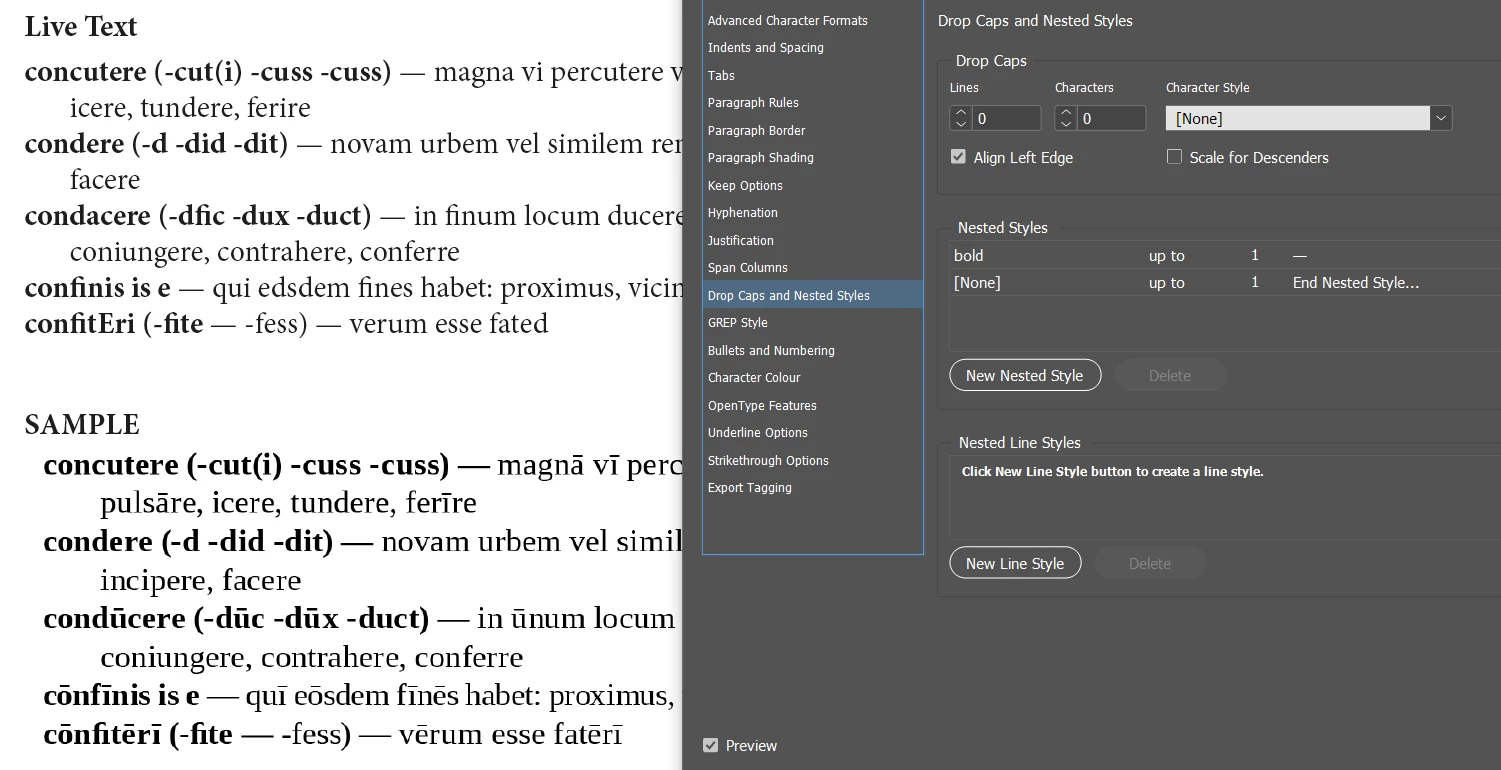
There's a different function better suited to this in InDesign - called Nested Styles


Em Dash is not an option in the drop down area of the Nested Style

But you can just copy and paste the Em Dash in there.
Sample file attached


3 replies

Eugene TysonCommunity ExpertCorrect answer
Community Expert
May 23, 2023

Grep is great and can be complex.


There's a different function better suited to this in InDesign - called Nested Styles


Em Dash is not an option in the drop down area of the Nested Style

But you can just copy and paste the Em Dash in there.
Sample file attached


brian_p_dts
Community Expert
Community Expert
May 23, 2023

TIL you can copy other characters into the Nested dropdown. Thanks Eugene. OP, you'll want to change the 1 to 2 in Eugene's screenshot. 

Community Expert
May 23, 2023

Yes they can change it to suit their own needs. I was working off 4 hours sleep 


You can add as many into the list too as you need - just click New Nested Style and another option will be added.


It's quite versatile for this sort of thing.

m1b
Community Expert
Community Expert
May 22, 2023

Hi @MyrtleTree, here is one that captures up until the 2nd em-dash.

^([^~_\r]*~_){1,2}


However, I wouldn't suggest putting that in a grep style because in my experience there are often exceptions which make things awkward later on. So when I set up a grep style like this I actually use the grep (like Brian's or mine above) to do a search and replace to add a special marker character at the end of the found em-dash. It should be a zero-width character, eg. a non-joiner or a zero-width-space. The replacement (using a non-joiner ~j) would be:

$0~j


Then I set up the grep style like this:

^[^~j]*~j

 which will capture everything up until the first non-joiner character. See screen shot, showing invisibles:


The reason I do this is (a) initially it gives the same result as a straight grep style, but (b) when an exception occurs, you can just manually move the non-joiner character to where you want it. (Note: to select zero-width characters you need to use the left or right arrow-keys with shift.)


Try the attached demo file if it helps.

- Mark

brian_p_dts
Community Expert
Community Expert
May 22, 2023

This would hit everything before the last emdash in the line: ^.+~_