
Participating Frequently
March 13, 2024
Answered

Grep Style to eliminate second decimal place.

  • March 13, 2024
  • 3 replies
  • 836 views

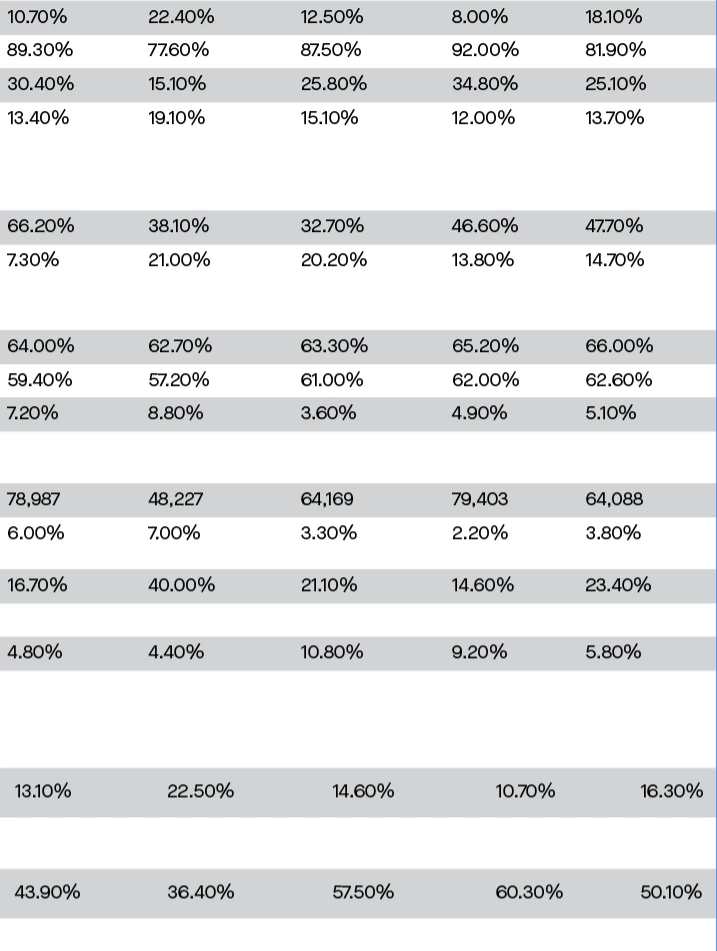
I was given an excel sheet to format, and now the client has asked me to eliminate the second decimal number (ex change 10.70% -> 10.7%) I wanted to know if someone knew how to specifically target that second number via grep styles or Find/replace. Thanks is advanced, this would help immensely.
This topic has been closed for replies.
Correct answer Scott Falkner

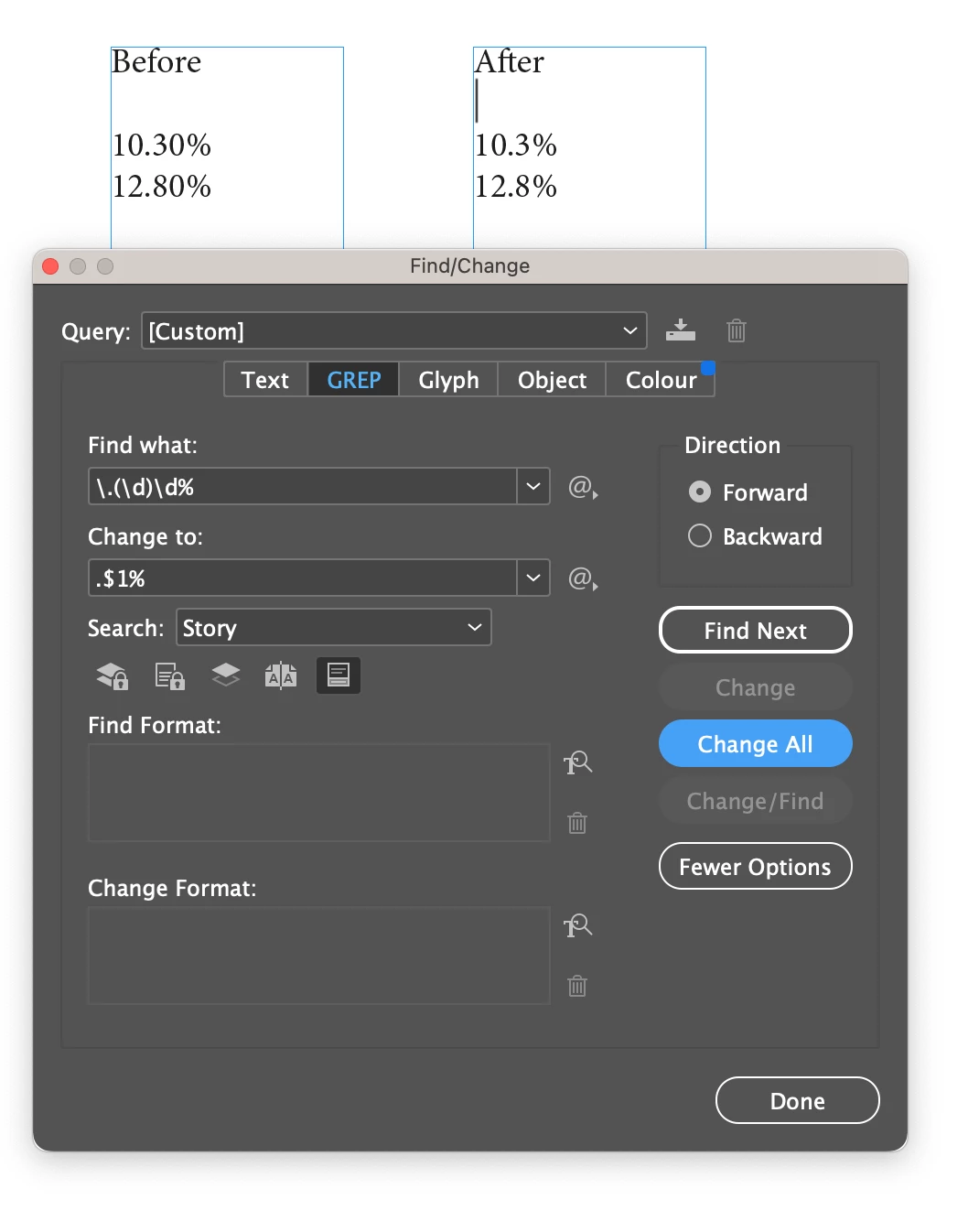
You cannot use GREP Styles to remove content. For that you must use GREP in Find/Change.


Find: \.(\d)\d%

Change: .$1%

3 replies

Community Expert
March 14, 2024

If it's just every similar thing like 10.70% -> 10.7%

where the 0 is removed 


Find

\.\d\K0(?=%)

Change to

<leave blank>


Robert at ID-Tasker
Legend
March 13, 2024

@Brandon32002375r2v2 


Looks like you ALWAYS have "0%"? Why not replace "0%" with "%"?


Or go with @Scott Falkner's much more universal approach.


Scott Falkner
Community Expert
Community Expert
March 14, 2024

My method will only remove the final digit before the %, it will not round. Rounding would require a more complicated expression at best and more likely is not possible. I mean, you could probably write an expression smart enough to round 12.87% up to 12.9% but rounding 19.97% up to 20.0% seems non-doable.

Robert at ID-Tasker
Legend
March 14, 2024

@Scott Falkner 


Something like this?


"19.97% up to 20.0%" - only scripting or few separate GREPs - depends on how much you want to round up - only 19.xx -> 20.00 or 15.xx-19.xx -> 20.00


Scott Falkner
Community Expert
Scott FalknerCommunity ExpertCorrect answer
Community Expert
March 13, 2024

You cannot use GREP Styles to remove content. For that you must use GREP in Find/Change.


Find: \.(\d)\d%

Change: .$1%

Robert at ID-Tasker
Legend
March 13, 2024
quote

You cannot use GREP Styles to remove content.


By @Scott Falkner


You can't "remove" - but you can "hide"...


Scott Falkner
Community Expert
Community Expert
March 14, 2024
quote


You can't "remove" - but you can "hide"...


By @Robert at ID-Tasker


True. You could use the Find expression in a GREP Style and apply a character style that uses a very small point size plus a very small scale percentage, which would effectively make the characters disappear. 0.1 point, with 1% horizontal scale and no fill colour would do the trick.