Participant
May 7, 2025
Answered

GREP style to exclude superscripts

  • May 7, 2025
  • 3 replies
  • 486 views

Hi!  I'm very new to GREP styles but created one so that all numbers in this paragraph style are bolded. 

 

In many cases, some numbers are superscripted. I do NOT want superscripted numbers to be bold. How can I fix this? Thanks in advance 🙂

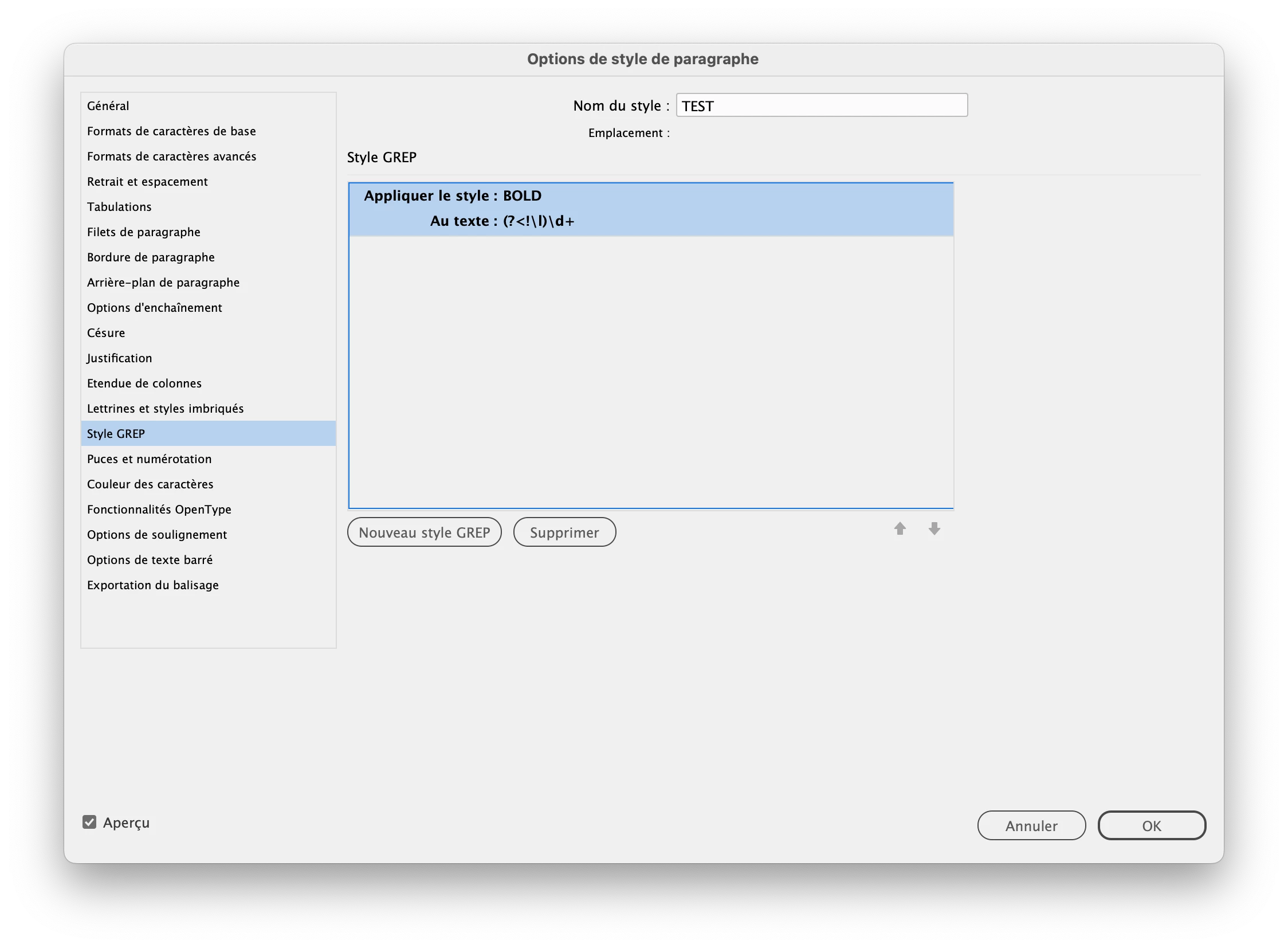
  

Correct answer jmlevy

You could add a negative lookbehind to exclude digits if they are preceded by a lowercase letter:


3 replies

jmlevy
Community Expert
jmlevyCommunity ExpertCorrect answer
Community Expert
May 7, 2025

You could add a negative lookbehind to exclude digits if they are preceded by a lowercase letter:


Participant
May 8, 2025

this did it! i knew there was a simple answer I wasn't finding on the internet. thank you so much for the quick response. 

jmlevy
Community Expert
Community Expert
May 8, 2025

Glad it works for you, but as @Barb Binder wrote, why don't you use footnotes for the superscrpited numbers?

Barb Binder
Community Expert
Community Expert
May 7, 2025

And thinking about the alternative, if you are manually adding supercript numbers for some reason beyond footnotes/endnotes, the character style you use to assign the superscript could also change the style to regular without impacting the other digits.


~Barb


~Barb at Rocky Mountain Training
Barb Binder
Community Expert
Community Expert
May 7, 2025

Hi @emaste49523827076jaw3:


Is the 5 a footnote number or did you type it yourself?


In my example below, \d+ formats the typed digits but not the note numbers (footnote or endnote).


~Barb


~Barb at Rocky Mountain Training