
Inspiring
August 1, 2025
Answered

GREP to apply subscript to uppercase single character followed by a single digit

  • August 1, 2025
  • 2 replies
  • 292 views

I'm sure to have already asked this but I cannot find it anywhere, nor on search engines. 

In a music-related text, I need to show the octave of a note with a subscript digit. 

So, the middle-C on the piano would be C3 with 3 being subscripted. 

I am trying this GREP but it's not working:

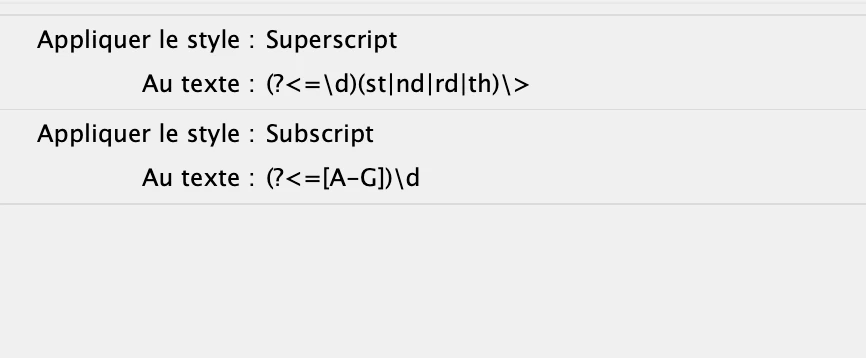
(?<=[A-G])\d


This should be positive lookbehind for uppercase letters A to G, then applying the character style to the single digit following it. 


Any idea why this may not be working? 

Thank you!
Correct answer jmlevy

I don't know what happened, but I just re-typed the full string of your GREP style it it works now. 

2 replies

rolandmol
Participant
October 23, 2025

Faster to type and easier to read:

[A-G]\K\d

'\K' is the new 'look behind' and capable of handling more complex code

jmlevy
Community Expert
Community Expert
August 1, 2025

It works perfectly for me. Are you sure that the character style you apply via the GREP syntax is properly set? 

Inspiring
August 1, 2025

Here is the Character Style  (there is nothing else needed but Subscript):

And here is the Paragraph Style's GREP page:

And here is the result I get (that is, nothing):
