
Question
Grey Images (grey/8bit) from Photoshop in Indesign to flat
Hello Indesign Community,
we are preparing a fine art print for a client.
Our pictures are grey/8bit converted RGB.
In photoshop (and on our Canon Imageprograf printer) blacks are great.
But in indesign pictures flatten out to grey. No real blacks. Also in exported PDF.
We tried different color profiles. No success. The printing company says, there is no black in the file, but when we open the linked files in PS everything is great.
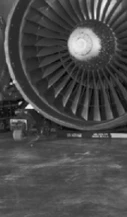
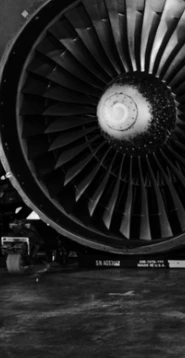
preview in Indesign vs. Photoshop.
Any experience with that problem? Would be a great help!
Oh, we just print the K channel for fine art. So no rich black discussion, please 🙂
Oliver


 AdChoices