Participant
October 19, 2020
Answered

grids lines everywhere :S

  • October 19, 2020
  • 4 replies
  • 794 views

hello all -

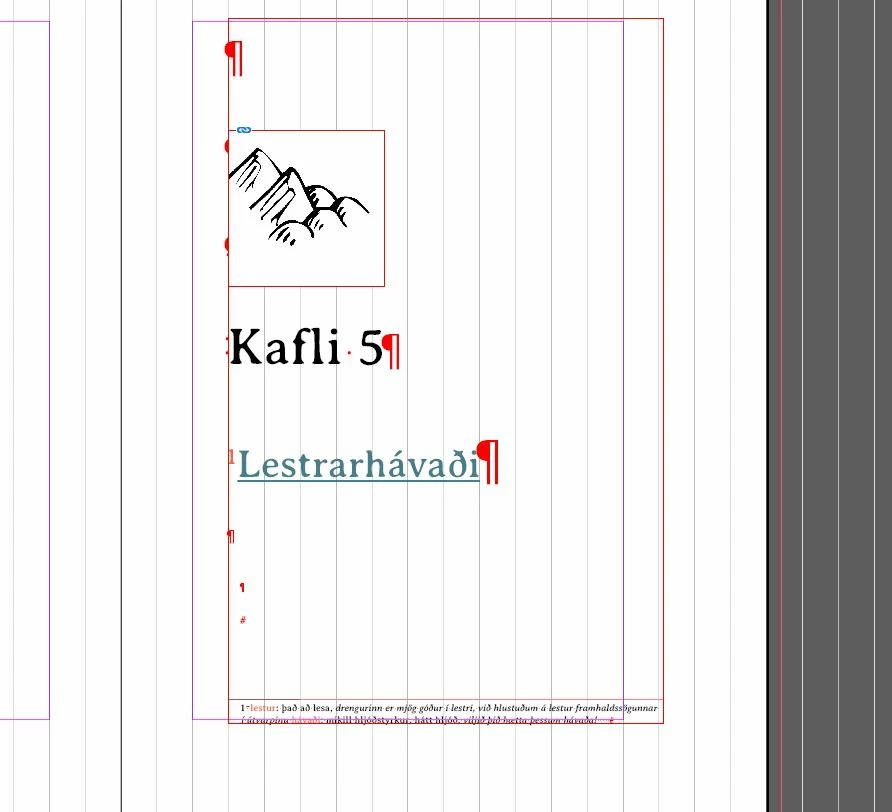
i attempted to drag a ruler/guide onto my document and all of the sudden - my page went to sh*t!

how does one turn off all of these lines and symbols?


This topic has been closed for replies.
Correct answer Barb Binder

You still have two visual aids enabled: frame edges and non-printing characters. 


  • View > Extras > Hide Frame Edges
  • Type > Show Hidden Characters


Personally, I keep all three on (guides too) while I'm working, but it's up to you.


~Barb 

4 replies

Diane Burns
Inspiring
October 19, 2020

Recommend you leave all these guides turned on, and simply go into preview mode ( press "W" with Selection tool, not the Text tool, selected), which will cause all these guides to not display. Especially the frame edges can provide useful info when needed and Invisible characters, etc. so you can press "W" and see them again. Easy toggle back-and-forth.

Barb Binder
Community Expert
Community Expert
October 19, 2020

We are always happy to help, Jónk.


~Barb 

~Barb at Rocky Mountain Training
Barb Binder
Community Expert
Barb BinderCommunity ExpertCorrect answer
Community Expert
October 19, 2020

You still have two visual aids enabled: frame edges and non-printing characters. 


  • View > Extras > Hide Frame Edges
  • Type > Show Hidden Characters


Personally, I keep all three on (guides too) while I'm working, but it's up to you.


~Barb 

~Barb at Rocky Mountain Training
Participant
October 19, 2020

ah what a relief! thanks barb. 😉

 
Participant
October 19, 2020

okay - sorted the lines. however, unable to sort the remains.

okay - sorted the lines
