

Guidence on creating a custome panel
If someone could guide me on this (remember you are talking to a total dummy!)
I have successfully created a few scripts with the help of AI that I use often.
I want to add some functionality by getting input of certain parameters of the script.
I would also like to be able to run them easily by clicking a button.
So in Microsoft Word, I know I would create a form with buttons and text boxes for input.
But how do I do this with ID?
Here, ChatGPT has been hallucinating for the last few hours, wasting my time by trying to teach me development tools incorrectly. As I said, all I want to do is to create a floating panel that allows input of some power meters and buttons to run the scripts.
Not too much to ask, right?
Thank you!
Susan Flamingo
Update:
I followed the instructions here: https://developer.adobe.com/indesign/uxp/plugins/getting-started/
EXACTLY
And all it shows when I load the plugin is:

While the instrcutions say it should look like this:
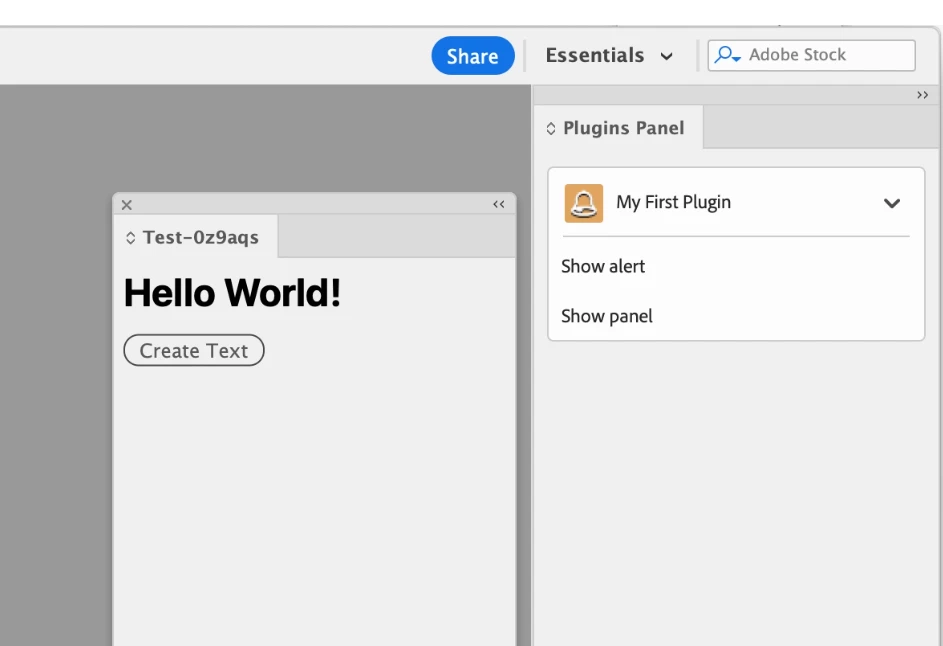
What am i doing wrong?


 AdChoices