
nathalies61394005
Participant
August 18, 2022
Answered

Habillage de texte

  • August 18, 2022
  • 4 replies
  • 359 views

Bonjour,

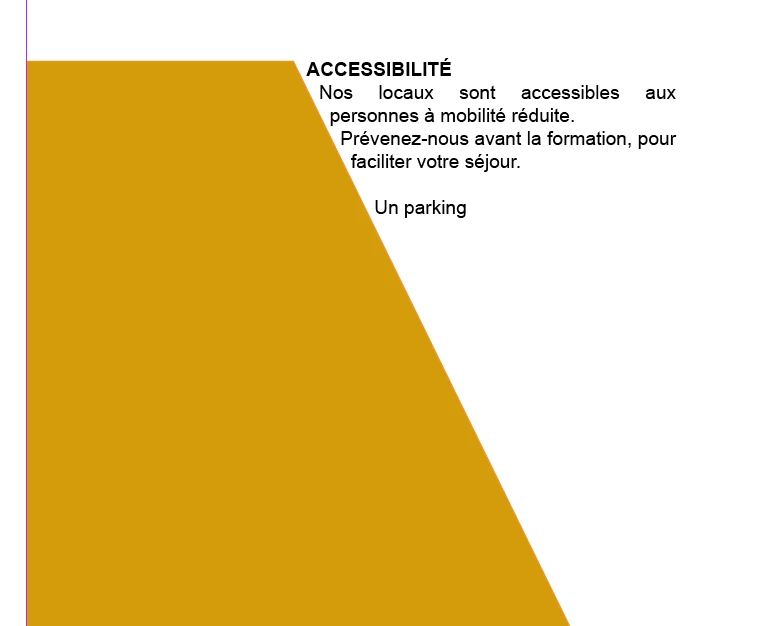
J'ai un souci. Je n'arrive pas à trouver la fonction qui fait que le bloc texte va être à l'intérieur de l'objet que j'ai tracé et suivre la pente. J'ai réussi à trouver à l'extérieur mais pas à l'intérieur. Est-ce qe vous pouvez m'aider ? Merci, Nathalie
This topic has been closed for replies.
Correct answer Laubender

Hi @nathalies61394005 ,

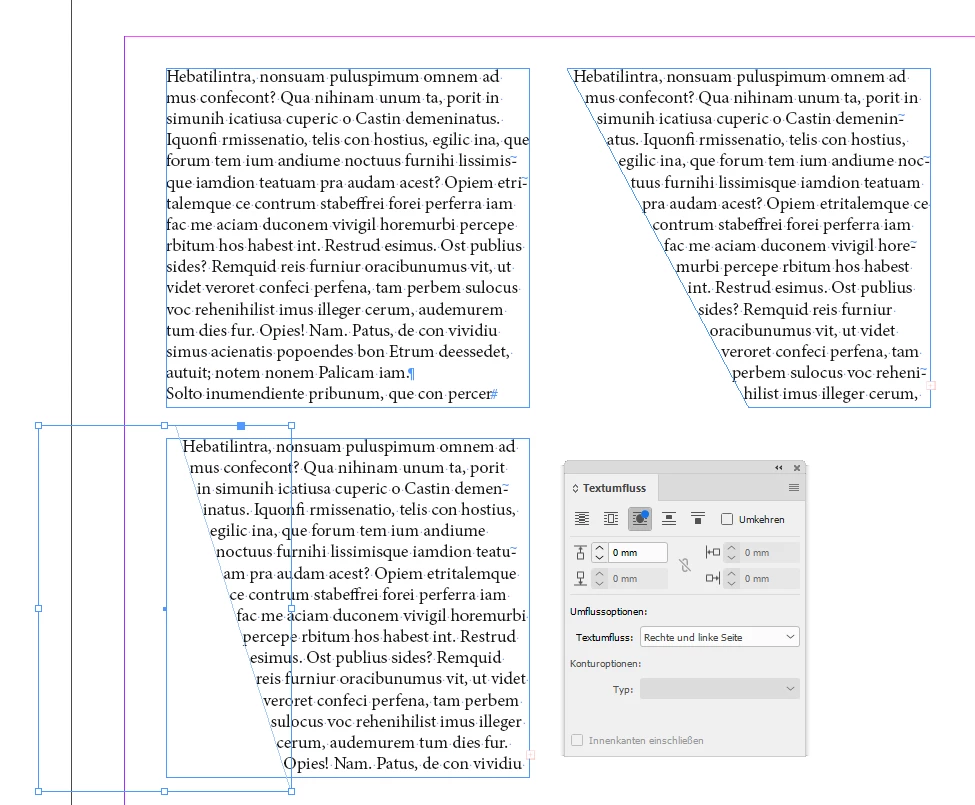
basically you have two options, I think:

[1] Change the shape of the text frame. Use the Direct Selection Tool to move a single path point of a given text frame.

[2] Use a shaped object with Text Wrap applied.


From my German InDesign:


Regards,
Uwe Laubender
( Adobe Community Professional )

4 replies

LaubenderCommunity ExpertCorrect answer
Community Expert
August 19, 2022

Hi @nathalies61394005 ,

basically you have two options, I think:

[1] Change the shape of the text frame. Use the Direct Selection Tool to move a single path point of a given text frame.

[2] Use a shaped object with Text Wrap applied.


From my German InDesign:


Regards,
Uwe Laubender
( Adobe Community Professional )

jmlevy
Community Expert
Community Expert
August 18, 2022

Tu veux que le texte soit à l'intérieur du trapèze ocre ? Comme l'écrit @SJRiegel il suffit de transformer ce bloc en bloc texte.

Legend
August 18, 2022

With your shape selected, Object > Content > Text will turn your shape into a text frame.

You can then use the offset contols under Object > Text Frame Options to give it a bit of margin.

Rishabh_Tiwari
Community Manager
Community Manager
August 18, 2022

Hi @nathalies61394005 ,


Thanks for reaching out. Do you want to create an inverted text wrap? If yes,  please try the suggestions shared here https://helpx.adobe.com/indesign/using/text-wrap.html 


Let us know if this helps or if you need any further assistance.


Regards

Rishabh