



Has the Layers panel ever felt due for a change?
This is not a question, more something I keep wondering about.
Has it ever struck you that the Layers panel has not really changed in years?
It sits in the corner. To move an object one layer down you open it, find the
layer and drag a small square. On a leaflet with fifteen layers that is most of my day.
At some point I stopped complaining and built what I wanted instead.
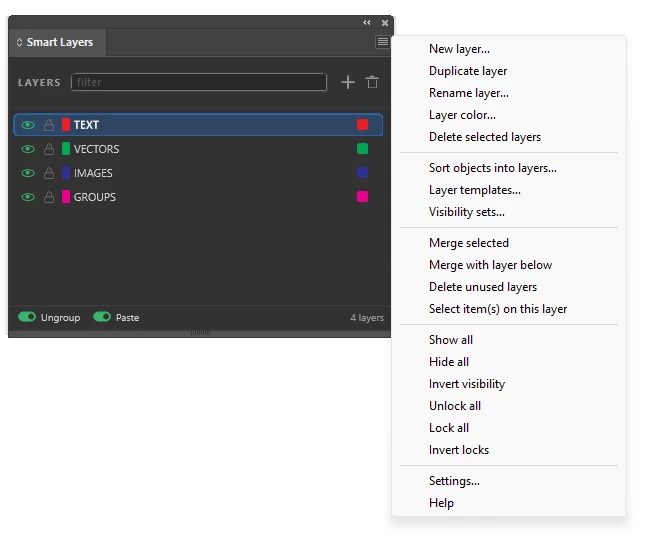
Smart Layers:
- one shortcut opens it right at your cursor, no hunting for a panel
- click a layer name and the selected objects move there
- Shift + mouse wheel moves them one layer up or down
- object counts per layer, on the page and in the whole document
- sort objects into layers by type, object style or what a group contains
- layer templates and visibility sets, similar to Layer Comps in Photoshop
Two versions: an AutoHotkey palette for Windows, and a UXP plugin that also runs on macOS.
Short demo: https://www.youtube.com/watch?v=xUggYIyQyvg
Download and manual: https://zaleskyworkflow.com
But I am still curious about the original question. If you could change one
thing about the Layers panel, what would it be? Half of what ended up in
mine came from exactly that kind of complaint.
 AdChoices