

Participant
August 8, 2024
Answered

Having an issue with spacing within a bullet

  • August 8, 2024
  • 3 replies
  • 279 views

I can't figure out why I'm having these weird spacing issues within a bullet point. Please help!!
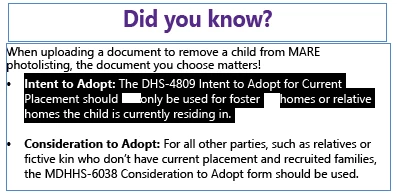

This topic has been closed for replies.
Correct answer James Gifford—NitroPress

A first step would be to turn on hidden characters (bottom of Type menu, or Ctrl-Alt-I) so we can see what's going on, technically, with the paragraph.


I assume you've done things like delete those spaces and retype them, maybe including the words on each side?

3 replies

James Gifford—NitroPress
Legend
August 8, 2024

A first step would be to turn on hidden characters (bottom of Type menu, or Ctrl-Alt-I) so we can see what's going on, technically, with the paragraph.


I assume you've done things like delete those spaces and retype them, maybe including the words on each side?

Participant
August 8, 2024

Yep! I looked and apparently there was something hidden under there. Thanks!

James Gifford—NitroPress
Legend
August 8, 2024

I'd bet on imported text carrying bad typing or unintended characters. In these cases, a first step is always to just retype the string (so you get it right) then paste it in over the whole faulty area. Just deleting what seems like a space, here, might not eliminate the buggy character.
