
MAWalker69
Participant
July 10, 2021
Question

Having Issues With Getting The Interactive Open File Option To Work

  • July 10, 2021
  • 2 replies
  • 195 views

Hi!


Im creating an Interactive PDF and one of the fields I created using the Interactive Open File option keeps giving me this same error below. What I'm trying to is when the user click on the box it allows them to load a picture.
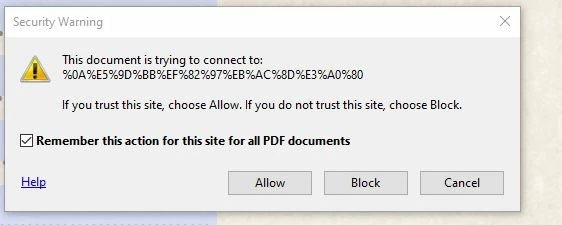


I have an Interactive PDF that someone else created that does this and it works just fine. I did notice that a different dialog box (see below) pops up, so I'm wondering if Im using the wrong InDesign feature to accomplish what I want. Is there a different way to do this? How do I recreate the option below?
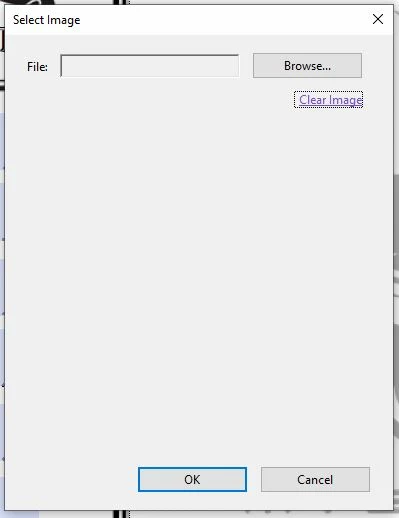


Any assistance is greatly appreciated!


Cheers,

Michael

This topic has been closed for replies.

2 replies

BobLevine
Community Expert
Community Expert
July 12, 2021

Please don't post twice. You got your answer in the other thread.


Solved: Re: How do I create a Select Image dialog box for ... - Adobe Support Community - 12169236


Do this in Acrobat and if you have questions about it, ask in the Acrobat forum.

MAWalker69
Participant
July 13, 2021

My apologies. I was actually rephrasing the question in my other post (posted after this one) in hopes that it would clarify my issue. I was working on an urgent project and forgot to delete the other post.


-Michael

Community Expert
July 12, 2021

Hi Michael,

could it be that you posted this twice?

And that Bob Levine gave you the correct answer:

"Do it with Adcrobat Pro" ?


Regards,
Uwe Laubender

( ACP )