
Participant
June 28, 2020
Answered

Having major trouble with text in InDesign

  • June 28, 2020
  • 2 replies
  • 1650 views

Hi, 


I really need help with this as I can't figure it out even after extensive google searches. Please refer to the screenshot below:
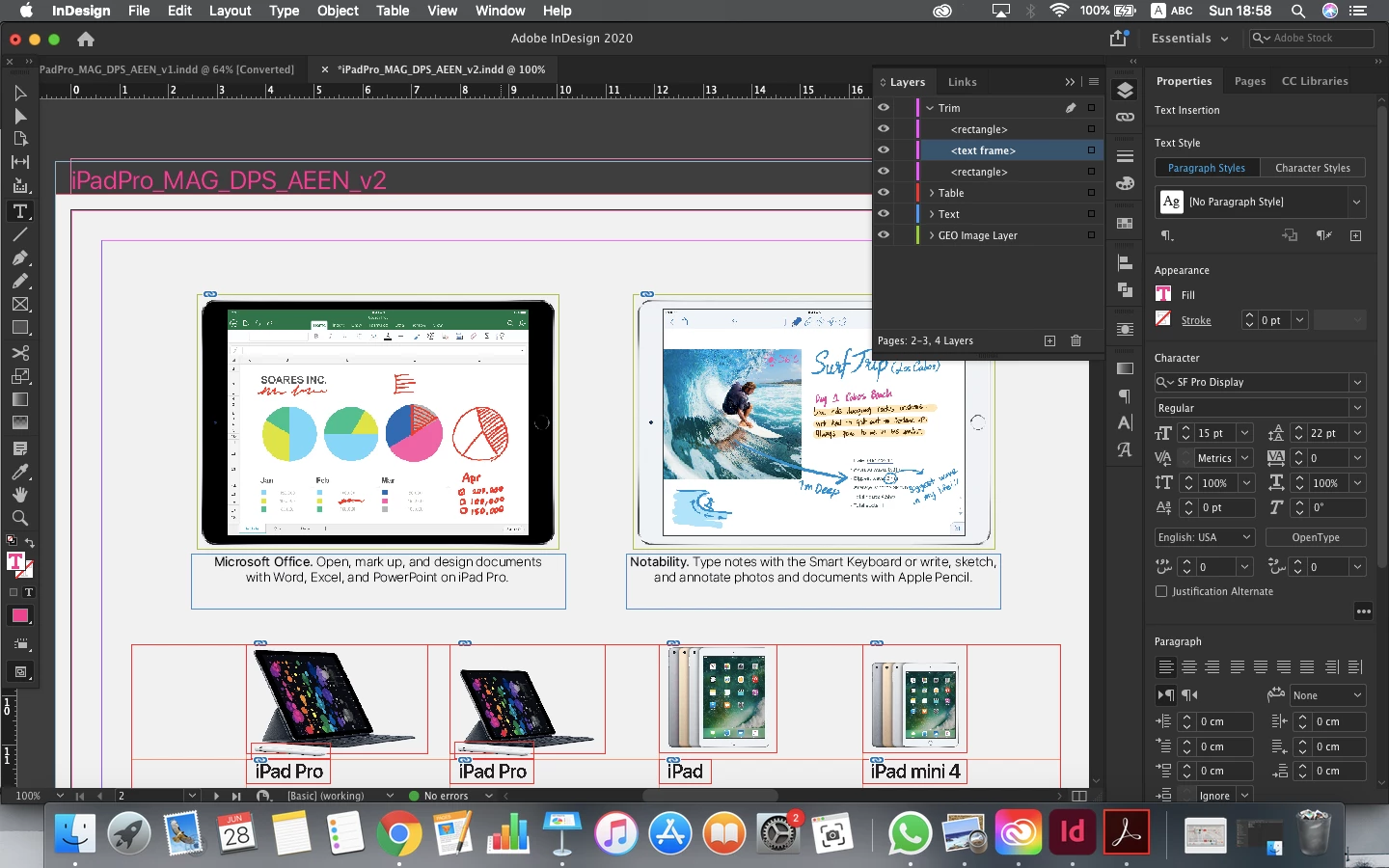
I cannot edit the text in pink "iPadPro_MAG_AEEN_V2". And you can see how it appears in the layers panel - just simply as <text frame>. I can delete the whole line and add text after 'V2' but I cannot edit anything in between. 

Everything is unlocked on the spread.

Am I missing something very obvious here?

Correct answer Scott Falkner

Try Type > Text Variables > Convert Variable to Text.

2 replies

Luke Jennings3
Community Expert
Community Expert
June 29, 2020

Might be a caption.

Participant
June 29, 2020

Hi Luke, 


If it is, how can I edit it? I need to change 'AEEN' to 'AEAR'.


Scott Falkner
Community Expert
Scott FalknerCommunity ExpertCorrect answer
Community Expert
June 29, 2020

Try Type > Text Variables > Convert Variable to Text.

jmlevy
Community Expert
Community Expert
June 28, 2020

Please show:

  1. hidden characters
  2. this text trame in story editor (Cmd Y)
Participant
June 29, 2020

Hidden Characters:


Story Editor: