HELP! Colors changing when i copy icons, shapes from Illustartor to Indesign
Hello there, colours are changing when I copy icons or shapes from Illustrator to InDesign
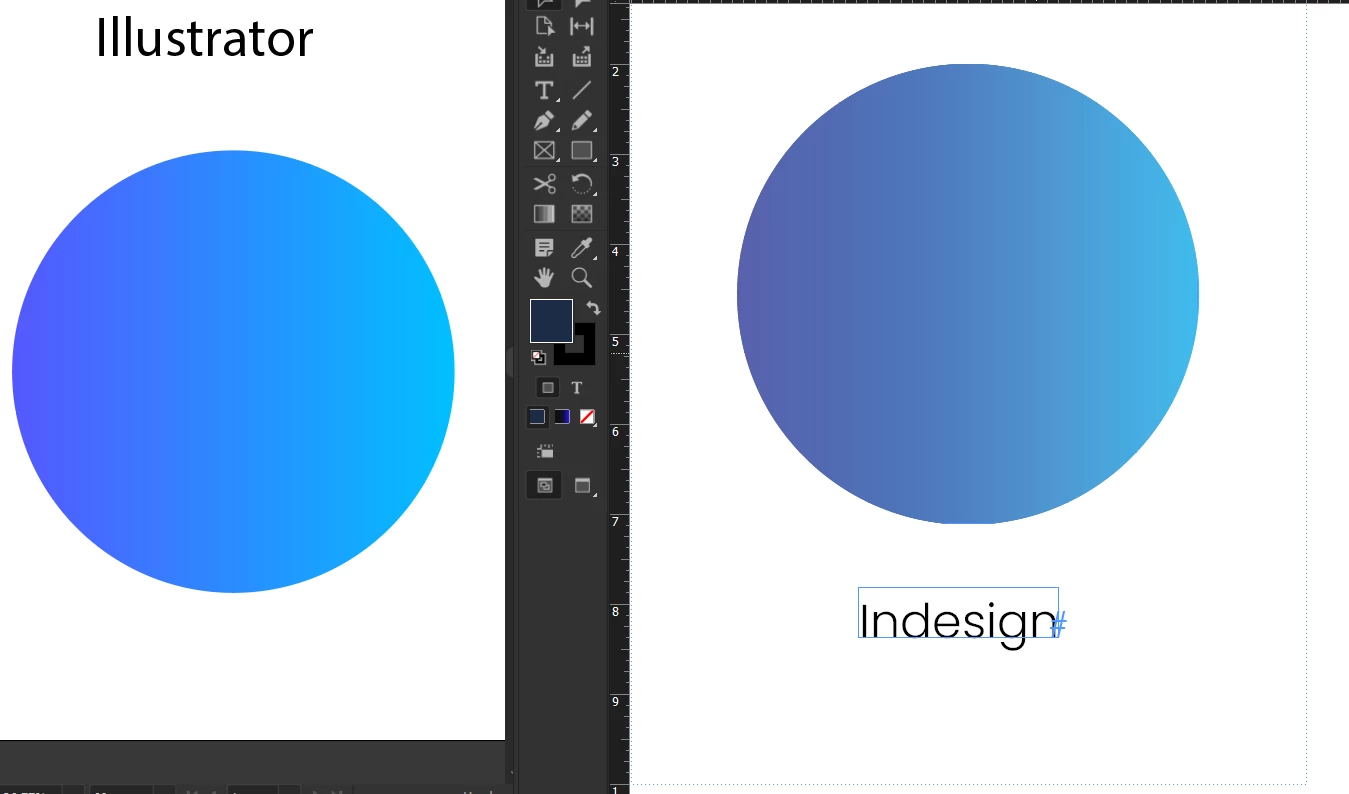

Could you please explain the steps for this? @rob day
1. Should the AI document be in RGB or CMYK, or just the shape or colour in CMYK?
2. Should the ID document be in RGB or CMYK before copying the icon / shape?
4. ?
5. ?
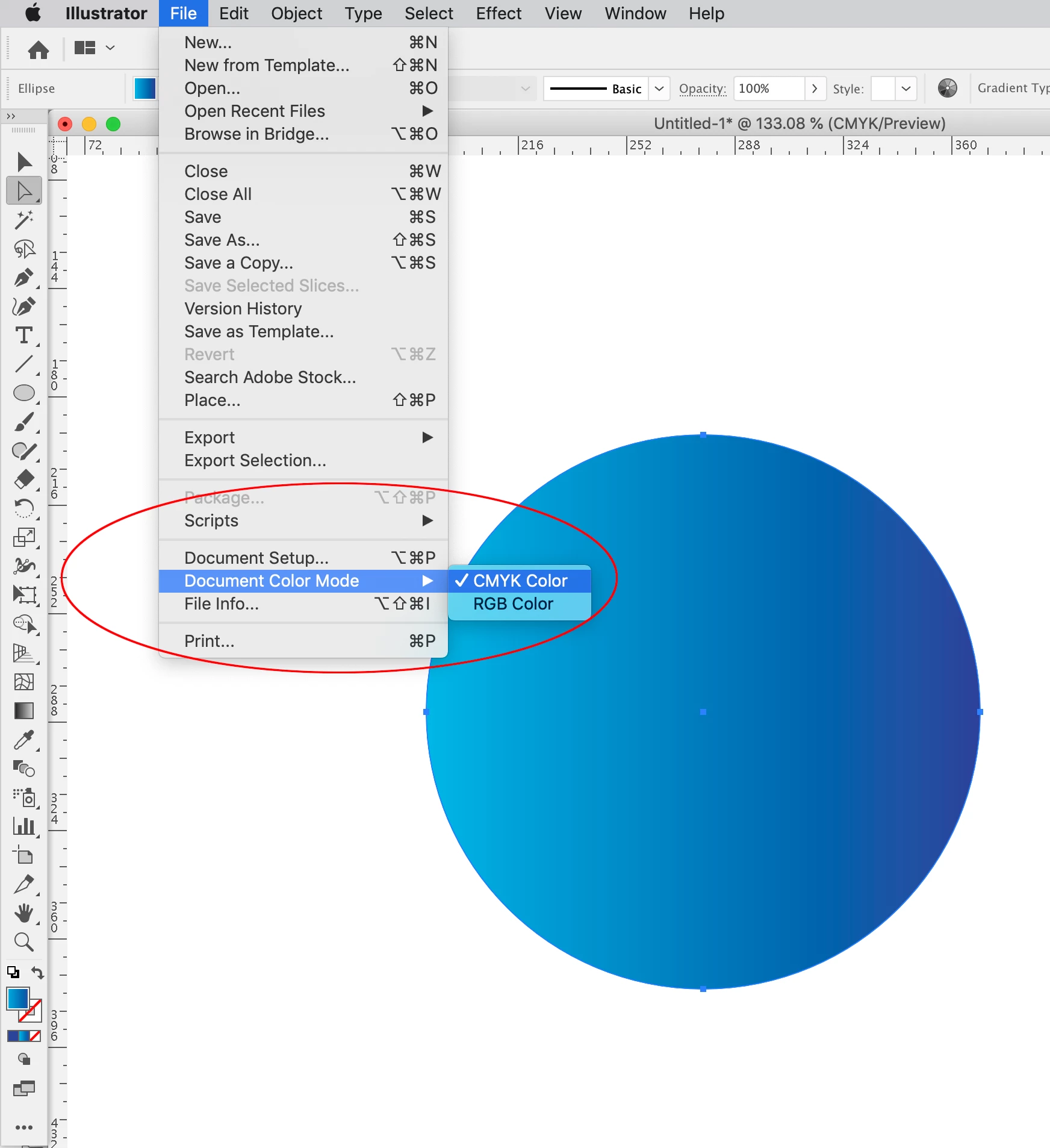
Illustrator has a single document color mode, while InDesign allows a mix of CMYK, RGB, and Lab color modes on the same page. Set you AI doc’s color mode to CMYK:

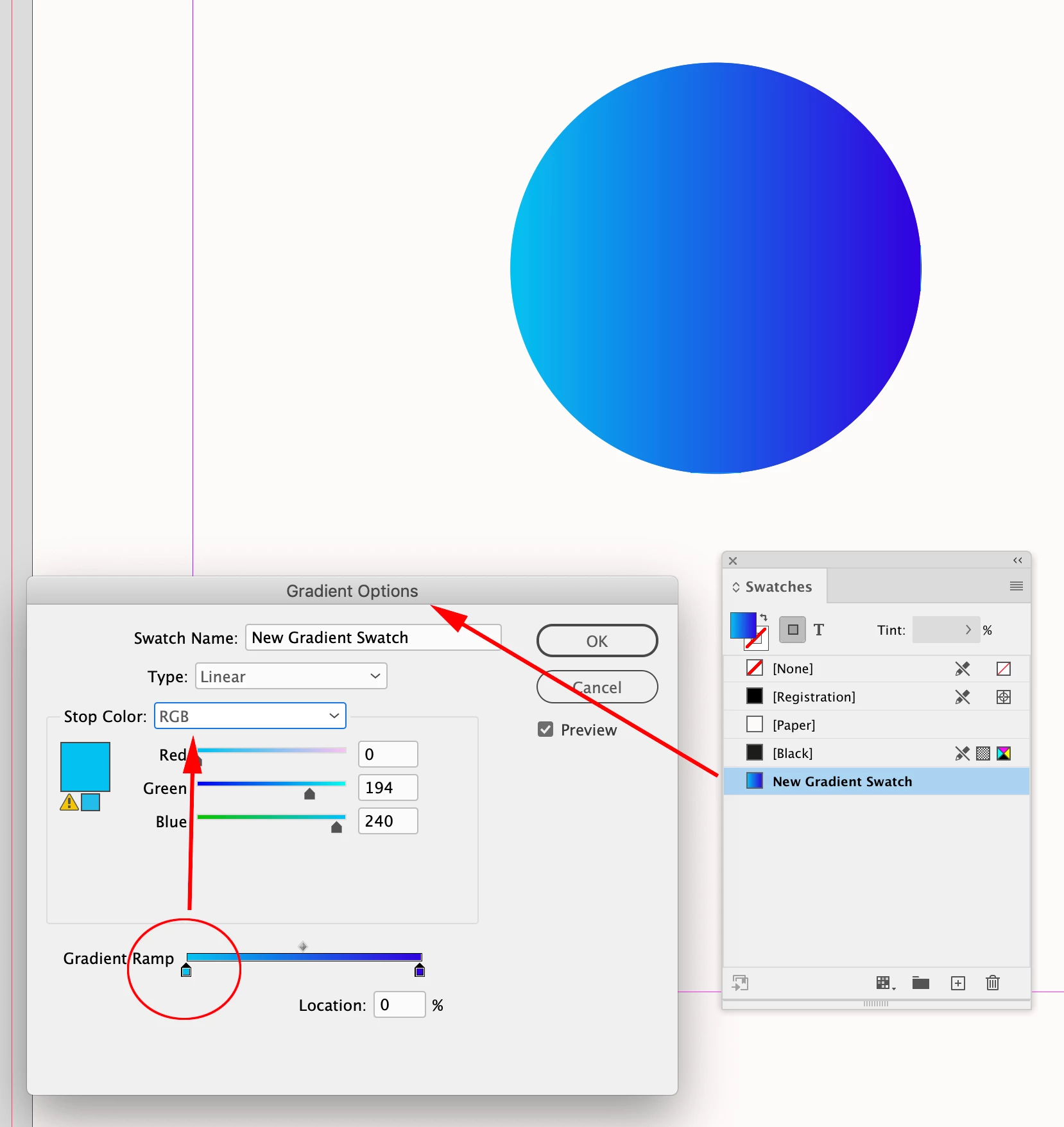
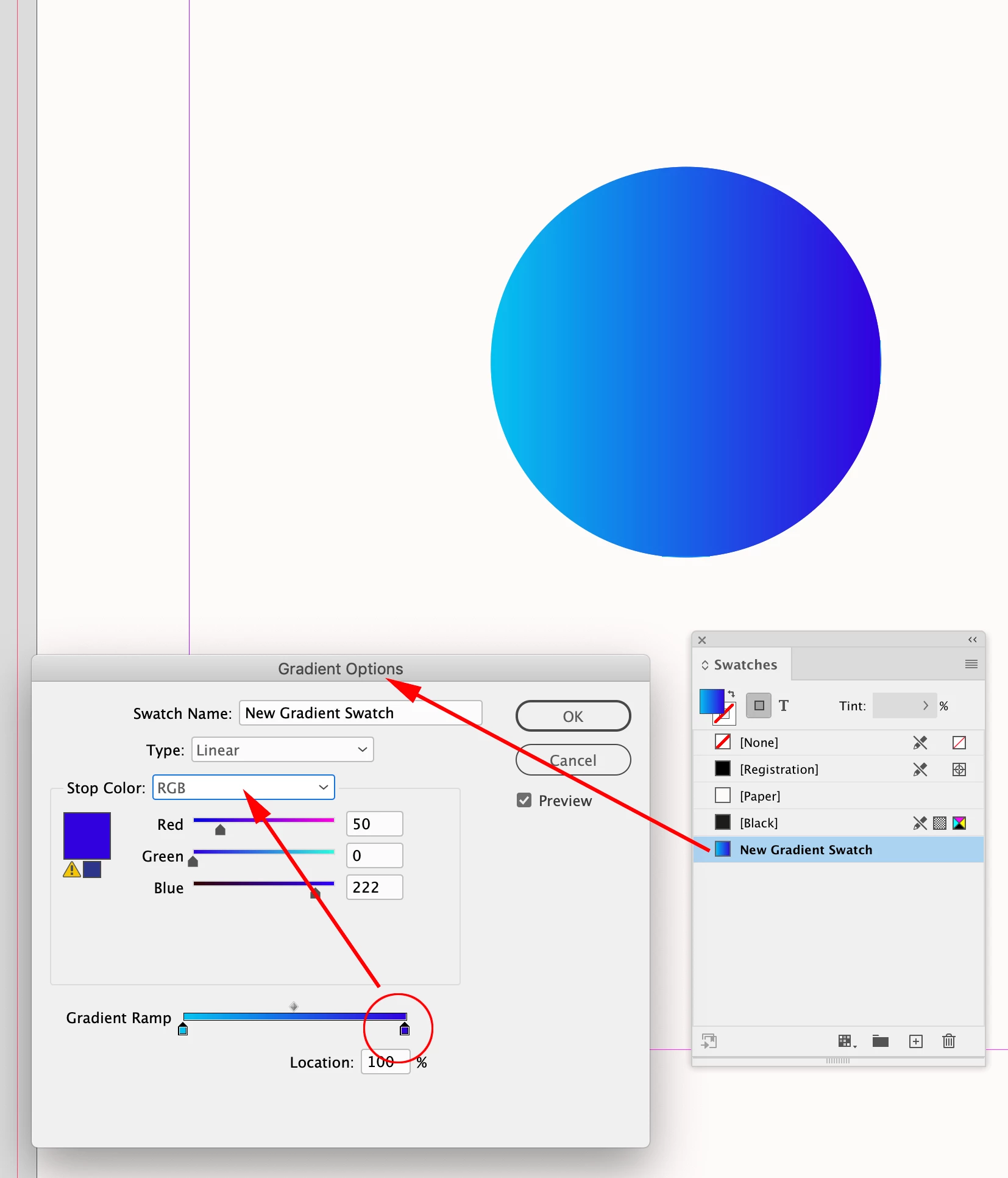
When you paste into InDesign, there should be an imported Gradient Swatch in your Swatches panel. Edit the gradient swatch stops to the desired RGB colors:


Already have an account? Login
Enter your E-mail address. We'll send you an e-mail with instructions to reset your password.