
HELP: InDesign: Blue color showing as purple (only on monitors)
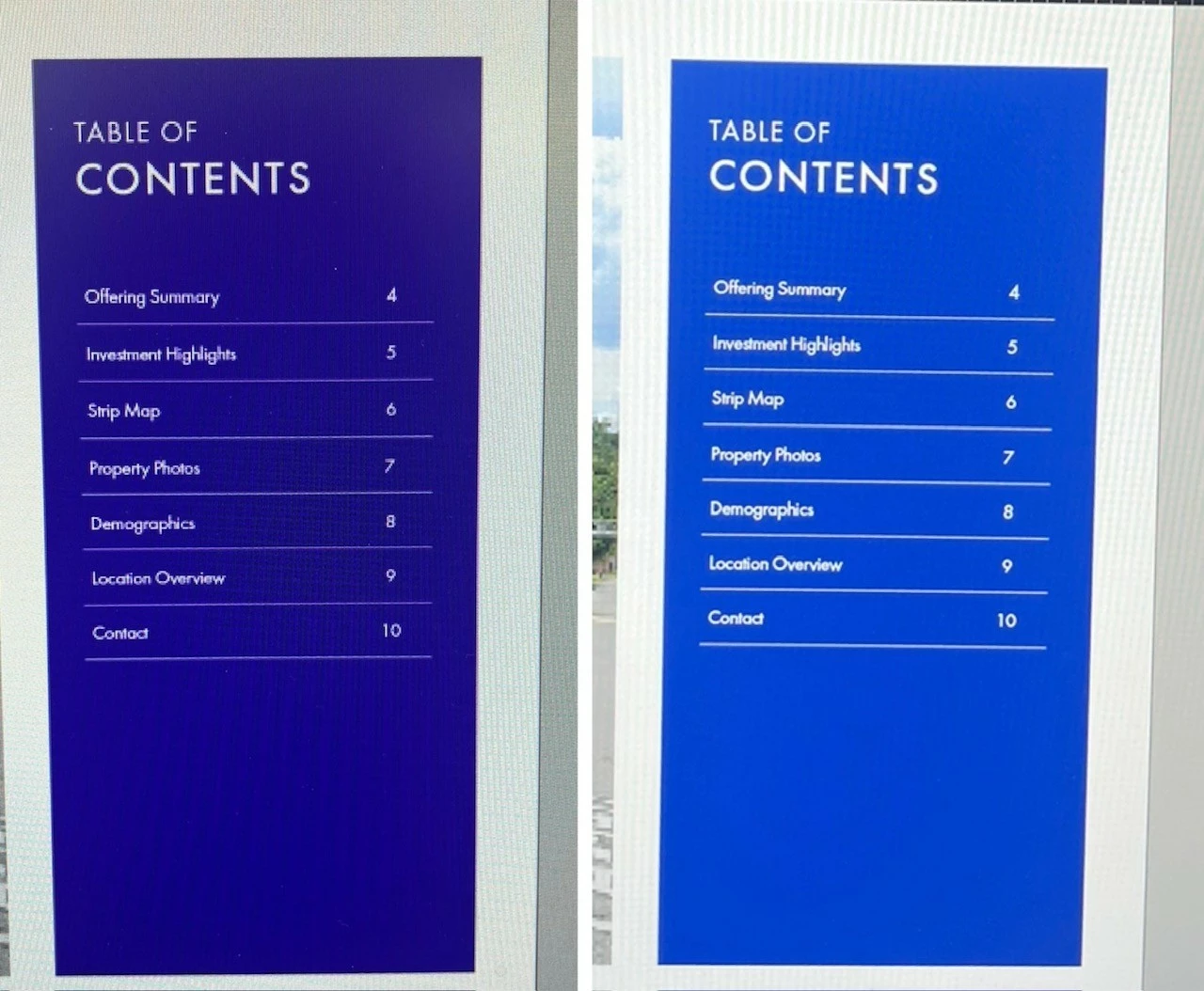
I have tried just about everything to try to resolve this issue within my color settings on InDesign. Currently I have it set to North American General Purpose 2 (the same as all my colleagues have). However my blues are still showing up as dark purple. I have also tried the Emulate Adobe and Custom option in the Color Settings, with no luck.
The weird part, is that this only happens on my monitors. When I drag the INDD file to my laptop, the colors are normal. When I export it to a PDF, the colors are normal.
I currently have Dell Monitors, but even tried a Lenovo monitor (since my laptop is Lenovo) and that still didn't work. I also reset the color settings on my monitors and on my computer. And deleted and redownloaded INDD.
Is there anything else I didn't do that you would suggest? It's driving me crazy. And it didn't use to be like this. It just turned purple one day out of no where.
Monitor vs. Laptop


 AdChoices