


Inspiring
September 29, 2026
Answered

Help! Indesign Date Merge multiple records per page

  • September 29, 2026
  • 6 replies
  • 31 views

I’m doing a simple Indesign data merge with multiple record layout to place 8 name tags per page (using Avery Template 5390).

I have a single design on the page (with 3 variable text fields). It won't create multiple records per page - it keeps putting one name tag on each page.

I’ve done Data Merge > Create Merged Document > Multiple Records per Page. When I select “Preview Multiple Record Layout” it populates the first name tag but shows no additional name tags. When I click “Ok” to merge, it creates one name tag per page, not the 8 name tags per page that I need to work with the Avery template. Screenshot below.
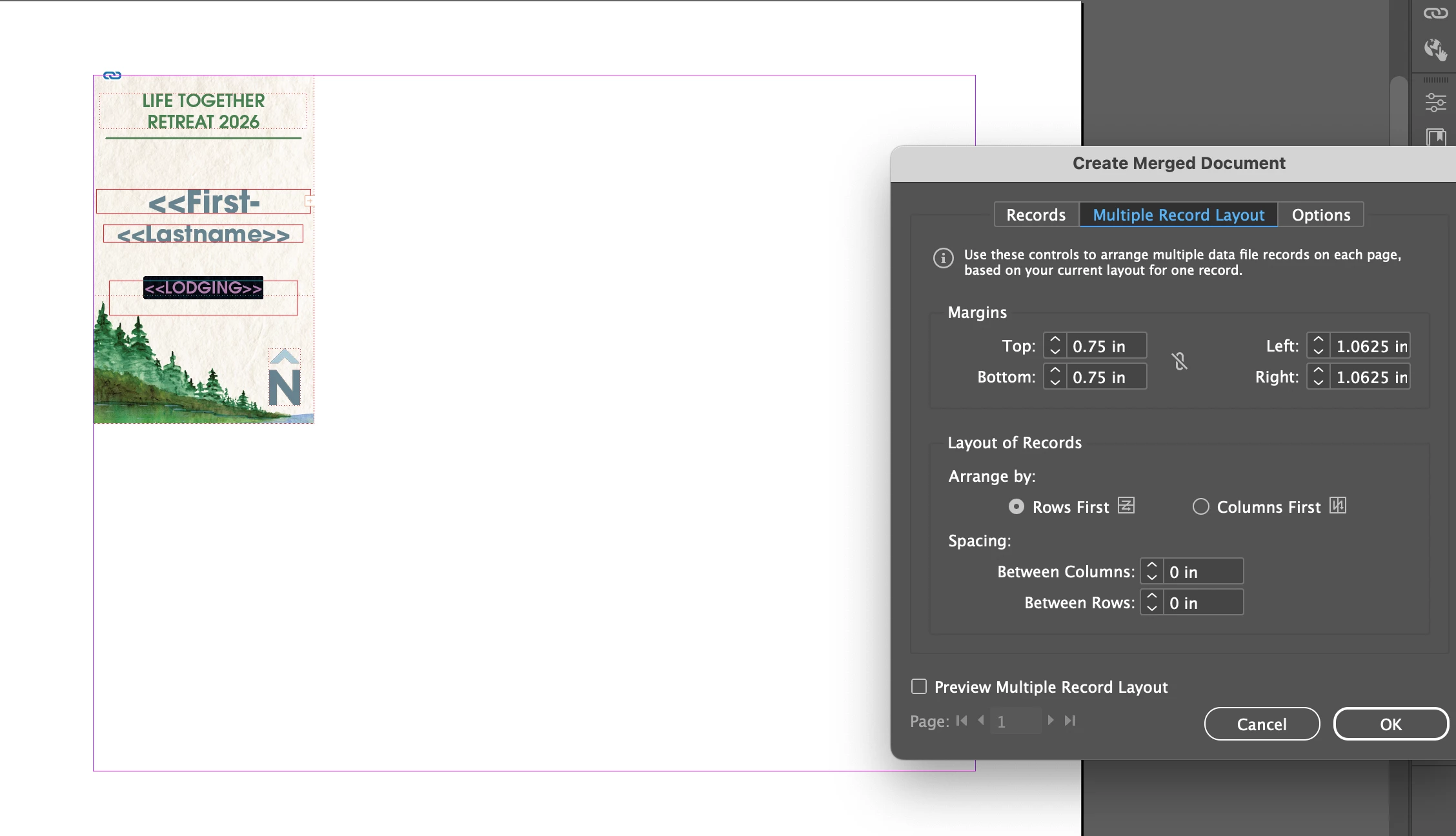


I’ve spent hours on this trying just about everything (including placing the design elements on a Master page). Hoping someone can help!!

Correct answer Dave Creamer of IDEAS

Make sure you document is in signal page mode and not facing pages. Also make sure you only have a single page. 

6 replies

Dave Creamer of IDEAS
Community Expert
Dave Creamer of IDEASCommunity ExpertCorrect answer
Community Expert
September 29, 2026

Make sure you document is in signal page mode and not facing pages. Also make sure you only have a single page. 

David Creamer: Community Expert (ACI and ACE 1995-2023)
kg01915Author
Inspiring
September 29, 2026

That was the problem! I originally had facing pages and then switched it to single, deleting one page. That caused the problem. I just started a whole new document—single page—and that did the trick. Thank you so much for your help, Dave. You were a lifesaver!

kg01915Author
Inspiring
September 29, 2026

Unfortunately, no. I can’t share the data. 

Dave Creamer of IDEAS
Community Expert
Community Expert
September 29, 2026

Is your data merge template on the parent page?

David Creamer: Community Expert (ACI and ACE 1995-2023)
kg01915Author
Inspiring
September 29, 2026

Hi Dave. The data merge elements/variables are on the main page, not a master. I have tried placing the static design both on the main page and on the master - neither has worked.

Dave Creamer of IDEAS
Community Expert
Community Expert
September 29, 2026

Can you upload a sample document and sample data?

David Creamer: Community Expert (ACI and ACE 1995-2023)