
Help! Kerning/tracking is way off in PDF export
I did an employee benefits guide last fall and now it's time to update it for 2019.
Per client style guidelines, the guide uses the OTF font family Titillium throughout which I found at Font Squirrel. While I did last year's guide, I created a number of paragraph styles for headers, text, tables, disclaimers, hypertext links, etc. All was good.
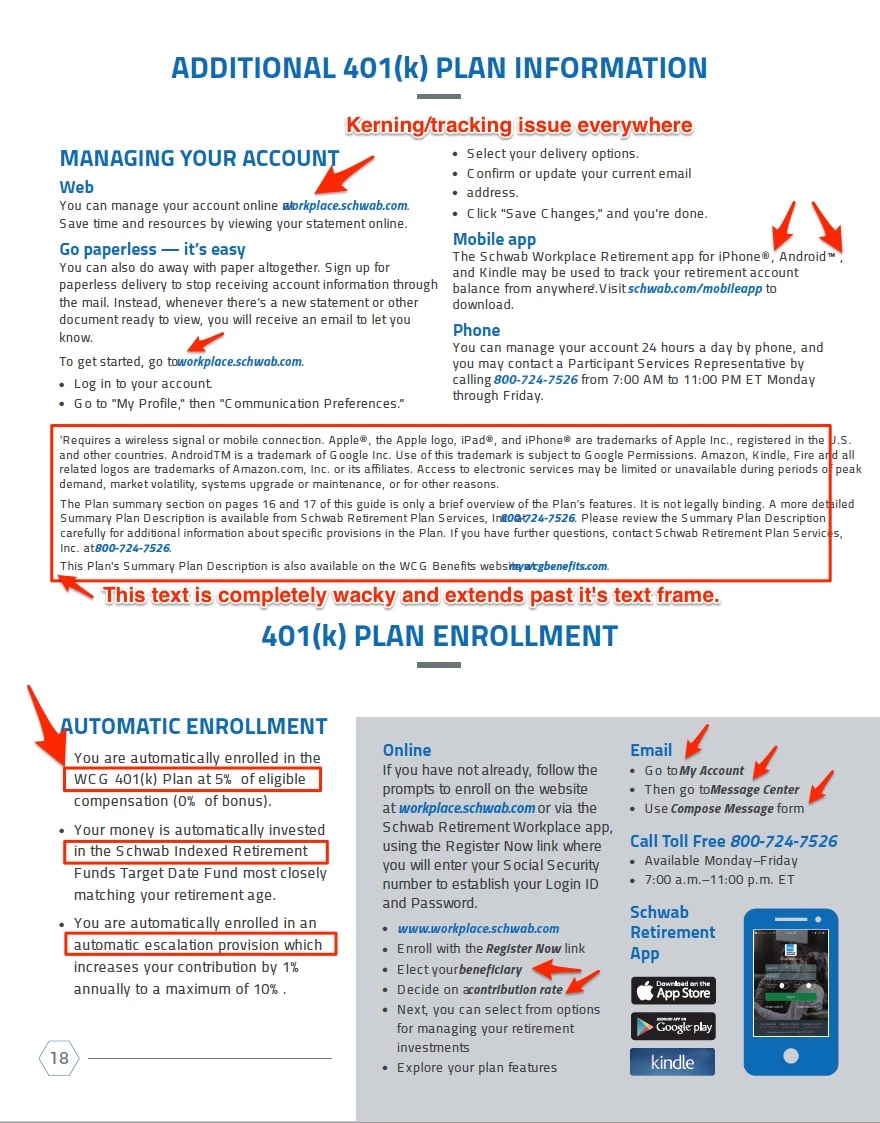
To do the update, I inserted some pages and laid out a new section for 401(k). I used all the existing paragraph styles to style the text. Everything looked good in InDesign. Now I go to export it to a High Quality Print PDF for client review, and when I do, the font is wacky. Kerning is off, tracking is off, bold/italic type is shifted to the left and is now covering other normal text. Another weird thing is that everything I created last year looks fine when exported. Only the new pages and new text is doing this. Also, every time I generate a PDF get a pop-up in Acrobat Pro DC that simply says, "A number is out of range."
I'm a full Adobe Creative Cloud customer and diligently to my updates as soon as they are released. I know there have been a few updates since last year. I'm current with all of them.
Does this have something to do with these updates?
I'm on a deadline and need a solution.
Please help!
Here's a screen capture of what the new pages of text is doing:
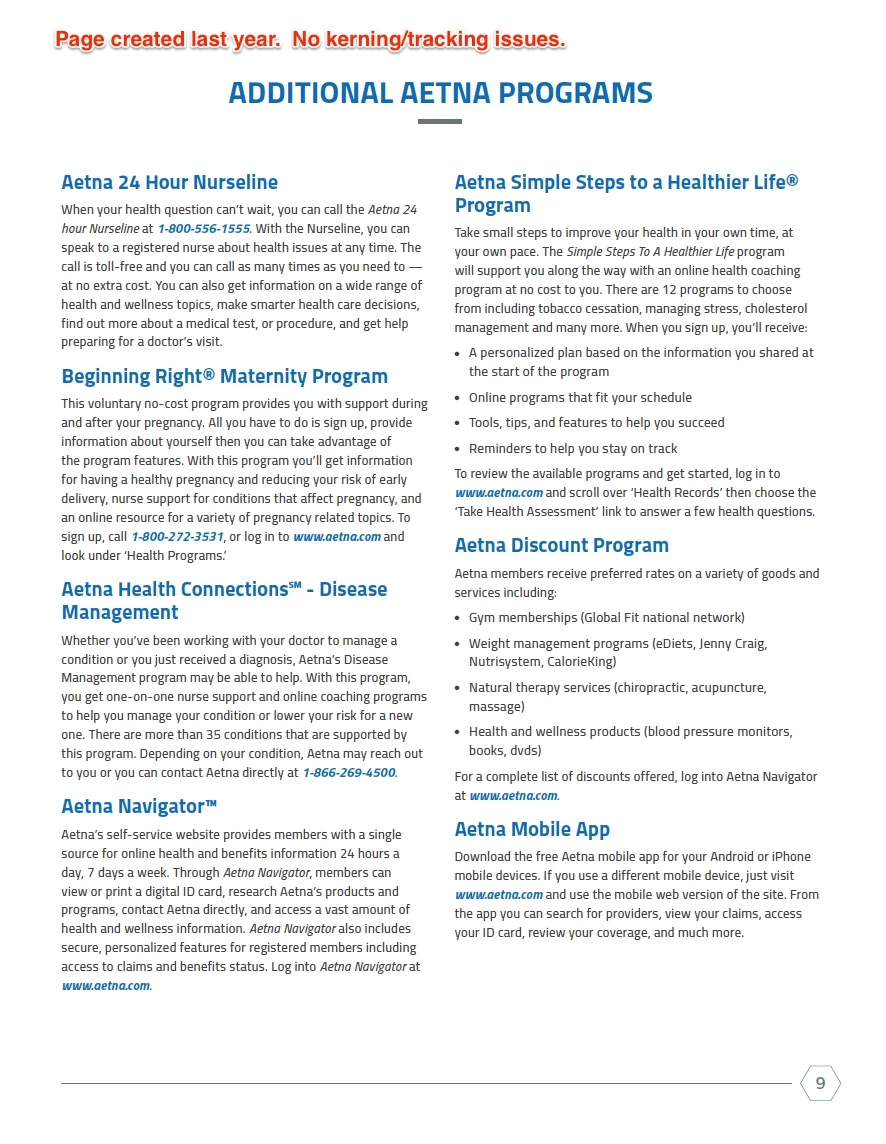
Screen shot from a section of the same guide created last year:
 AdChoices