

jenniferw10771770
Participating Frequently
January 12, 2025
Question

Help! My text layers have overhanging space that obscures the layers below it. See image.

  • January 12, 2025
  • 1 reply
  • 229 views

Hi, 

I have 3 text layers and each has an invisible overhang that covers the layer(s) below it.  Here is a screenshot of the page with the overhangs circled in cyan and the obscured text highlighted. 
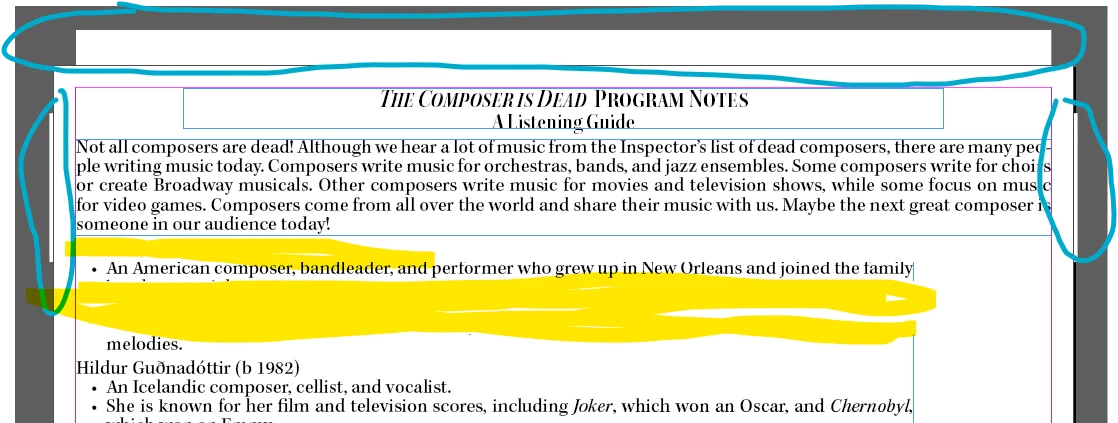
Here is a screenshot of it when I move the lowest layer on the page forward so it shows: 
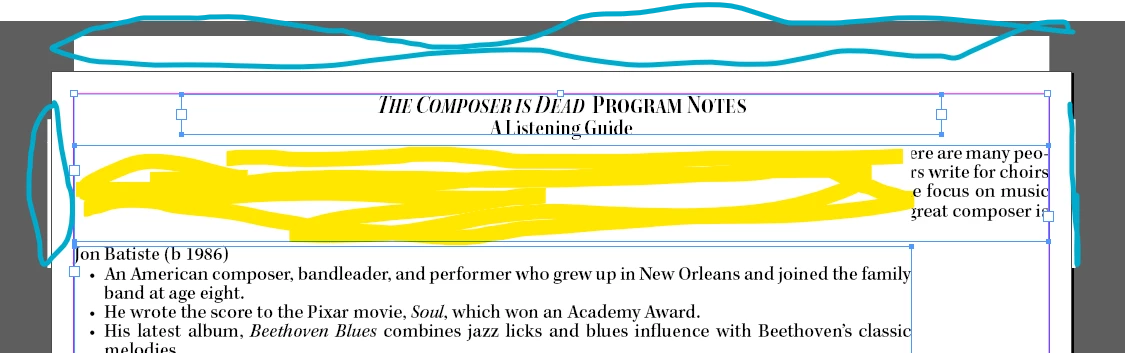
I have the "Not all composers are dead..." text in a separate box because is set to the full margins, compared to the "John Batiste..." text which is narrower due to thumbnail images that will be to the right of that lower text layer. 


What am I doing that causes this overhang? I do re-use my files - meaning I open last program's file and edit it to the current version as a 'save as'. Is that my problem? 

Thanks for any help and education! 

Jen


1 reply

Robert at ID-Tasker
Legend
January 12, 2025

Can you share your document? 


I think someone reported similar problem done time ago... 


Are you on a Mac? 


jenniferw10771770
Participating Frequently
January 12, 2025

Hi Robert, 

I tried searching, though wasn't wording in the magical way needed (likely from my own ignorance) to get the needed fix. I am on windows. I just noticed that this draft now, (due to text wrapping I think), doesn't have my hard work from yesterday formatted. It's gone. sigh. What a day! Anyways - the current page question (screenshots) is page 12.  While you look, I'm onto rebuilding pages 7 &9. 

Robert at ID-Tasker
Legend
January 12, 2025

There is Rule Above & Below in the ParaStyle:


To better visualise: