
mig90501573
Participant
January 24, 2017
Question

Help needed with numbered list

  • January 24, 2017
  • 4 replies
  • 1757 views

Hello,

ok so here is my problem and I am sure somebody must know the solution. I have a numbered list that goes up to 71. I need to create a style for the numbering that is a number inside a circle, the circle fill is red while the number is white and the number is centered inside the circle.
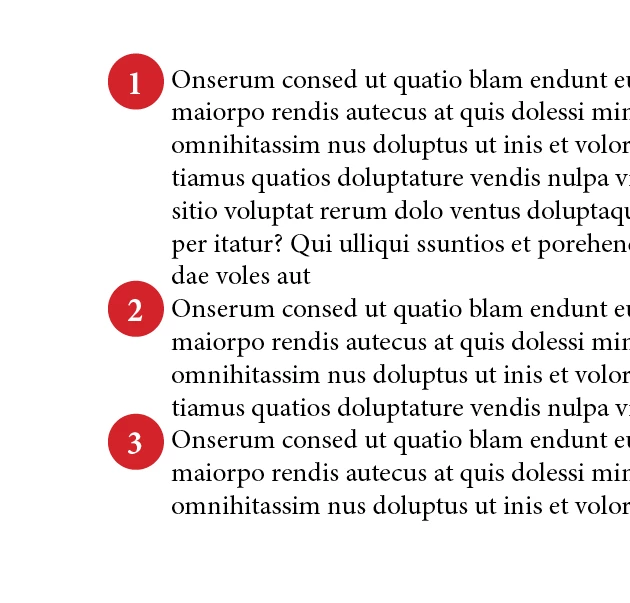
I have no idea how to create this as an automatic numbered list, as manually will not work, and for the last one hour I have been trying a couple of tricks using paragraph rules but this did not work and the other one was using a font called combinumerals, though this last one worked except it does not create a circle but half a circle so it did not work. Can anybody help me on this?

This topic has been closed for replies.

4 replies

Barb Binder
Community Expert
Community Expert
January 25, 2017

I also suspect it is an indent issue. Take a look at this thread for directions, if you don't know how to adjust it:

How Do You Format the Spacing Between a Bullett Point and the Begining of the Text?

~Barb at Rocky Mountain Training
MW Design
Inspiring
January 24, 2017

CombiNumerals will work.

Make sure to turn on Contextual Alternates if it is off, and for the solid background, use Stylistic Set 1.

mig90501573
Participant
January 25, 2017

Hey thanks for all your answers, so far what gave me the most results is to use the combinumbers, however what i get is harf circles, how do I display the font in full circles?

MW Design
Inspiring
January 25, 2017

I dunno how that happens. Especially without a file. The below is a CS6 verison file. If you need an IDML, let me know.


[link removed]


Does the above work properly?

Steve Werner
Community Expert
Community Expert
January 24, 2017

Have you looked for fonts that have 2-digit numbers in circles?

http://www.fontscape.com/explore?3O4

Willi Adelberger
Community Expert
Community Expert
January 24, 2017

In this case, you can create an anchored frame which contains a paragraph with an auto number. With an object style you can define the following:

  1. Color
  2. Position, relative to the anchor point in the paragraph.
  3. Paragraph style

The paragraph has to have this paragraph style and at least 1 other glyph. I use in such a case a thin space which is via character style so small, that no one will realize it (smallest font size and scaled to the minimum).