
Participating Frequently
October 31, 2022
Resuelto

Help with Table Tent printing layout?

  • October 31, 2022
  • 2 respuestas
  • 3518 visualizaciones

Hi, 


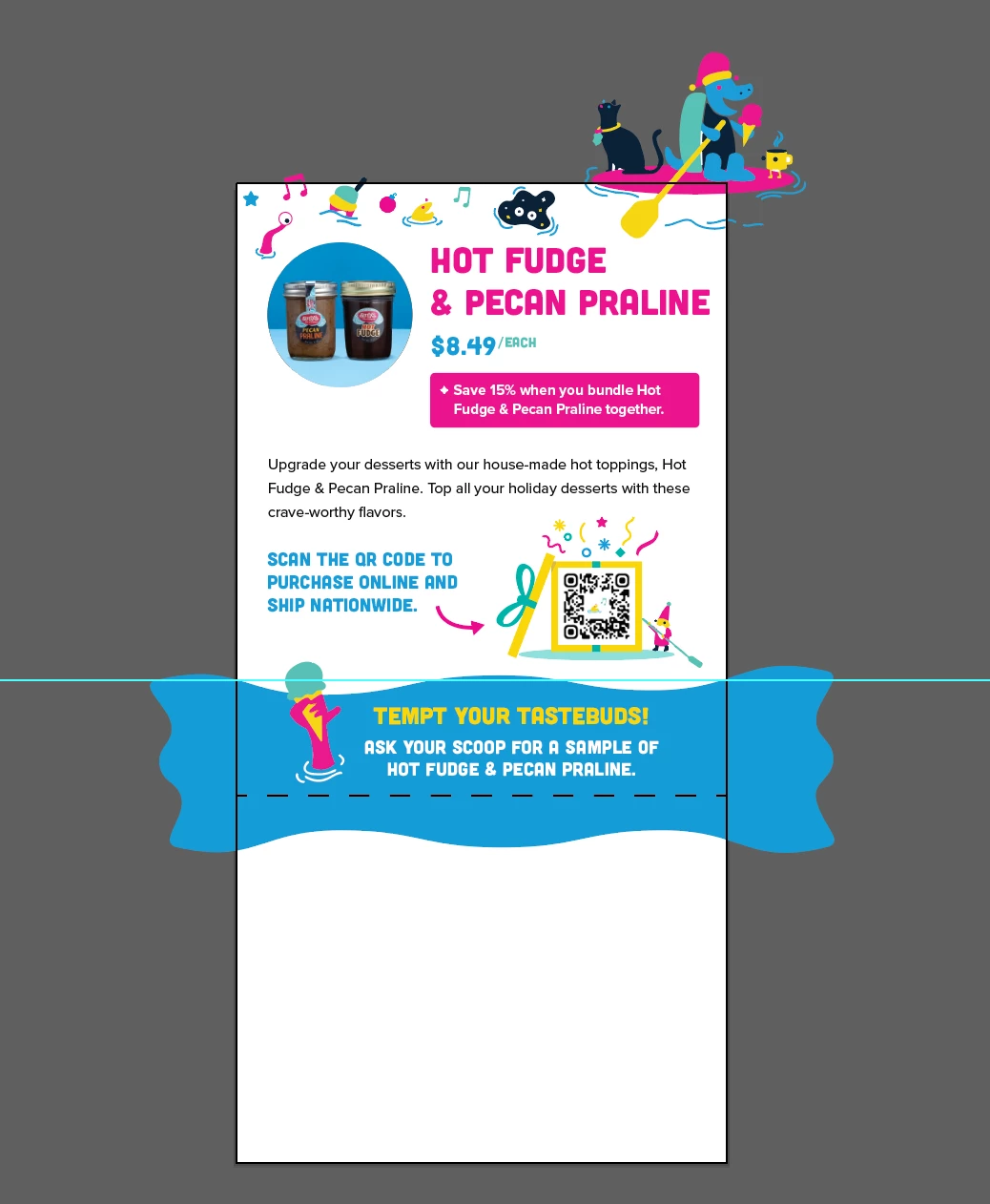
I'm creating 4x8 table tents for a project and I can't figure out the best way to create the layout. I've been using an online template from UPrint shown below but want to make sure I understand the layout properly. I created the design in Illustrator (doc size is 4x8 and the client wants a 3" no print zone, marked by the dashed line). I want to place the files in InDesign and print from there. 


The layout will be formatted as: 2" base, 8" front artwork, 8" back artwork (same design on both sides), 2" base. It looks like the UPrint layout is 8" from score line to score line so I'm wondering what to do with the artwork at the top. 


Do I need to cut the images off at the top of the artwork since there's no way to add a bleed at the top/bottom? It seems like the bleed would only work for the art/wave graphic that extends outwards on the side. 


Mejor respuesta de James Gifford—NitroPress

The print layout will need to match the press needs/requirements of the actual printer. You really can't do a nonstandard layout like this without their guidelines. Generic layouts from online printers are not really good enough. There also has to be a way to interlock the bottom; taping one printed edge to another is not really optimal for tent stability. Typically, it's two overlapping bottom panels that may have a die cut interlock, or can be taped/glued together stably.


The print layout is simple enough, but it may not be arranged the way the client printer needs it. I suggest you ask for a specific guideline or to be put in touch with the printer's job manager for guidelines.


2 respuestas

Jumpenjax
Community Expert
Community Expert
October 31, 2022

Here are some tables examples. What ever the printer wants, just be sure to rotate your text on the fold over table tent.


Lee- Graphic Designer, Print Specialist, Photographer
James Gifford—NitroPress
Legend
October 31, 2022

How do you plan on printing these, since the two faces alone are a size larger than all but 11x17 standard sheets, and the whole layout some 20 inches long?


Participating Frequently
October 31, 2022

I'm not sure-- the client asked for the dimensions above; I'm just in charge of formatting and they'll send off to a professional printer

James Gifford—NitroPress
Legend
October 31, 2022

The print layout will need to match the press needs/requirements of the actual printer. You really can't do a nonstandard layout like this without their guidelines. Generic layouts from online printers are not really good enough. There also has to be a way to interlock the bottom; taping one printed edge to another is not really optimal for tent stability. Typically, it's two overlapping bottom panels that may have a die cut interlock, or can be taped/glued together stably.


The print layout is simple enough, but it may not be arranged the way the client printer needs it. I suggest you ask for a specific guideline or to be put in touch with the printer's job manager for guidelines.
