

Help with text flow to unique pages
Hello!
I'm trying to flow some text (date numbers) through some weekly calendar pages. Each page has a unique text in the header area which I populated with data merge. I set up the master with linked text boxes and when I copy/paste the date into the first text box on page 1, it flows through beautifully... except excel just duplicates the Parent page (with placeholder text) instead of actually flowing it through to the next page in the series. My 53 become 104, all flowing onto the parent/placeholder and leaving the rest of my dated pages empty. Screenshots attached.
I tried to "place" the text instead (using hover/Shift for the squiggly arrow) but even when I click into the textbox it just makes a big list outside of the textbox (screenshot attached).
At this point I could have easily just hand typed all 365 dates into my document faster than I've spent trying to troubleshoot this... but I'd really like to figure out the right way to do things! Can anybody point out what I'm missing? I'd really appreciate it!!
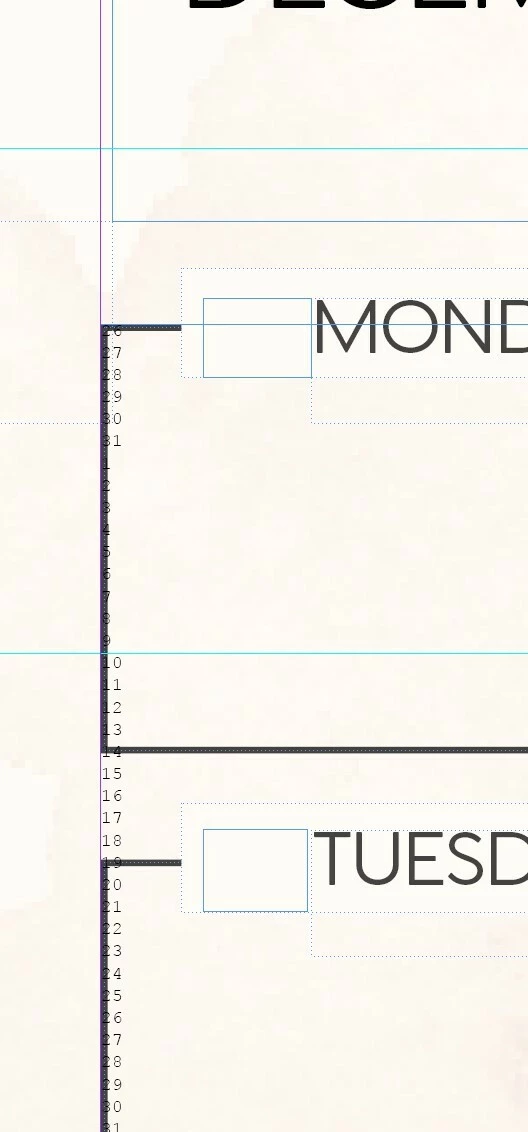
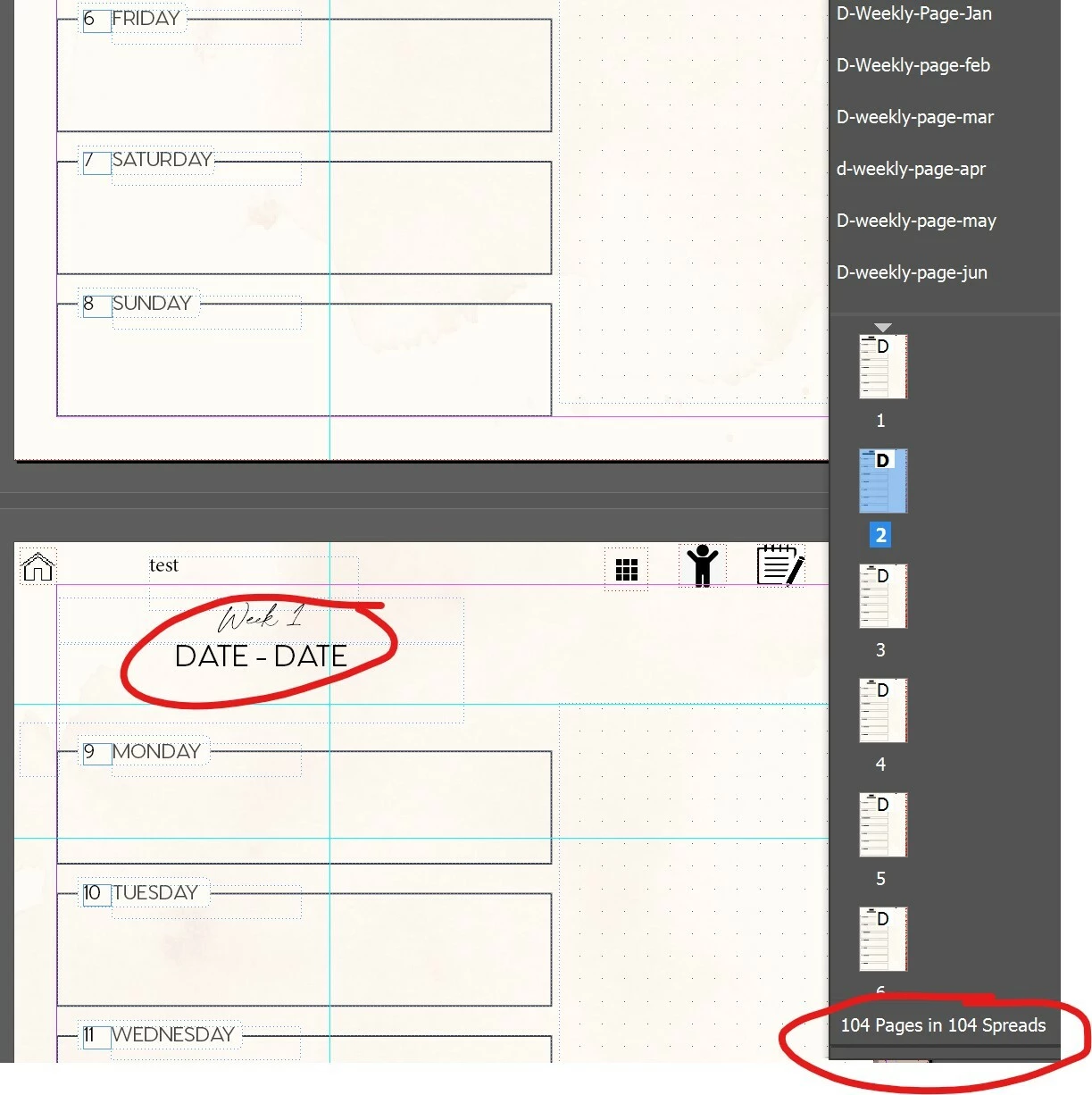
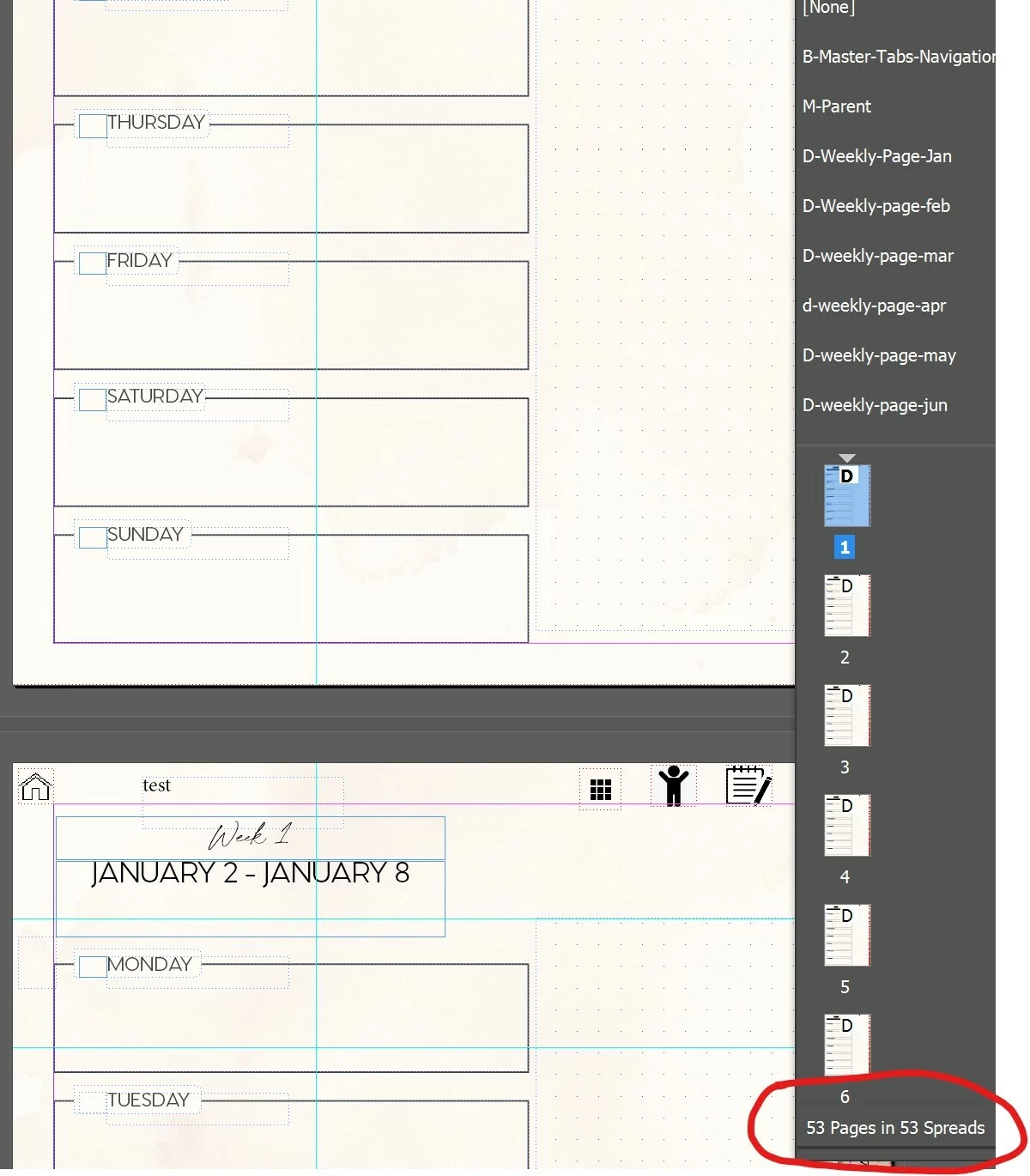


 AdChoices