
Participant
November 20, 2024
Question

Help with text frame with the wrong angle

  • November 20, 2024
  • 1 reply
  • 113 views

Hello there,


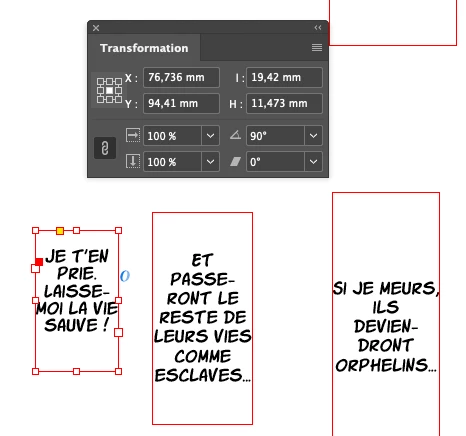
I have taken over a project containing more than 1000 text blocks that were created with a 90-degree angle. As a result, to navigate through the text, I have to use the up and down arrow keys instead of left and right. I would like to modify the block’s angle without changing the text orientation so that I can navigate using the left and right keys. Is this possible?
This topic has been closed for replies.

1 reply

Abhishek Rao
Community Manager
Community Manager
November 20, 2024

Hello @Alexandre35944838f90c,  


Thank you for reaching out!  

It is possible to reset the text frame's angle without altering the text orientation. Here's how you can do it:  

1. **Select the Text Frame**: Use the Selection Tool (V) to select the text frame.  
2. **Set Rotation to 0°**: In the Transform panel, change the rotation angle of the text frame to 0°. This will straighten the text frame.  
3. **Preserve Text Orientation**: If the text rotates along with the frame, use the Type Tool (T) to manually reorient the text within the straightened frame.  

Unfortunately, this process might need to be repeated for each text frame. If you're dealing with a large number of frames, consider using a script to automate this adjustment.  

Let me know if you’d like assistance with scripting or need further clarification!  


Best,
Abhishek Rao