Inspiring
July 6, 2024
Answered

Help with TOC

  • July 6, 2024
  • 4 replies
  • 671 views

Hi,


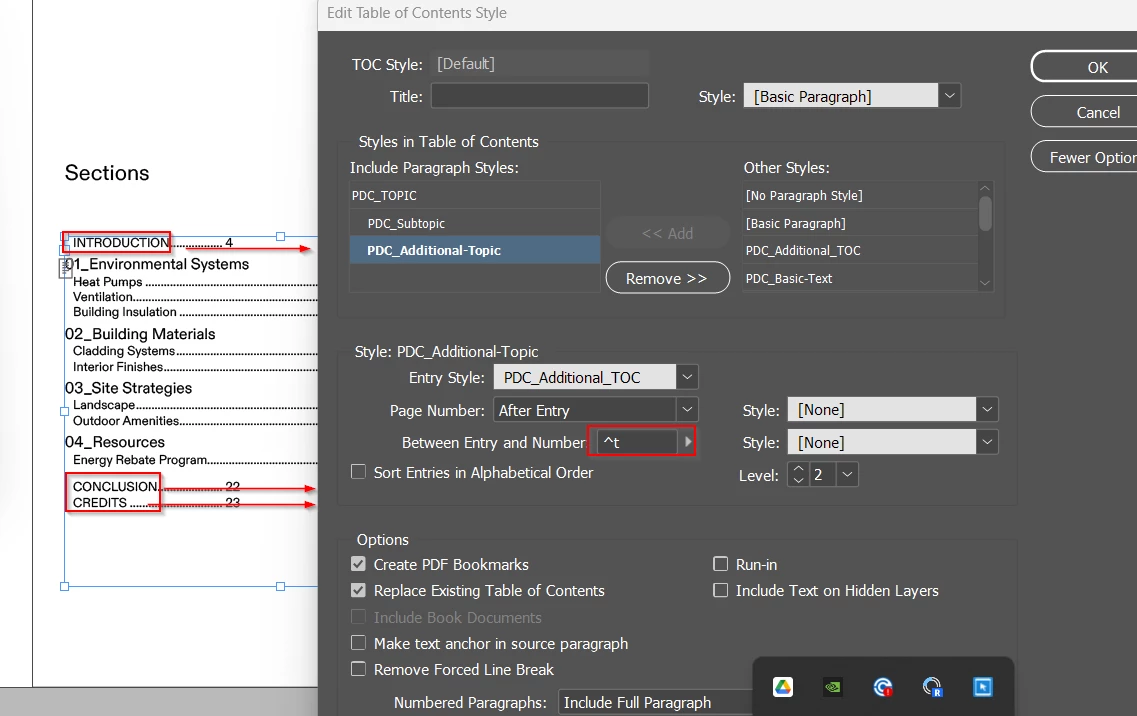
I added a separate TOC Paragraph style for my Intro/Conclusion/Credits sections in order to add space before to create graphical separation from other content.


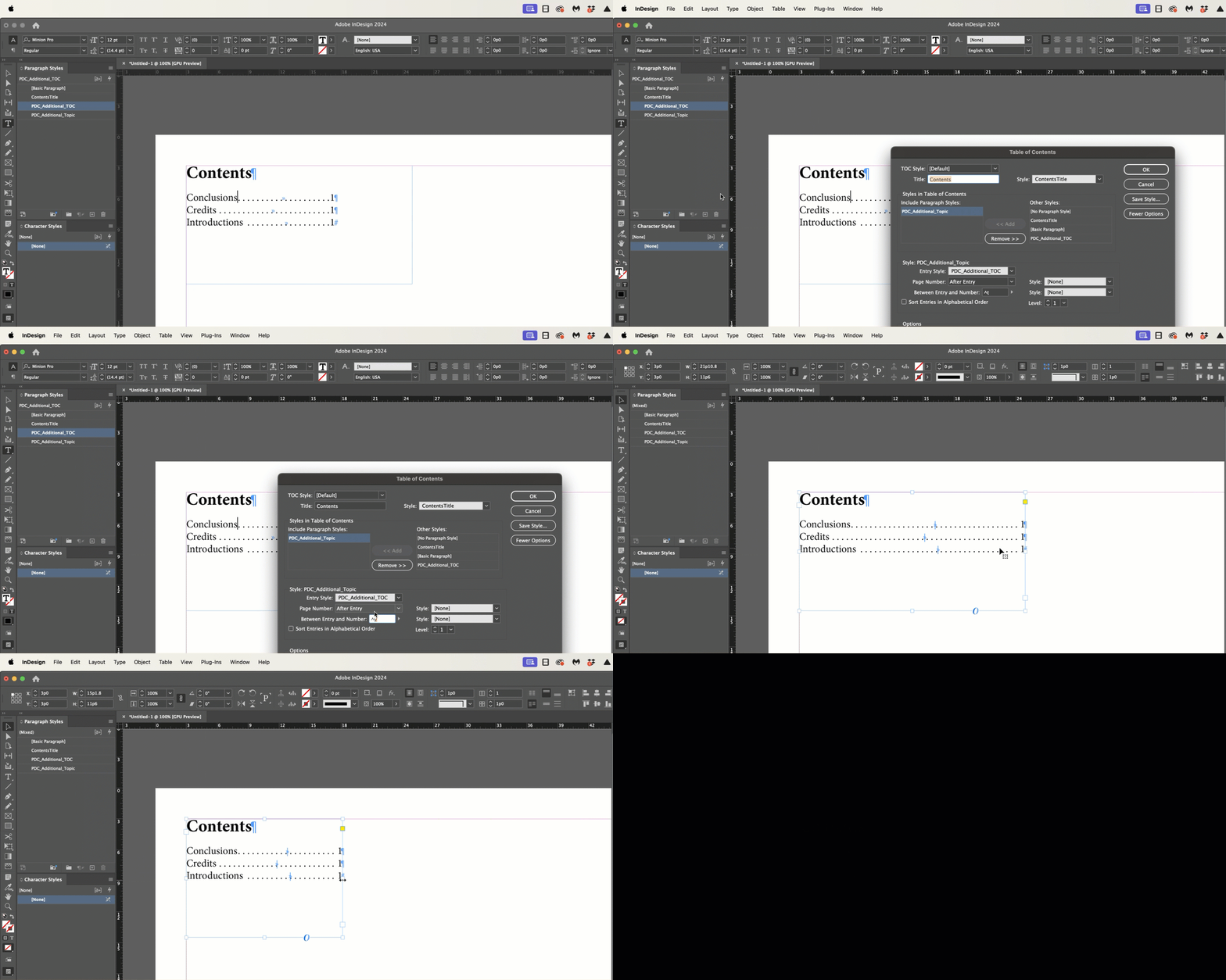
However, the page numbering style isn't exactly the same. I am using ^t for both  but the new paragraph style doesn't extend the page number all the way to the end of the frame. I am trying to figure out how to get this to work.


thanks
 

This topic has been closed for replies.
Correct answer Barb Binder

Hi @Charlie329572228uvx:


Two options, both already offered.

  1. If you use a tab (^t), you have to set the tab location.
  2. If you use a right-align tab (^y) as per @Susan Culligan, InDesign forces everything after the right-align tab to the right margin, automatically. If you adjust the frame width, right-align tabs adjust themselves. 


~Barb


4 replies

Barb Binder
Community Expert
Barb BinderCommunity ExpertCorrect answer
Community Expert
July 7, 2024

Hi @Charlie329572228uvx:


Two options, both already offered.

  1. If you use a tab (^t), you have to set the tab location.
  2. If you use a right-align tab (^y) as per @Susan Culligan, InDesign forces everything after the right-align tab to the right margin, automatically. If you adjust the frame width, right-align tabs adjust themselves. 


~Barb


~Barb at Rocky Mountain Training
Inspiring
July 8, 2024

Thank you!

James Gifford—NitroPress
Legend
July 7, 2024

A belated thought, on re-reading your post.


When you need changed paragraph styles, as in this case, it's best to make them by duplicating an existing style and then making changes. If, for example, you duplicated TOC LEVEL 1, and named it TOC LEVEL 1 SPECIAL, you would only have to make a few top/bottom spacing changes to have it be identical to your main TOC lines, but with the different spacing.


That is, don't create new styles from scratch or from a body text style unless you want a really new style. It's far more efficient to "clone and change" styles  — and leave them linked via the "Based On" setting so that changes to the parent style will be reflected in all the child styles. In this, case, the numbering positioning and any applied character styles would have been passed to the new child style, saving you all this confusion. 🙂

Susan Culligan
Inspiring
July 6, 2024

You can also use ^y to make a tab at the right of the text frame.

James Gifford—NitroPress
Legend
July 6, 2024

Adjust the tab position for each style. If the styles are hierarchical ("Based On") adjusting the most senior parent style will adjust all of them.


The tab position is not automatic, that is.

Robert at ID-Tasker
Legend
July 6, 2024

@Charlie329572228uvx


As James said - you need to add Tab Stop in the ParaStyle(s) that you want to use in the TOC - but you also need to set it as "right aligned".