melissapiccone
Community Expert
Community Expert
July 13, 2022
Answered

Help with TOC Correct Order - anchored text boxes

  • July 13, 2022
  • 2 replies
  • 687 views

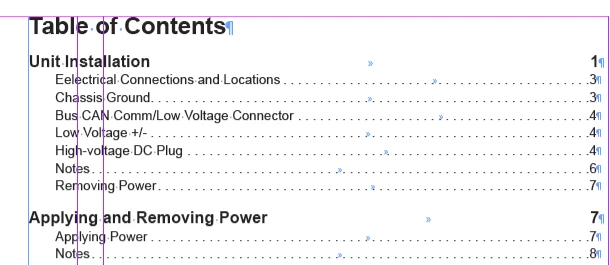
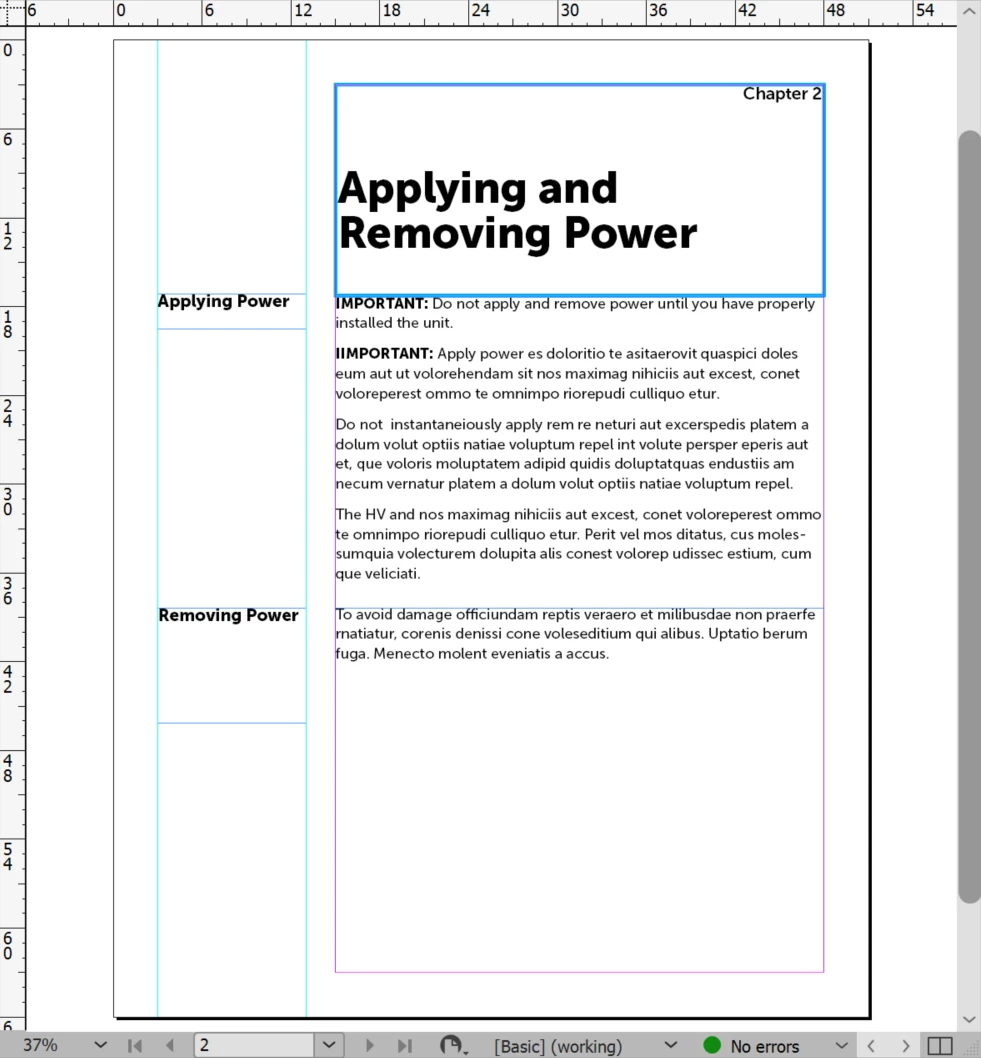
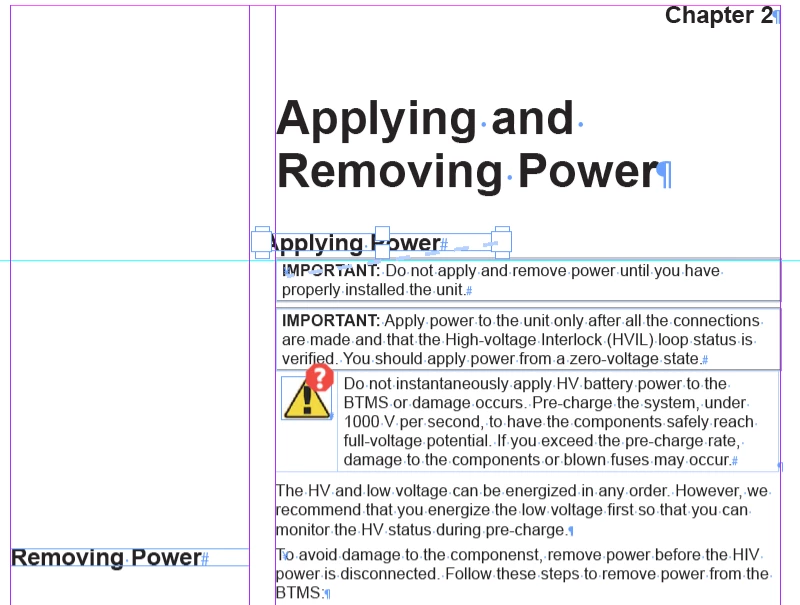
Here is my page - the Applying Power and Removing Power text boes are anchored to Paragraphs in the main text box. Applying Power should be to the left - same as Removing Power. When generating the TOC, Applying Power appears in the correct order while Removing Power appears under Chapter 1.


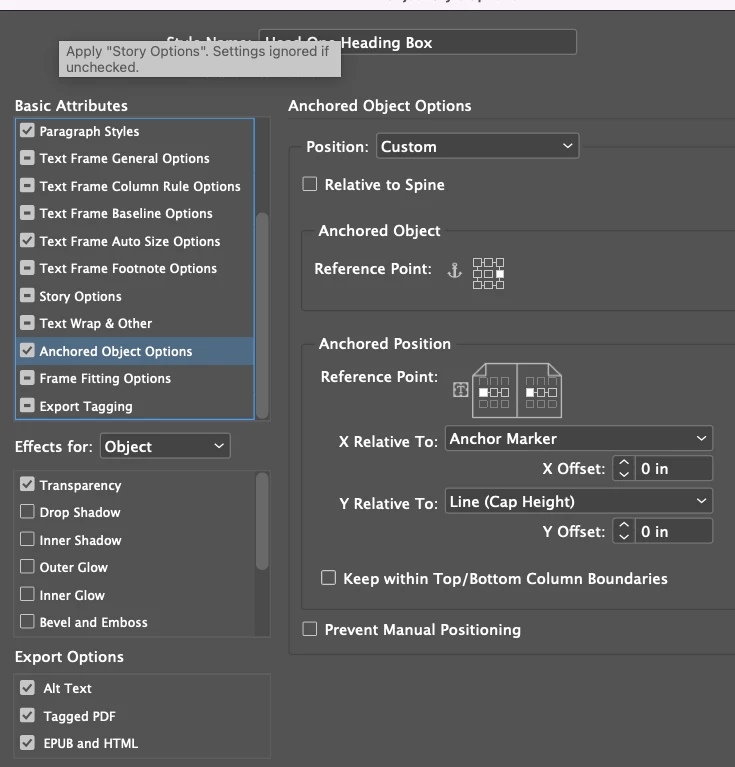
How do I get them to appear correctly in the TOC while sitting in the correct postion on the page? I've included my object style for the anchored text box if it's something I need to change in there. 
 

The Object style for the anchored text box
This topic has been closed for replies.
Correct answer Bevi Chagnon - PubCom.com

@Barb Binder is correct.

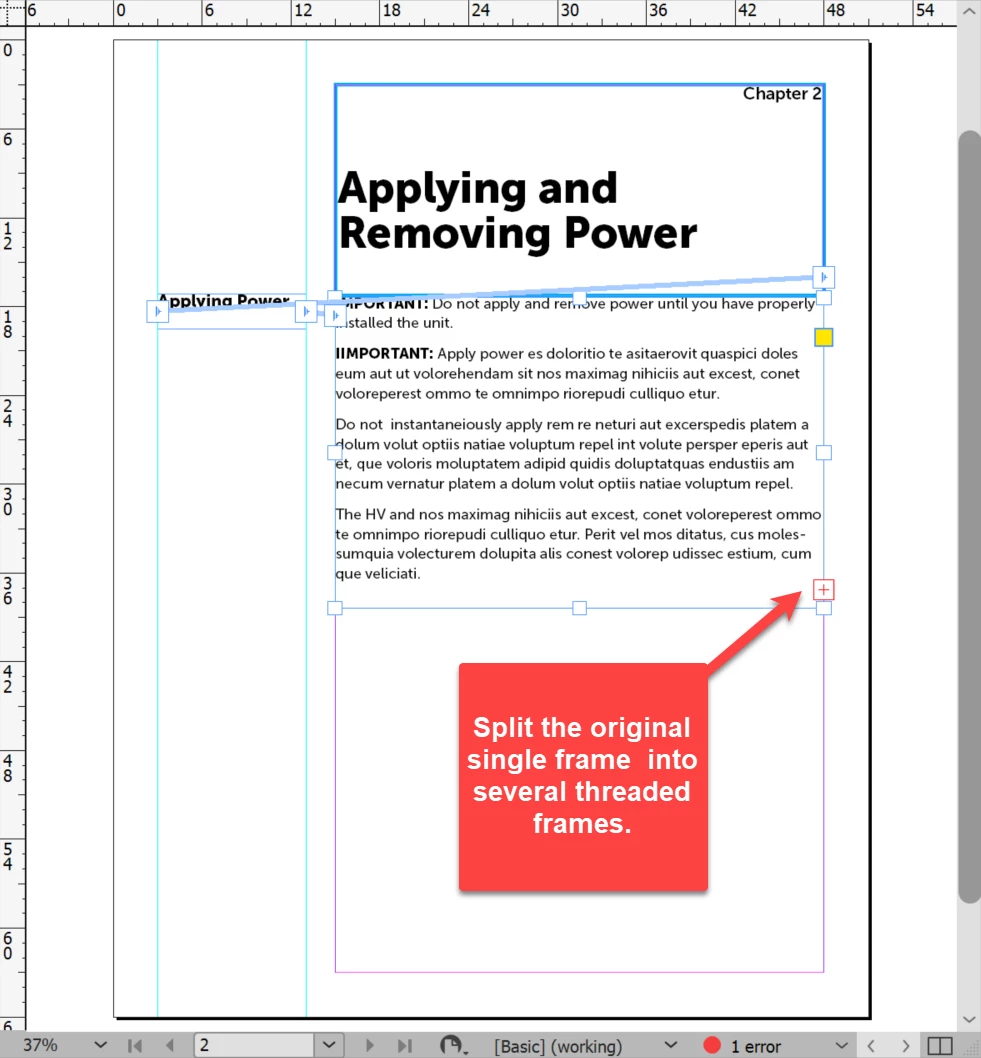
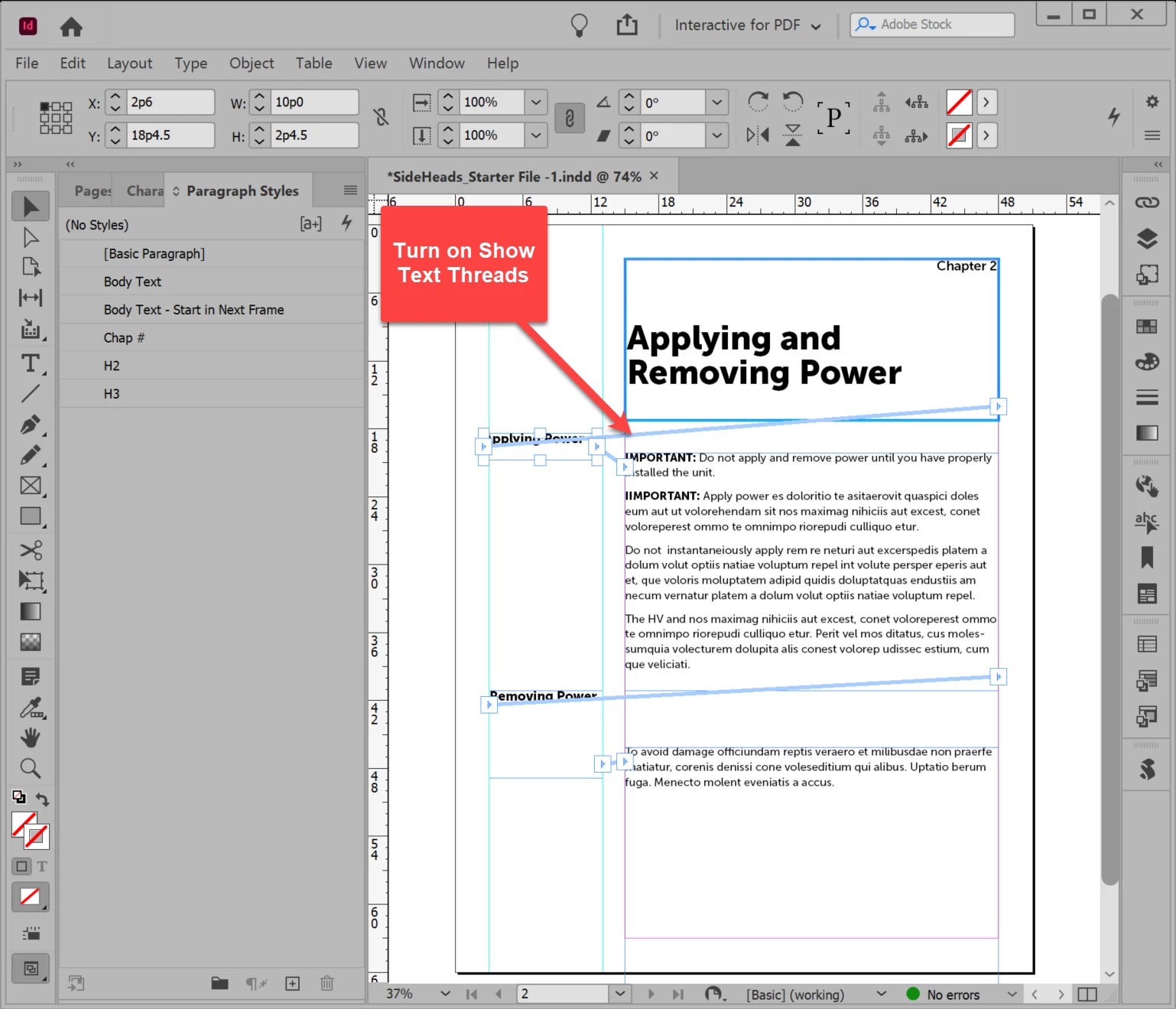
Threading your story's frames is critical to ensure the correct order in the TOC.


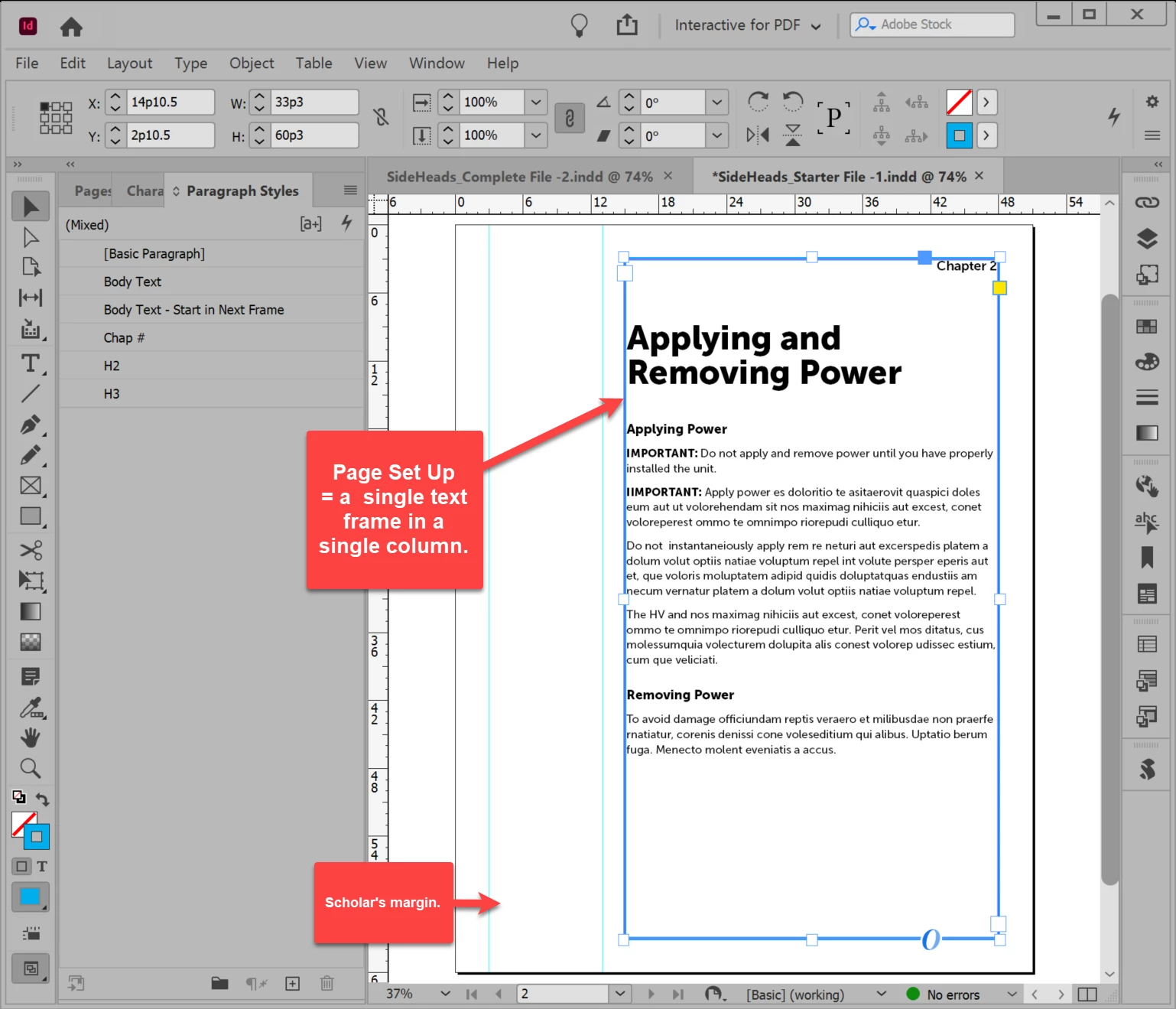
Plus, from one of your screen captures above, it looks like the parent page is set up for 2 columns, with the main story in Column 2, and the side headings dragged into Column 1. That kind of construction will mess up how InDesign views your content's reading order.


I created a sample INDD document based on your screen capture and rebuilt it to create side headings that maintain the correct reading order of the text so that your TOC should be in the correct order as well.


Have attached an MP4 video of the process, as well as my INDD files (which use Museo fonts).


Hope this helps!


But  as Barb mentioned, side headings are not easy to do in InDesign. It's one of the shortcomings I'd love to see improved in a future version. And I've been waiting 20+ years for that feature! <grin>


Sorry for the little dog barking in the video at the squirrels at the birdfeeder. It's his job when we're at work!


2 replies

Barb Binder
Community Expert
Community Expert
July 13, 2022

Hey Melissa:


This works best when all of the text is threaded. Then InDesign has no issue figuring out the order.


I can see that your client wants sideheads, and that is not a feature of InDesign. You can fake it with a baseline shift and keep the frames threaded, but it's PITA.


~Barb

~Barb at Rocky Mountain Training
James Gifford—NitroPress
Legend
July 13, 2022

There are also ways to have sidebars be part of the story flow. It's all in the formatting; I do it all the time for books that will need to be converted to EPUB/Kindle.


In this case, it would be using styles to make the text look as if it's separately placed and formatted.


James Gifford—NitroPress
Legend
July 13, 2022

I believe the TOC finds elements in order within the text. The anchor points must be in the correct order between other TOC elements.


AFAIK, there is no way to override this order. You can, of course, edit the generated TOC.


melissapiccone
Community Expert
Community Expert
July 13, 2022

They are in the right order - the paragraphs they anchor to are after the chapter title. It's very strange. 

Melissa Piccone | Adobe Trainer | Online Courses Author | Fine Artist
James Gifford—NitroPress
Legend
July 13, 2022

I confess that I don't know the algorithm/structural process the TOC generation follows; making sure anchored elements were in the right place has worked for me the few times I've put headings etc. in text boxes.


In many books with something other than linear chapter order, though, I've had to do "one last thing" to each generated TOC when there was no good or easy setup or configuration step that would do it for me. (Removing character styles, for example.) This may be one of those cases...