Participant
September 17, 2021
Answered

Hide shapes overflowing outside the page

  • September 17, 2021
  • 2 replies
  • 2628 views

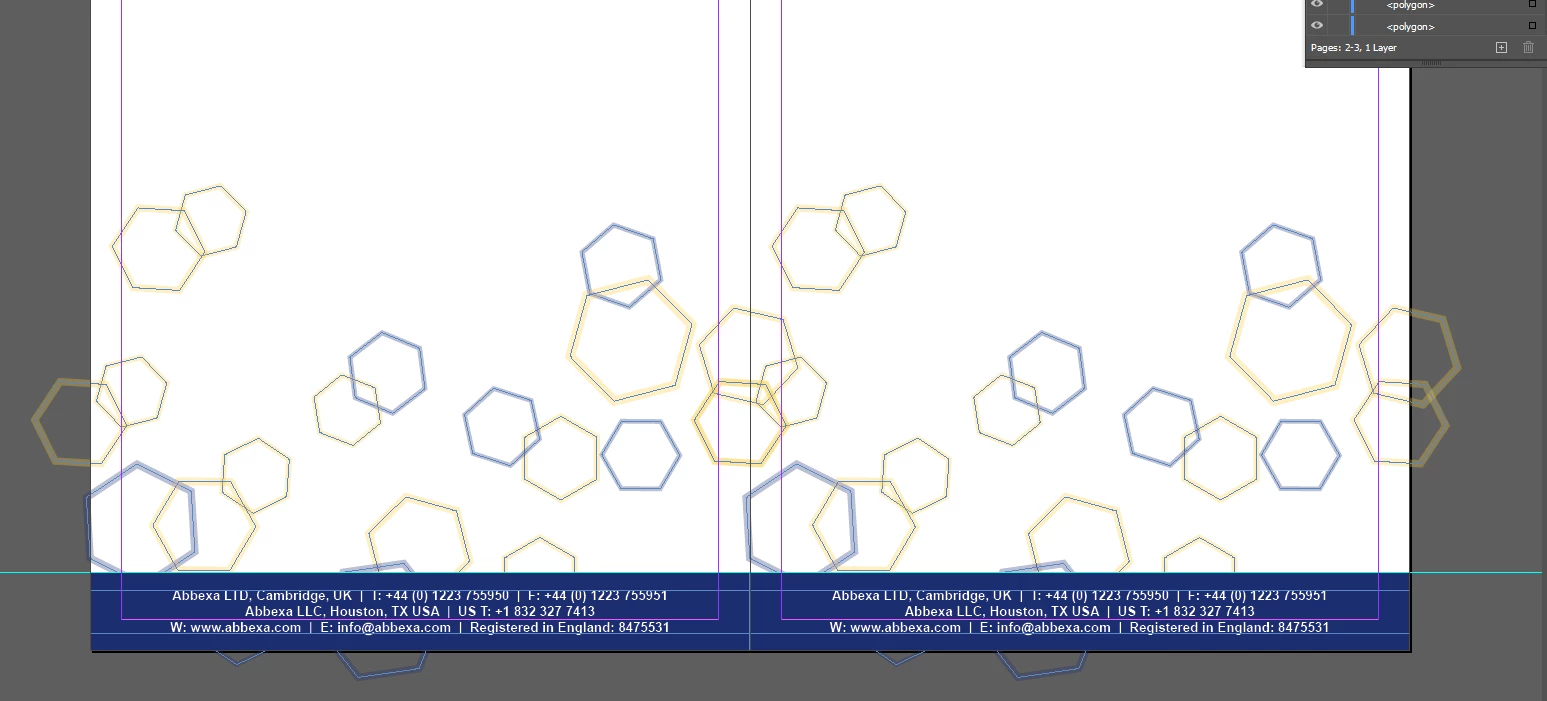
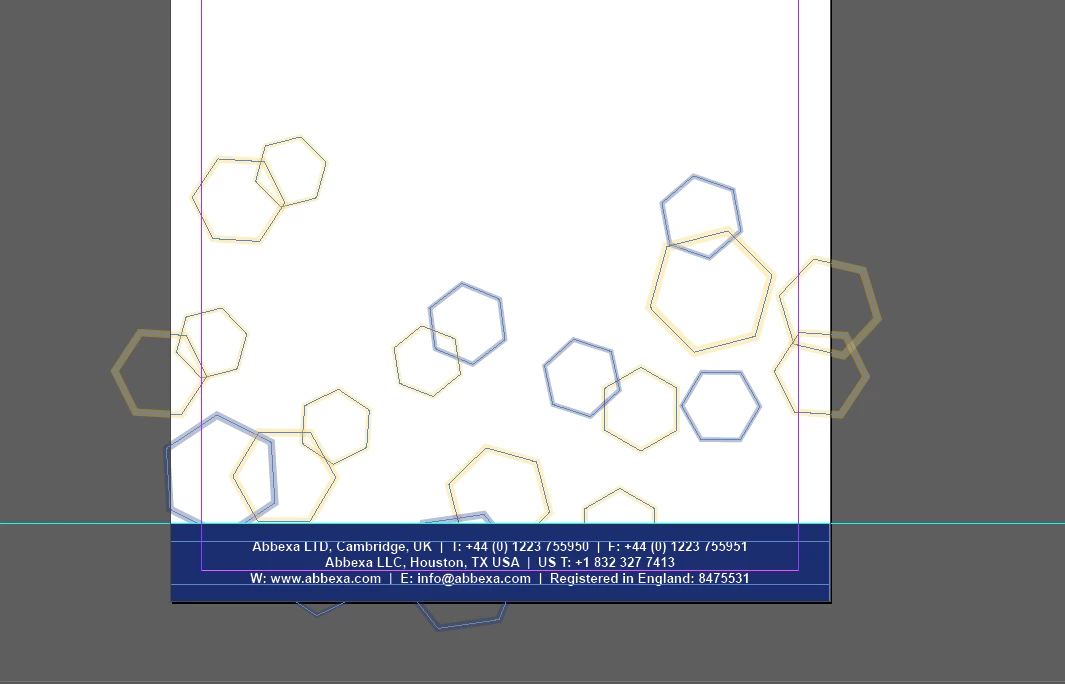
Hi there, I need to get rid of the parts of the shape going over the edge, so that when I duplicate the page like in the second image the hexagons won't be crossing over into the other page. 


Does anybody know how I can do this easily? 
 

This topic has been closed for replies.
Correct answer Laubender

Group the shapes.

Cut the grouped shapes to the clipboard.

Draw a rectangle with the size and position of the page or the bleed area.

Select the rectangle and use the command Paste Into.


Regards,
Uwe Laubender

( ACP )


2 replies

Geоrge
Legend
September 17, 2021

Select all the objects and use paste into command with new frame with your needed size. 


https://texascreative.com/blog/indesigns-paste-5-uses-often-overlooked-feature

Remember, never say you can't do something in InDesign, it's always just a question of finding the right workaround to get the job done. © David Blatner
Geоrge
Legend
September 17, 2021

Uwe was first 🙂

Remember, never say you can't do something in InDesign, it's always just a question of finding the right workaround to get the job done. © David Blatner
LaubenderCommunity ExpertCorrect answer
Community Expert
September 17, 2021

Group the shapes.

Cut the grouped shapes to the clipboard.

Draw a rectangle with the size and position of the page or the bleed area.

Select the rectangle and use the command Paste Into.


Regards,
Uwe Laubender

( ACP )