MatthewJohnMurphy
Participating Frequently
July 24, 2026
Question

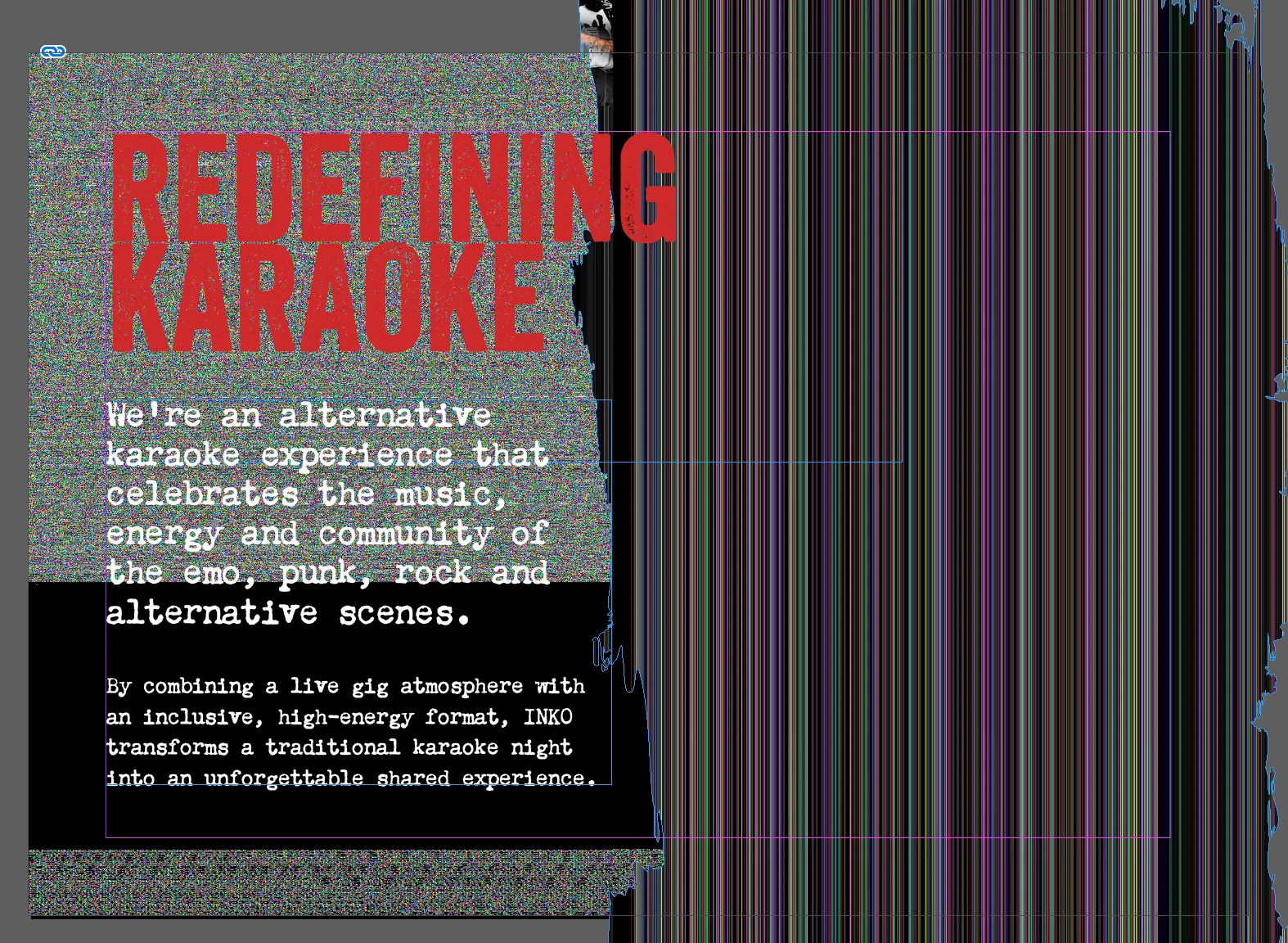
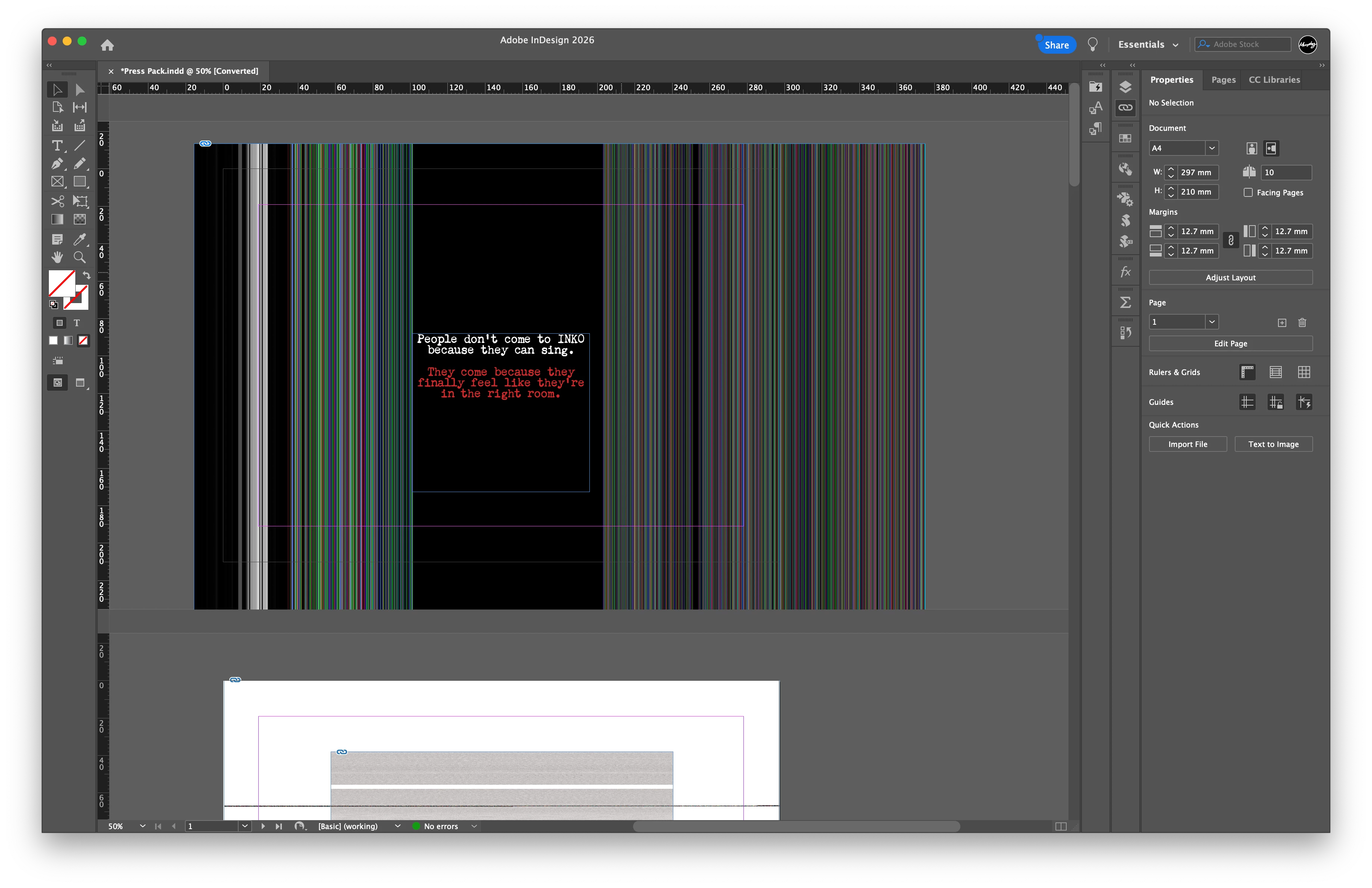
High performance mode puts lines over all my images...

  • July 24, 2026
  • 5 replies
  • 37 views

This is how my mac is showing images… 

I change to normal view rather than HQ performance and it returns to normal. Problem is I need to copy and paste some images out of it, and when I do, it gives me the image with the lines. Any ideas?

Mac M1 Max
Updated latest version. 
Mac OS 15.6.1 Sequoia


    5 replies

    Brad @ Roaring Mouse
    Community Expert
    Community Expert
    July 26, 2026

    Where are your image files located?

    What this looks like is a common issue where InDesign is trying to create a high-quality preview in your file, but cannot access the files properly. This is usually caused by incorrect/reset Privacy & Security settings for Full Disk Access in your mac’s System settings. If your Adobe apps are not listed there,  add them. Then try again. Apple, in an (over)abundance of caution has the default setting of NOT allowing Full Disk Access to files on external drives and network storage unless specifically allowed by you.

    rob day
    Community Expert
    Community Expert
    July 25, 2026

    Hi ​@MatthewJohnMurphy , Also, is the placed image’s file format RGB JPEG? There is a similar known problem with RGB JPEGs downloaded from the web that have the uRGB color profile assigned.

    leo.r
    Community Expert
    Community Expert
    July 24, 2026

    In addition to other questions: How much RAM and free space on your startup drive do you have?

    Abhishek Rao
    Community Manager
    Community Manager
    July 24, 2026

    Hi @MatthewJohnMurphy,


    Thanks for sharing the screenshots, and I'm sorry you're running into this issue.

    Since disabling GPU Performance didn't help, could you please try a few additional checks? First, export the document as a PDF and let us know if the vertical lines appear there as well, or only inside InDesign. Also, does this happen with all images or only certain ones? If possible, test the same artwork saved as different formats (PSD, TIFF, PNG, or JPEG) to see if it's format-specific. Additionally, please verify that InDesign has Full Disk Access under System Settings > Privacy & Security, then restart InDesign and test again. Finally, let us know where the linked images are stored. If they're on an external drive, cloud storage, or a network location, please copy both the INDD file and the linked images to your Mac's internal drive and see if the issue persists.


    Looking forward to your update so we can investigate this further.

    Abhishek


    Dave Creamer of IDEAS
    Community Expert
    Community Expert
    July 24, 2026

    Does it do it if you turn off the GPU performance under preferences?

    David Creamer: Community Expert (ACI and ACE 1995-2023)
    MatthewJohnMurphy
    Participating Frequently
    July 24, 2026

    Yup, still does it.