Participant
April 13, 2025
Answered

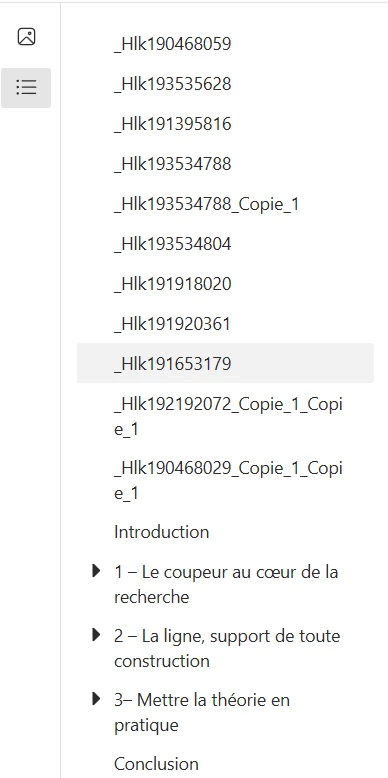
_hlk links in my summary appears while exporting from indesign

  • April 13, 2025
  • 1 reply
  • 234 views

Hello,

I created a summary on indesign for my thesis with hyperlinks to get to the right page but other links appear too. I don't know what they are, where does they come from and how to suppress them. 

I want the suppress everything before the introduction

thank you !
Correct answer Marie_STEPHAN5308

I tried this but it didn't work, i don't know why...

Nevertheless, I found the solution to my probleme !


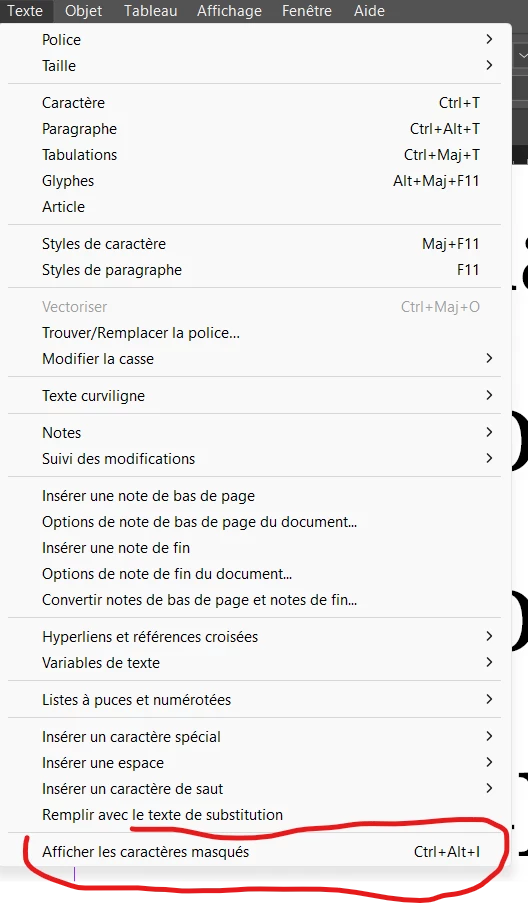
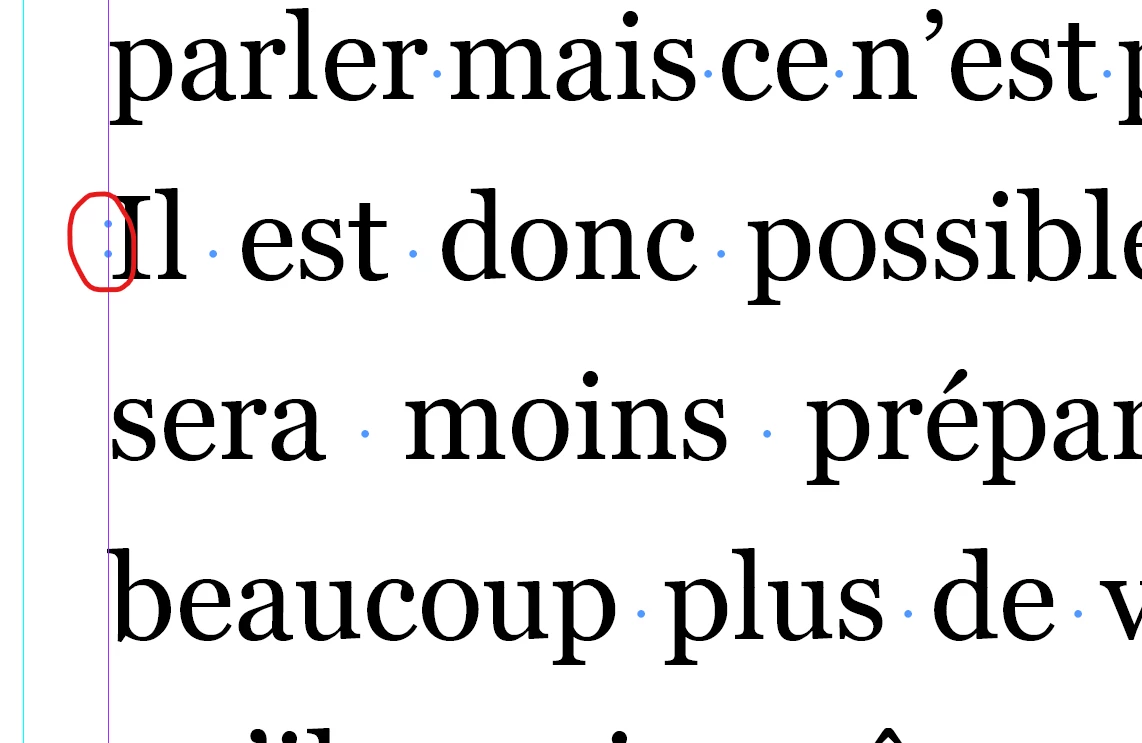
In TEXT, you can make the masked caracters appears and each broken link is symbolysed by this two littles blue dots. If you suppress them, the broken link dissapear.


So I just clicked on each link on my PDF reader, looked where it goes, and helped with the page number and the text, found the little dots on InDesign and makes them dissapear.


It's probably not the best solution but it works so... Hopes it can help someone else !


1 reply

Robert at ID-Tasker
Legend
April 13, 2025

If you're on Windows - you could use free version of my ID-Tasker tool - and load ALL info about Hyperlinks, Bookmarks, Cross-References, sources and destinations Text / Page / Object / URL - and quickly navigate through them - to find the "broken" ones - there can be Hyperlinks without source or destination or sources / destination that no longer belong to any Hyperlink. 


Marie_STEPHAN5308AuthorCorrect answer
Participant
April 13, 2025

I tried this but it didn't work, i don't know why...

Nevertheless, I found the solution to my probleme !


In TEXT, you can make the masked caracters appears and each broken link is symbolysed by this two littles blue dots. If you suppress them, the broken link dissapear.


So I just clicked on each link on my PDF reader, looked where it goes, and helped with the page number and the text, found the little dots on InDesign and makes them dissapear.


It's probably not the best solution but it works so... Hopes it can help someone else !


Robert at ID-Tasker
Legend
April 13, 2025

And that's pretty much what my tool is doing - loads ALL Hyperlinks - broken or not - Cross-References, etc. - and gives you an instant access to their locations - in InDesign.


Please let me know what wasn't working for you in my tool?