Participant
March 24, 2019
Answered

Hot to fix strange behaviour of PageNumberOnly cross references

  • March 24, 2019
  • 3 replies
  • 751 views

I put few cross references in one paragraph.

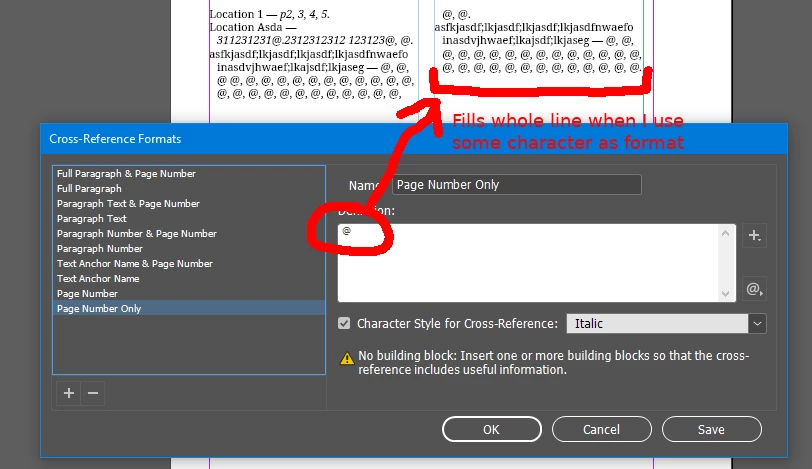
InDesign does not fill whole line when I use "page number only" format for references.

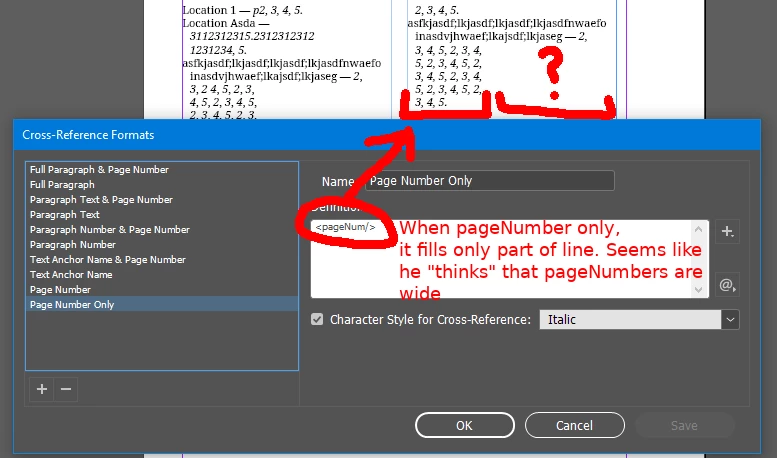
If I use some static characters in format, everything is ok. If i place <pageNum/>, it became wrong.

It seems that <pageNum/> has some kind of "virtual" width about 3-5 characters.

Is there a way to make it work correct?

Images, video and sample file
This topic is closed to new replies. Start a new post to keep the conversation going.
Correct answer fotomirk

I've noticed that changing paragraph's justification composer to "Adobe World-Ready Paragraph Composer" solves the problem!

3 replies

fotomirkAuthorCorrect answer
Participant
March 24, 2019

I've noticed that changing paragraph's justification composer to "Adobe World-Ready Paragraph Composer" solves the problem!

Barb Binder
Community Expert
Community Expert
March 24, 2019

Hi Fotomirk:

This appears to be an issue with InDesign x-refs, and the second one reported today.

Lines wrapping when they should not

After this thread from Feb 1 (Re: Cross Reference Not Flowing Correctly ) a bug report was logged here:  Cross reference takes more space than its text – Adobe InDesign Feedback.

Adding your vote and a link to this thread will help draw the InDesign team's attention to the matter.

~Barb

~Barb at Rocky Mountain Training
fotomirkAuthor
Participant
March 24, 2019

Thank you for your note. I've placed a vote for the bug report.