Inspiring
July 7, 2020
Answered

How can i add white behind everything?

  • July 7, 2020
  • 4 replies
  • 442 views

Is it possible to add white behind all the text?

This topic has been closed for replies.
Correct answer Barb Binder

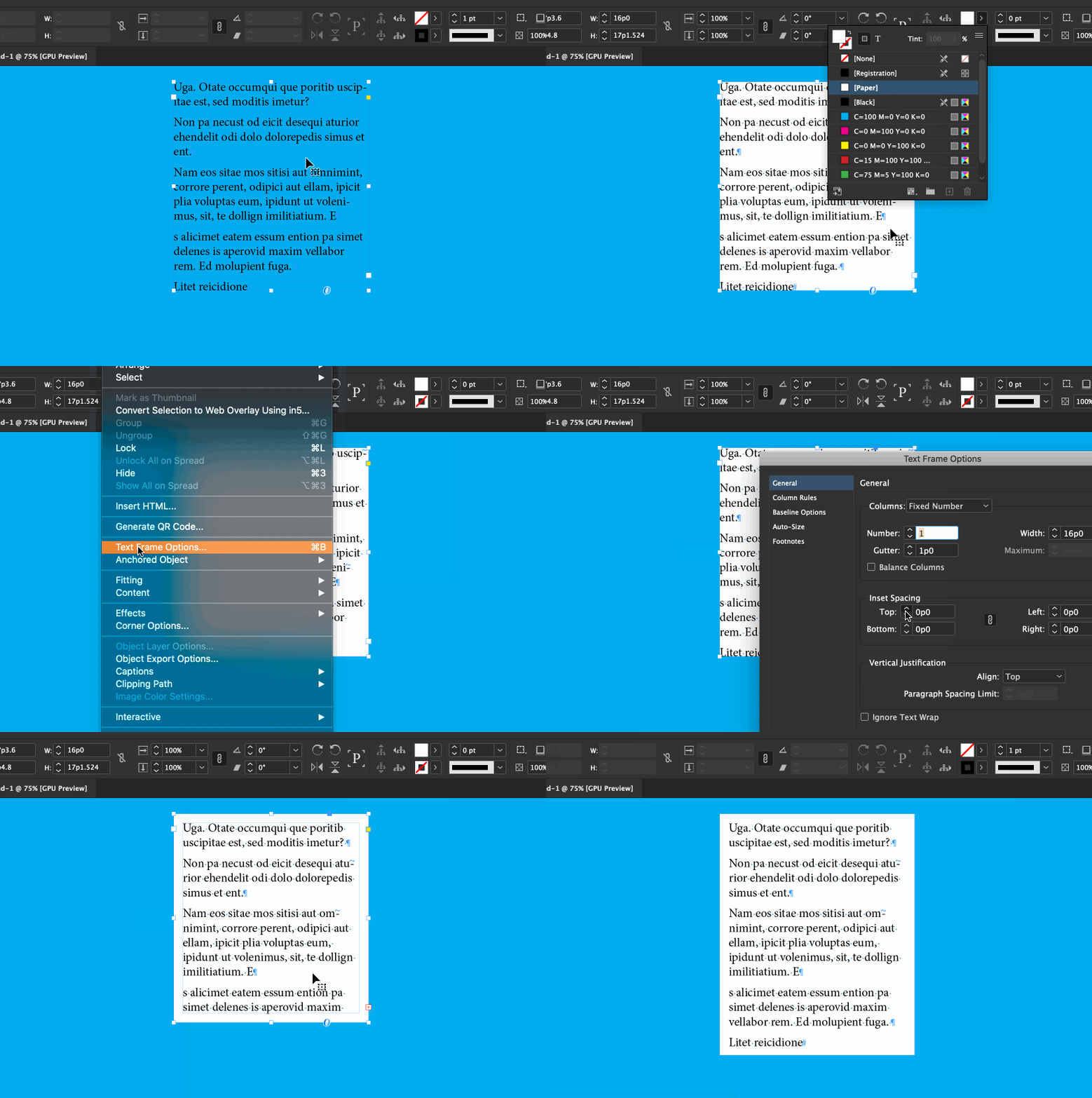
I'll make a guess... perhaps you have text over a colored background and want to increase the contrast behind the text. You can select the text frame and change the background color to paper. (I also added an inset to the text frame with Type > Text Frame Options.)


~Barb 
 

4 replies

Barb Binder
Community Expert
Barb BinderCommunity ExpertCorrect answer
Community Expert
July 7, 2020

I'll make a guess... perhaps you have text over a colored background and want to increase the contrast behind the text. You can select the text frame and change the background color to paper. (I also added an inset to the text frame with Type > Text Frame Options.)


~Barb 


~Barb at Rocky Mountain Training
JonathanArias
Legend
July 7, 2020

yes, you could make an object style with a white fill and apply it to all of your text frames. or you can add one big white box on a master page in a layer behind your layout. 


if you provide more detail as to what you want to do and the end goal we can help you further.


Jongware
Community Expert
Community Expert
July 7, 2020

Isn't that the default? (Unless you changed the color of the [Paper] swatch -- quite possibly you did so unintentionally). A bit more background information might be useful.

jmlevy
Community Expert
Community Expert
July 7, 2020

Hi, can you be more specific?

Do you want a white background in the frame? Do you want to get a white background behind the whole paragraph? Behind a line?