Participant
June 14, 2024
Answered

How can I export particular pages across the document to pdf?

  • June 14, 2024
  • 3 replies
  • 350 views

Hi.
Can somebody help pls.

I'm working on a cookbook project and the author wants to print it on different types of paper. He wants the text on a transparent paper (don't know the name in English, probably mylar stencil? In portuguese it is papel vegetal), and the photos of the food on a different non-transparent paper. For example, page 5 contains the text (recipe) and page 7 contains the respective picture, 9 the text and 11 the picure and so on, in about 150 pages.

The printing company has requested separate pdf files, one with the text and the other with the photos. What is the most efficient way to do that? I know I can specify the pages to be exported, but in this case, that is massive work. I thought of creating 2 indd files but I can't keep the page numbering corret.

  1. Thank u in advance.
This topic is closed to new replies. Start a new post to keep the conversation going.
Correct answer rob day

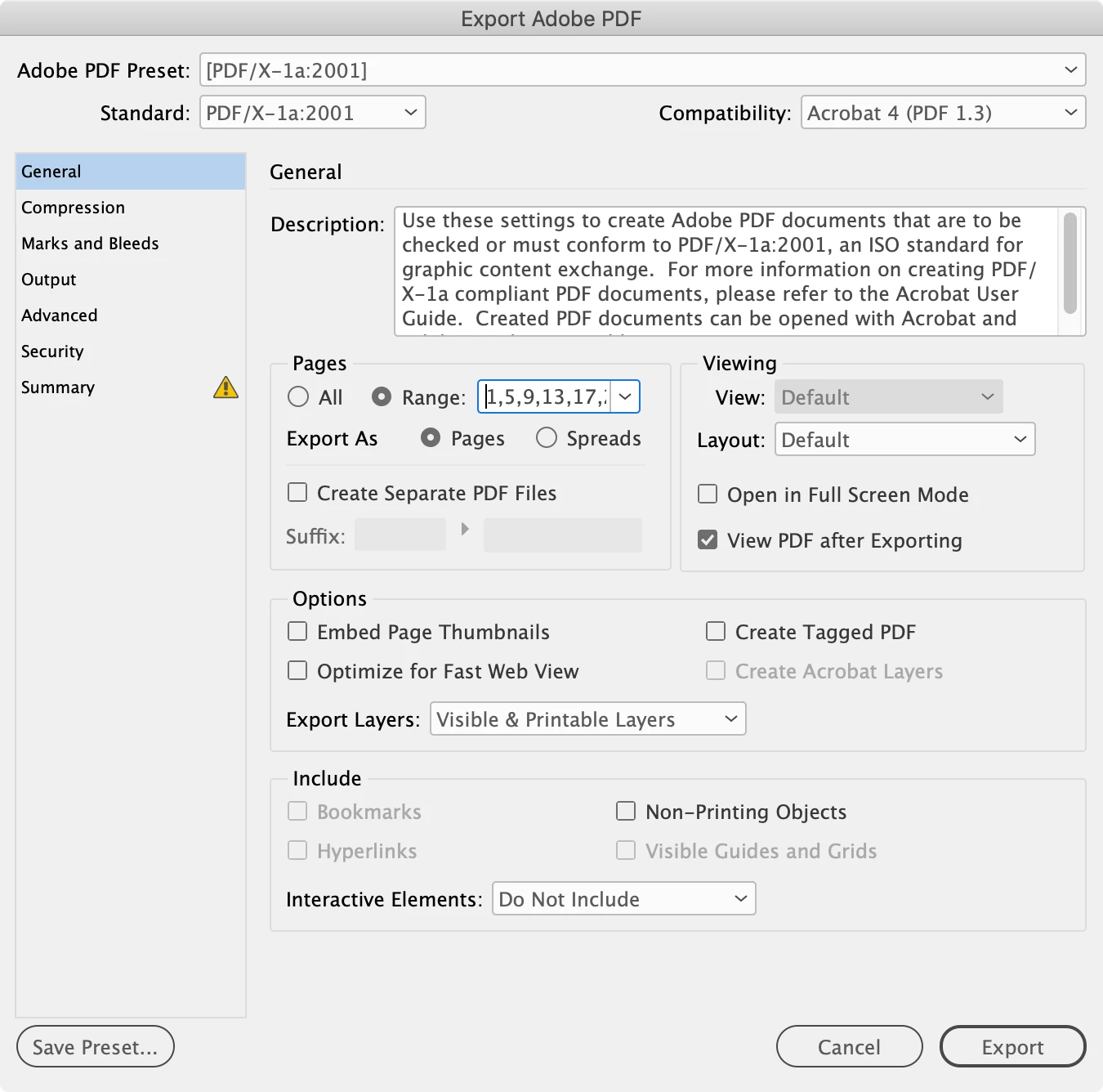
Hi @Estevao24 , If there is a pattern to the page range sequence, you could set the range via a script. This would set the PDF Export page range to every 4th page starting with page 1—1,5,9,13, etc....


var p = app.activeDocument.pages;
var n = 4;
var pr = ""
for (var i = 0; i < p.length; i++){
    if(i%n==0){
        pr += (i+1) + "," 
    }
};   

app.pdfExportPreferences.properties={pageRange:pr}


3 replies

rob day
Community Expert
rob dayCommunity ExpertCorrect answer
Community Expert
June 14, 2024

Hi @Estevao24 , If there is a pattern to the page range sequence, you could set the range via a script. This would set the PDF Export page range to every 4th page starting with page 1—1,5,9,13, etc....


var p = app.activeDocument.pages;
var n = 4;
var pr = ""
for (var i = 0; i < p.length; i++){
    if(i%n==0){
        pr += (i+1) + "," 
    }
};   

app.pdfExportPreferences.properties={pageRange:pr}


Willi Adelberger
Community Expert
Community Expert
June 14, 2024

The efficient way is to export the whole PDF ane in Acrobat Pro > Tools > Organize Pages

Select one kind of pages and extract pages, do the same with the other kind.

Estevao24Author
Participant
June 14, 2024

Thank u. In fact I had thought of that option as well. I just believed there had to be a trick inside indesign. 

Thanx.