dublove
Legend
March 27, 2026
Answered

How can I handle both 'pages[0]' and 'parentPage'?

  • March 27, 2026
  • 2 replies
  • 68 views

Scenario 1: I need to retrieve data for the current page, so I use ‘var p = item.parentPage; ‘ 

   For example: The number of columns on the current page is ‘marginPreferences.columnCount; ‘


Scenario 2: I need to move objects within the current page, but I can only use ‘d.Page[0] ‘.
  Because the following code(var pb=p.bounds) throws an error: ”null is not an object”.

—I suspect the object is considered out of bounds.


What should I do? Using two sets of code is too complicated.

var d = app.activeDocument;
//var p=d.page[0];
var p = item.parentPage;
// Page bounds
var pb = p.bounds;

.. ....
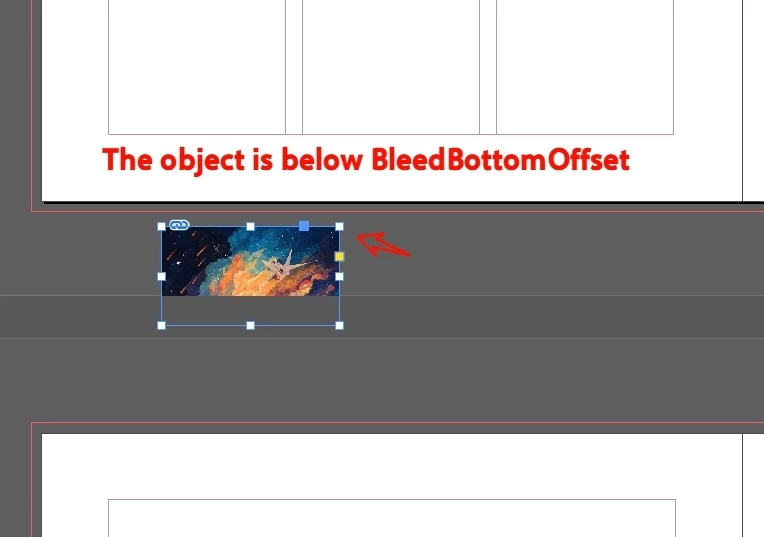
//If the object is below BleedBottom, move it into the layout
if (s.geometricBounds[0] > ph) {
var dn = ph - (Number(s.geometricBounds[0]) - ph);
s.move([0, dn - rh]);
}


    Correct answer rob day

    Hi ​@dublove , Here is a similar question about objects on the pasteboard. The function returns the closest page to the pasteboard object:


    Here’s a variation that is more specific to your question:


    /**
    * Gets the closest parent page for an object on the pasteboard and moves the page item to x,y
    * @ param the page item to check
    * @ param x the new x position
    * @ param y the new y position
    * @ return parent page
    *
    */


    function movePBItem(pi, x, y) {
    var d = app.activeDocument;
    var ro = d.viewPreferences.rulerOrigin
    d.viewPreferences.rulerOrigin = RulerOrigin.SPREAD_ORIGIN;
    var pw = d.documentPreferences.pageWidth;
    var ph = d.documentPreferences.pageHeight;
    var b=pi.geometricBounds;
    if ((b[1] < 0) || (b[0] > ph) && (b[1]<pw)) {
    pi.move( [x,y] );
    } else {
    pi.move( [pw+x,y] );
    }
    d.viewPreferences.rulerOrigin = ro;
    return pi.parentPage;
    }

    var s = app.documents[0].selection[0]
    movePBItem(s,1,1)


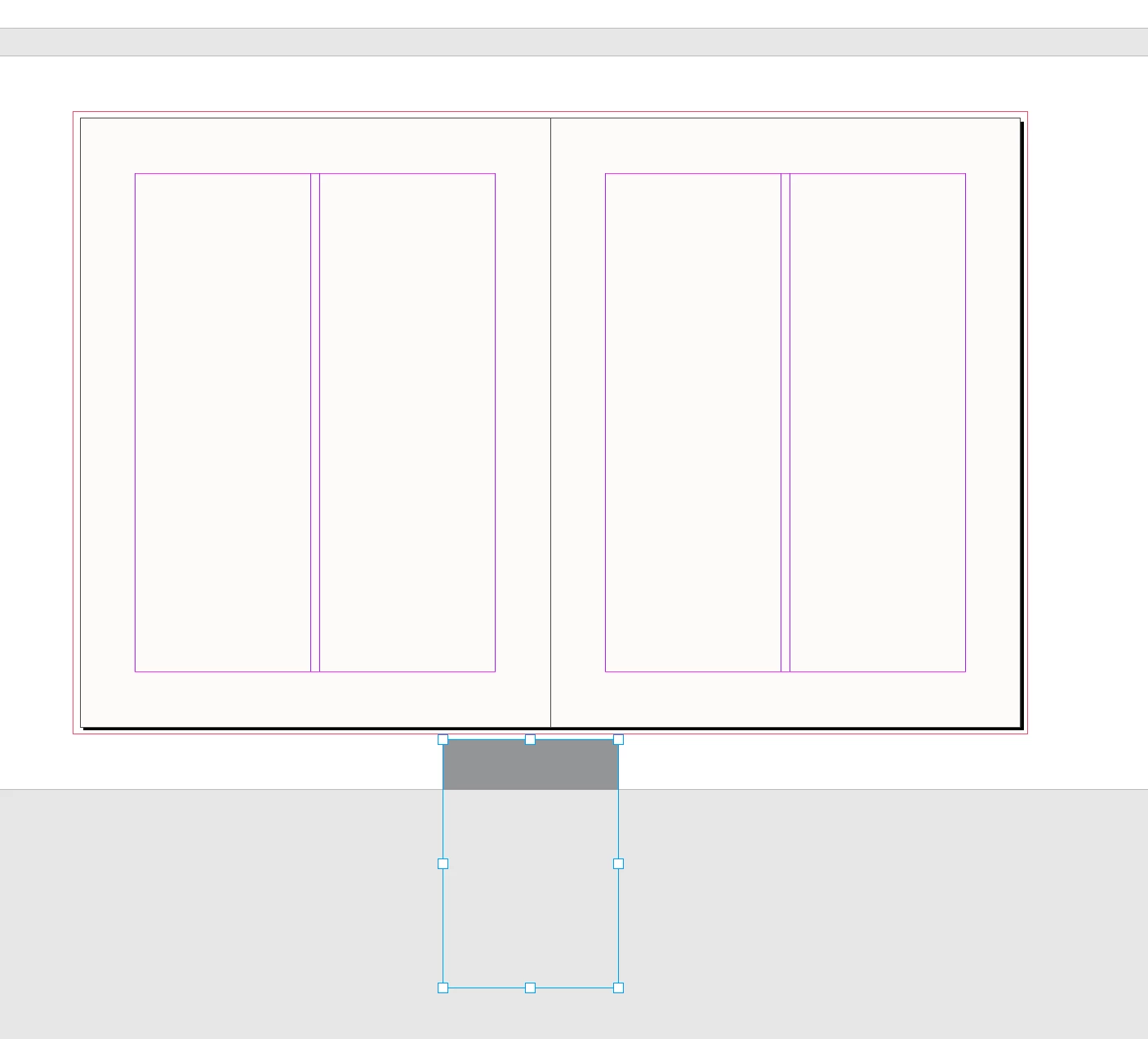
    Before and after:


    2 replies

    rob day
    Community Expert
    rob dayCommunity ExpertCorrect answer
    Community Expert
    March 28, 2026

    Hi ​@dublove , Here is a similar question about objects on the pasteboard. The function returns the closest page to the pasteboard object:


    Here’s a variation that is more specific to your question:


    /**
    * Gets the closest parent page for an object on the pasteboard and moves the page item to x,y
    * @ param the page item to check
    * @ param x the new x position
    * @ param y the new y position
    * @ return parent page
    *
    */


    function movePBItem(pi, x, y) {
    var d = app.activeDocument;
    var ro = d.viewPreferences.rulerOrigin
    d.viewPreferences.rulerOrigin = RulerOrigin.SPREAD_ORIGIN;
    var pw = d.documentPreferences.pageWidth;
    var ph = d.documentPreferences.pageHeight;
    var b=pi.geometricBounds;
    if ((b[1] < 0) || (b[0] > ph) && (b[1]<pw)) {
    pi.move( [x,y] );
    } else {
    pi.move( [pw+x,y] );
    }
    d.viewPreferences.rulerOrigin = ro;
    return pi.parentPage;
    }

    var s = app.documents[0].selection[0]
    movePBItem(s,1,1)


    Before and after:


    dublove
    dubloveAuthor
    Legend
    March 28, 2026

    That's a great solution—much more concise than mine.
    I'll see if I can incorporate it into my code.
    Thank you very much.

    Community Expert
    March 28, 2026

    @dublove 

    Just to clarify in the context of our discussion: your original question was mainly about reliably identifying the current page for an item, especially when item.parentPage might be null, and doing this without splitting the code paths for pages[0] vs parentPage.

    The solution I suggested keeps everything in one code path, using item.parentPage and falling back to geometric bounds when needed so it directly addresses that goal.

    Rob’s script also resolves the page, but it additionally moves the item to [x, y]. That’s useful in some workflows, but it’s extra functionality beyond the original page-resolution requirement.


    The left/right page logic (p[0] / p[1], PageSideOptions.LEFT_HAND) is related to spread layout, but it doesn’t guarantee you’ve identified the correct page for the item itself.


    So the key difference is: your goal = page resolution; my solution = page resolution only; Rob’s solution = page resolution + item movement.


    dublove
    dubloveAuthor
    Legend
    March 28, 2026

    @m1b 

    It seems that aside from `bleed`, only `p = item.parent.pages` is supported.
    So how is `parent.pages` converted to the current page (`item.parentPage`)?

    It seems I can use `var pb = p[0].bounds`.
    If there are multiple pages, does `p[0]` refer to the left page and `p[1]` to the right page?
    In that case, I still can't determine exactly whether the current page is the left or right page, can I?

    Community Expert
    March 28, 2026

    Use something like this

    This keeps everything in one code path and avoids splitting your logic.

    var d = app.activeDocument;
    var p = item.parentPage;

    // fallback if item is not on a page
    if (!p) {
    try {
    p = item.parent.parentPage;
    } catch(e) {}
    }

    // final fallback (e.g. pasteboard items)
    if (!p) {
    p = d.pages[0]; // or skip entirely depending on your logic
    }

    // now safe to use
    var pb = p.bounds;


    If you want to be more precise (and avoid defaulting to page 0), you can resolve the page from the object’s position instead
     

    function getPageFromItem(item) {
    var d = app.activeDocument;

    if (item.parentPage) return item.parentPage;

    var gb = item.geometricBounds;
    var y = gb[0];
    var x = gb[1];

    for (var i = 0; i < d.pages.length; i++) {
    var p = d.pages[i];
    var b = p.bounds;

    if (y >= b[0] && y <= b[2] && x >= b[1] && x <= b[3]) {
    return p;
    }
    }

    return null;
    }

    Then

    var p = getPageFromItem(item);
    if (!p) return; // or handle as needed

    var pb = p.bounds;


    And yes, p[0] / p[1] refers to page order in the spread (typically left/right), but that’s not reliable logic for identifying the “current” page of an item. I try to never infer page ownership from index and try to always resolve it from the item itself.

    What your issue so far is, I think::

    parentPage is correct but not guaranteed to exist
    pages[0] is too generic a fallback, probably not a solution
    From most I’ve seen they try to get the page dynamically from the item

    That way it keeps a single, consistent code path without branching the entire script.

    dublove
    dubloveAuthor
    Legend
    March 28, 2026

    Thank you ​@Eugene Tyson 

    I'll take a look at this in a bit.
    Things are a bit complicated for me right now.
    I'm using PageSideOptions.LEFT_HAND to identify p[0].