

dublove
Legend
September 16, 2025
Answered

How can I individually access multiple selected cells?

  • September 16, 2025
  • 1 reply
  • 90 views

For example:
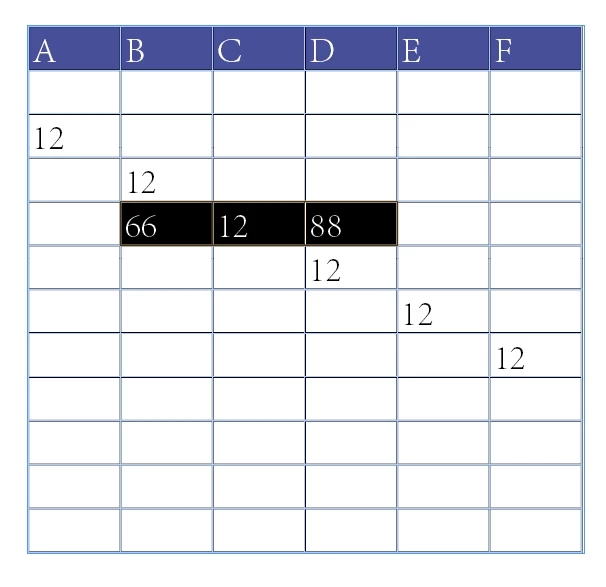
I dragged to select three cells. I want to access each selected cell individually to control them separately.
var cells= app.selection;
alert(cells.length);


My goal is to obtain cell[i].

but,  It seems to return 1 instead of 3.


Correct answer Laubender

Hi @dublove ,

did you try:

var selectedCellsArray = app.selection[0].cells.everyItem().getElements();
alert( selectedCellsArray.length );

?


Kind regards,
Uwe Laubender
( Adobe Community Expert )

1 reply

LaubenderCommunity ExpertCorrect answer
Community Expert
September 16, 2025

Hi @dublove ,

did you try:

var selectedCellsArray = app.selection[0].cells.everyItem().getElements();
alert( selectedCellsArray.length );

?


Kind regards,
Uwe Laubender
( Adobe Community Expert )