
Answered
How can I remove the Override shortcut? (CMD + SHIFT + CLICK) I want to change this shortcut and can't find it
How can I remove the Override shortcut? (CMD + SHIFT + CLICK) I want to change this shortcut and can't find it

How can I remove the Override shortcut? (CMD + SHIFT + CLICK) I want to change this shortcut and can't find it
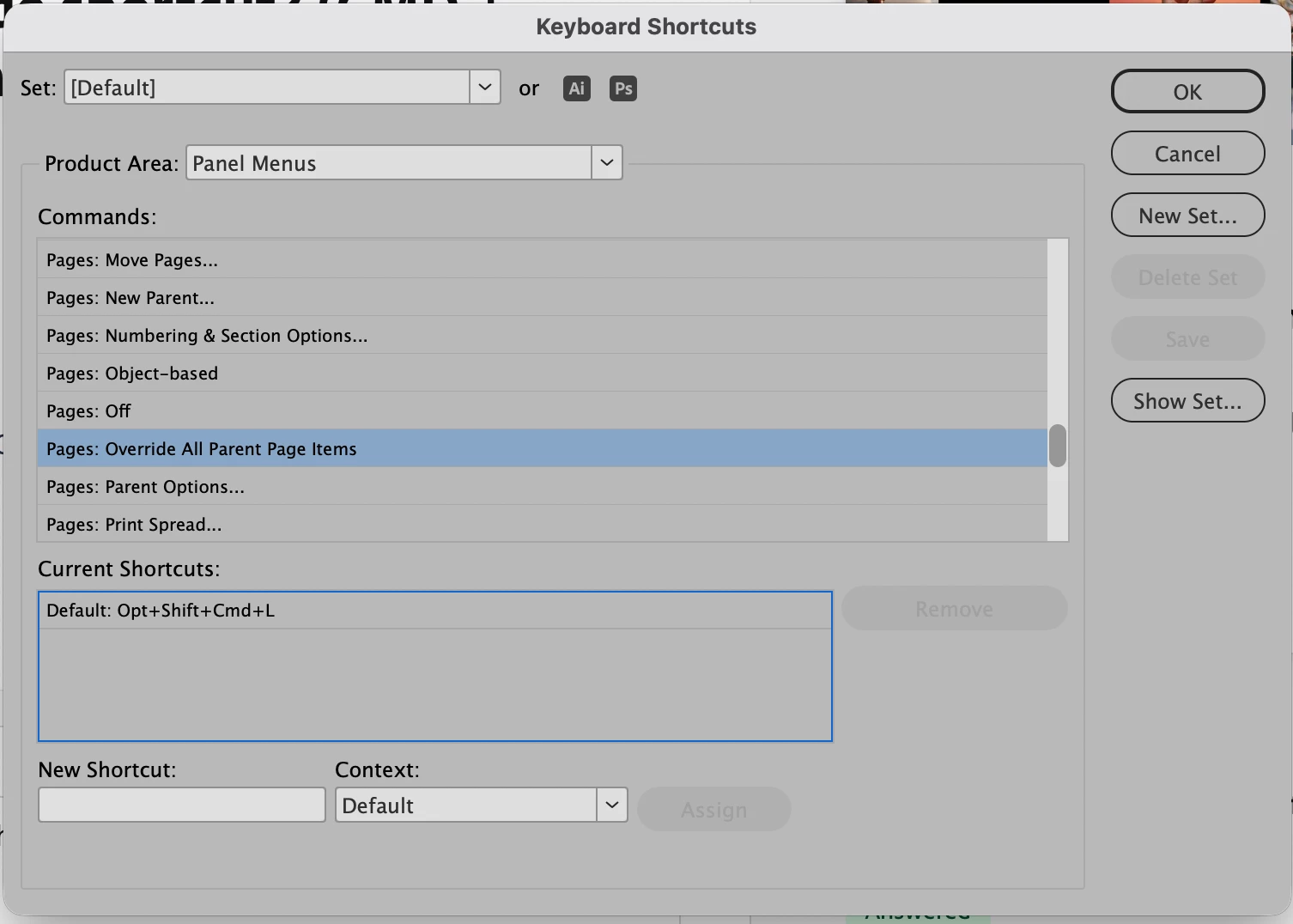
Unfortunately, the Override shortcut for detaching individual Parent Page objects on a document page is hardcoded into the program—it cannot be changed. You can change the shortcut for the “Override all Parent Page Items” for a selected (through the Pages Panel) document page in the Panel Menu section of the Keyboard shortcuts window. This window can be accessed under the Edit Menu. Make the change with no documents open and then quit the program. When you relaunch it will become the new shortcut globally for the program.
Already have an account? Login
No account yet? Create an account
Enter your E-mail address. We'll send you an e-mail with instructions to reset your password.


 AdChoices