deborrah120
Known Participant
November 18, 2019
Question

How can I Remove "Untitled" Workspace?

  • November 18, 2019
  • 3 replies
  • 1183 views

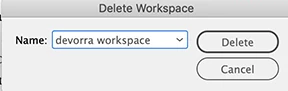
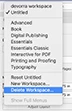
Hi. I accidently made an “Untitled” workspace. ID 2020 won't let me delete it. When I select “Untitled” in the Workspace palette, then click Delete Workspace, it wants to delete the devorra workspace which I don't want to delete. Please advise and thanks for any help!

deborah


This topic has been closed for replies.

3 replies

Community Expert
January 8, 2020

Hi Deborah,

I can see no custom workspaces in your list of xml files.

So remove none of the listed ones.


Your Untitled one should be listed as Untitled.xml, I think.

Hm. The path in your second screenshot is showing the way to Adobe Media Encoder which is rather strange.

Oh. And the list of InDesign workspaces is only showing the files from the previous 30 days. So the ones from Nov 2019 are not showing in the list.


Regards,
Uwe Laubender

( ACP )

Community Expert
November 18, 2019

Ah. Found this helpx page:

https://helpx.adobe.com/indesign/kb/indesign-preferences-support-file-locations.html


The linked PDF on that page is a bit outdated but it may help in your case:

https://helpx.adobe.com/content/dam/kb/en/407/kb407987/attachments/ID_Presets___Prefs.pdf


Regards,
Uwe Laubender

( ACP )

Community Expert
November 18, 2019

Hi Deborrah,

quit InDesign and go to the folder where this custom workspace is stored by InDesign.

Remove it from there. It's a simple XML file in a folder named Workspaces.


Under Windows 10 this folder for my German version of InDesign 2020 would be positioned at:

Username > AppData > Roaming > Adobe > InDesign > Version 15.0 > de_DE > Workspaces

Note: Folder AppDate could be invisible. How to make it visible:

https://support.microsoft.com/en-us/help/4028316/windows-view-hidden-files-and-folders-in-windows-10


On your Mac OS X this would be inside a similar named folder in your personal Library folder, I think.

However this one could be invisible in your file system. Details to make the Library folder visible:

https://www.macworld.co.uk/how-to/mac-software/hidden-files-mac-3520878/


Regards,
Uwe Laubender

( ACP )

deborrah120
Known Participant
January 8, 2020

Hi, Uwe:

Many thanks for your quick response. I found two solutions:

1. I found many XML files in the Workspace Folder in InDesign 2020. Do you know which one I should toss? Following is a screen shot of that folder:


2. Saved Workspaces File made visible per your link instructions:

Thank you, Uwe, for any help. I appreciate it.

Sincerely,

deborah