dublove
Legend
July 10, 2024
Answered

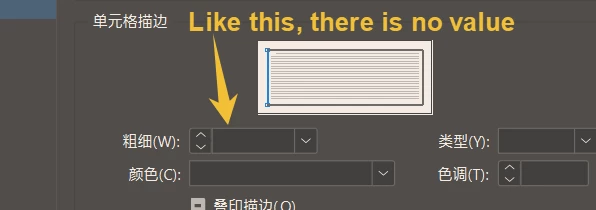
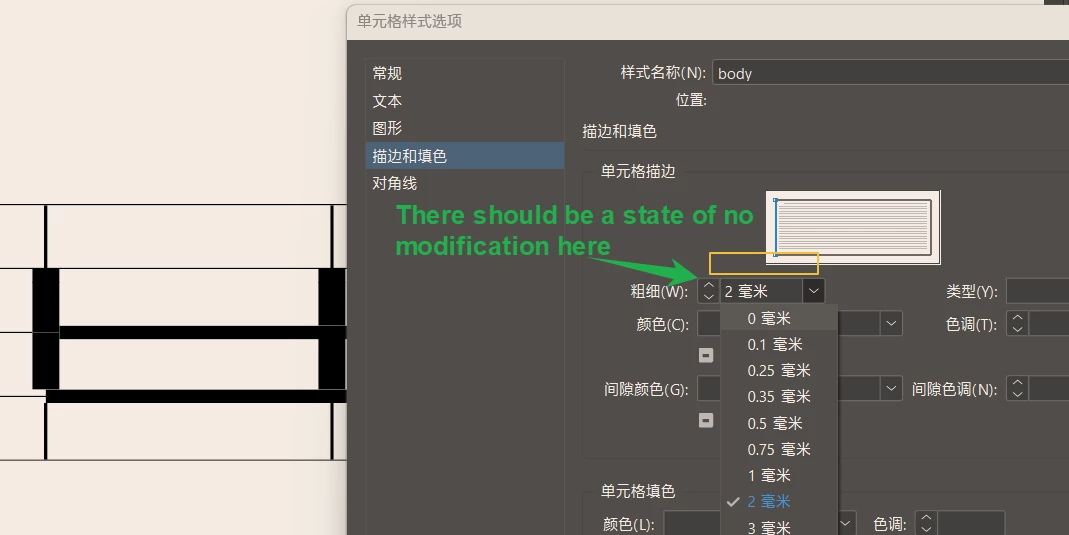
How can the style setting of the table unit be set to the default (not modified state)?
  • July 10, 2024
  • 3 replies
  • 489 views


I can find the imperfections of INDEISGN every day.

For example, on the left line, I set up 2mm at first. Later, I wanted to restore the initial default (not modified), but I found that I couldn't go back.
Can I only build a new style?
This topic has been closed for replies.
Correct answer Eugene Tyson

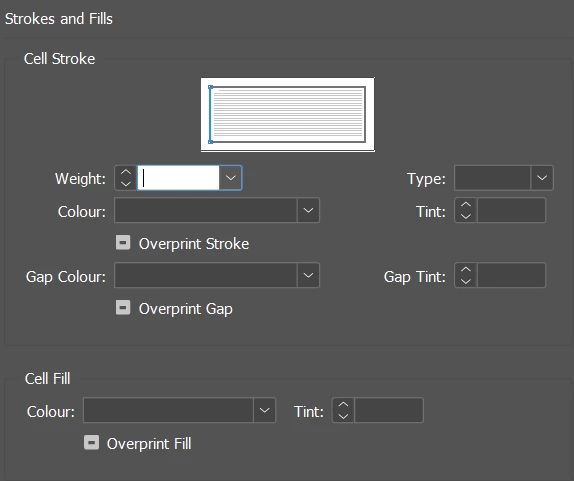
You can just delete the text and leave it blank


Works for me


3 replies

James Gifford—NitroPress
Legend
July 13, 2024

I can find the imperfections of INDEISGN every day.


https://affinity.serif.com/en-us/publisher/


You're welcome.

Community Expert
July 13, 2024

I can too - but like society - you have to operate within a set of rules and structure. 

You can find fault in anything - any software - any system - nothing is perfect.

It's finding ways to work with it and achieve your goals. 


You will never have a perfect system. 

With InDesign, or any other software, there are multiple ways to achieve the same things.

Barb Binder
Community Expert
Community Expert
July 10, 2024

Options:

  1. Edit > Undo if you just changed the value.
  2. Type in the desired value
  3. Alt/Opt click on [None] at the top of Cell Styles panel to remove the manual override.


~Barb


~Barb at Rocky Mountain Training
Community Expert
July 10, 2024

You don't have to - you can just delete the value and leave the field blank - as I've already shown.

Eugene TysonCommunity ExpertCorrect answer
Community Expert
July 10, 2024

You can just delete the text and leave it blank


Works for me


dublove
dubloveAuthor
Legend
July 13, 2024

I get it, thank