

frankw78750162
Inspiring
Feb 24, 2026 11:53 AM UTC
Question

How do I add two subtitles under a photo?

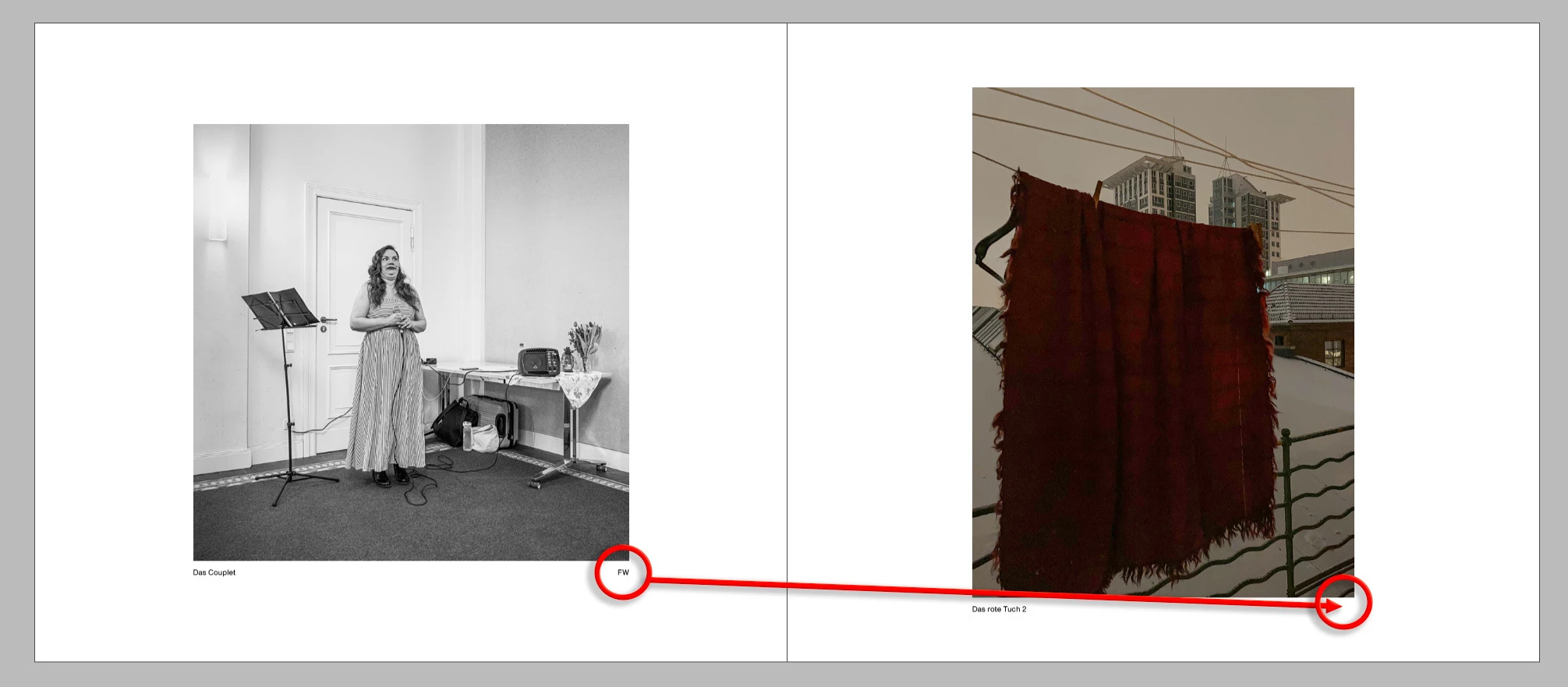
In a book with multiple authors, the subtitle should appear to the left of each photo and the author's logo to the right.

Is this possible with static labeling: ‘Option-Command-T’?
 

    6 replies

    Community Expert
    Feb 24, 2026 1:11 PM UTC

    Guess if it’s all part of the metadata - then you just need to add a rigth indent tab before the FW 
    So you’d find in GREP
    ^.+?\h+\K(FW)
    Change to
    ~y$1


    You could clarify it even further by selecting only the caption paragraph style so it only catches it in the captions.


    Translate
    frankw78750162
    Inspiring
    Feb 24, 2026 3:03 PM UTC

    I have two metadata fields = description and author.

    Both should be placed below the photo using ‘Option-Command-T’.


    Translate
    Community Expert
    Feb 24, 2026 3:43 PM UTC

    How are you adding the captions to the image? Grep style won’t help you here, that will only format a pattern of text. 

    If you have the captions as metadata 
    Go to Object>Caption Setup
    Then use the plus symbol to add more - you’ll have to select the correct metadata


    Then when you go to Object>Generate Static Caption

    It will generate something like this 


    You then need to remove the paragraph return and insert a Right inDent tab


    And it should look like this


    So you can get your caption metadata into the file - but you need to manually manipulate the format and layout. 

    Translate
