frankw78750162
Inspiring
February 24, 2026
Question

How do I add two subtitles under a photo?

  • February 24, 2026
  • 1 reply
  • 45 views

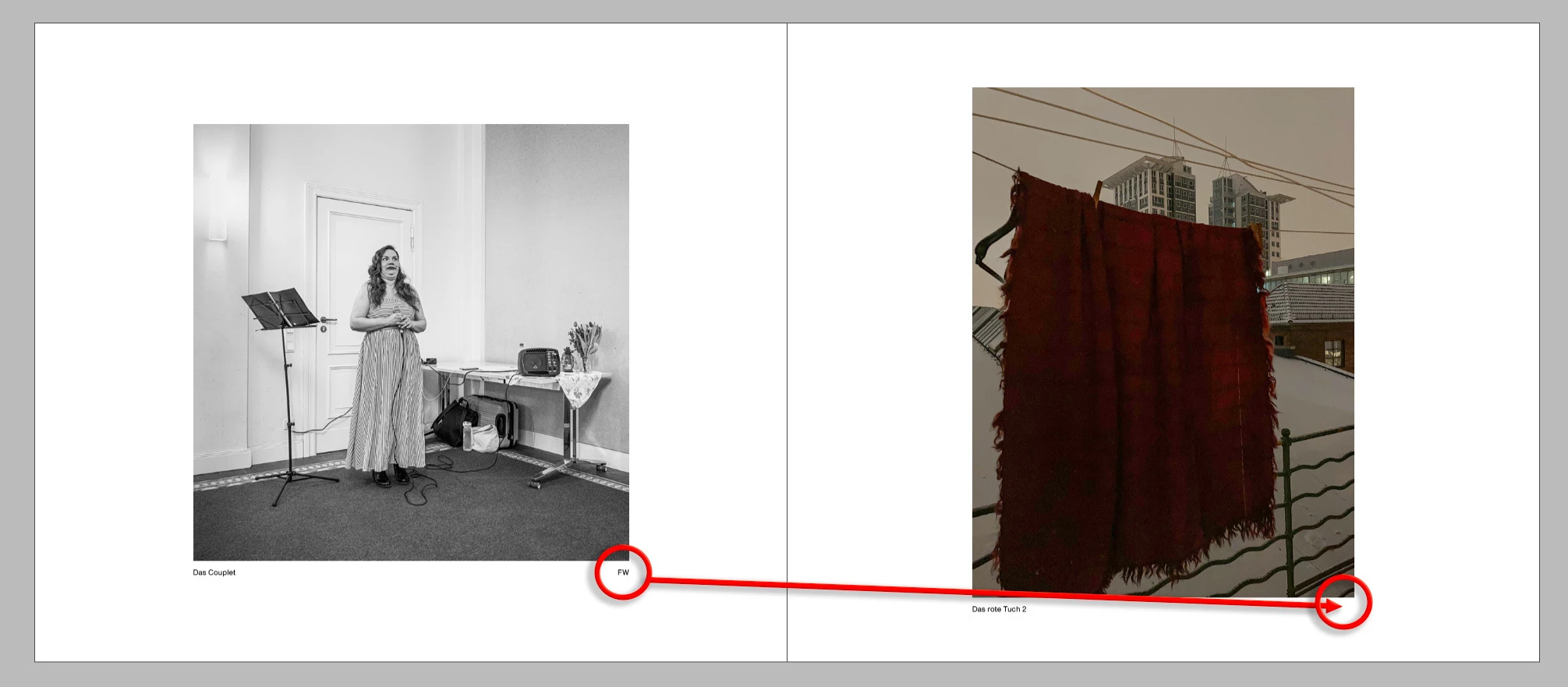
In a book with multiple authors, the subtitle should appear to the left of each photo and the author's logo to the right.

Is this possible with static labeling: ‘Option-Command-T’?
 

    1 reply

    Community Expert
    February 24, 2026

    Guess if it’s all part of the metadata - then you just need to add a rigth indent tab before the FW 
    So you’d find in GREP
    ^.+?\h+\K(FW)
    Change to
    ~y$1


    You could clarify it even further by selecting only the caption paragraph style so it only catches it in the captions.


    frankw78750162
    Inspiring
    February 24, 2026

    I have two metadata fields = description and author.

    Both should be placed below the photo using ‘Option-Command-T’.


    frankw78750162
    Inspiring
    February 24, 2026

    @Eugene Tyson 

    That's the flow of my metadata. I just enter it in Lightroom and it gets passed on.

    I've already tried using “data merge” in InDesign, but I run into problems with the double pages in Blurb Book Creator at the latest.
