
Participant
November 8, 2021
Answered

How do I adjust the margin after adjusting the paper size with the page tool?

  • November 8, 2021
  • 3 replies
  • 809 views

I modified the margins in the document setup, but after adjusting the size with the page tool, it is not applied even if I edit the margins in the same place. So, where can I edit the margin after using the page tool?
This topic has been closed for replies.
Correct answer rob day

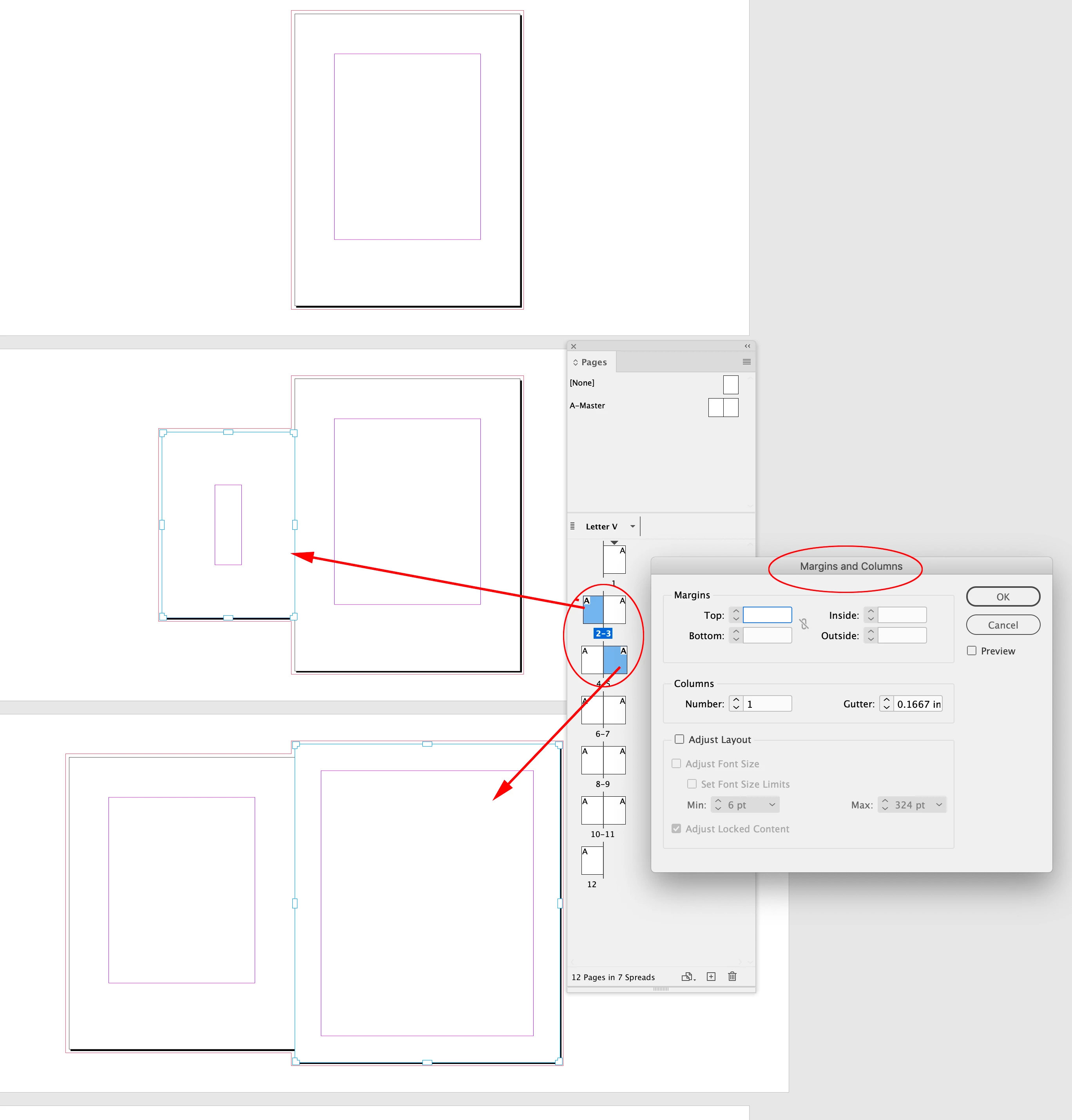
Command/Control-Click to select the pages you want to change in the Pages panel, then use Layout>Margins and Columns to alter the selected page’s margins:


3 replies

rob day
Community Expert
rob dayCommunity ExpertCorrect answer
Community Expert
November 10, 2021

Command/Control-Click to select the pages you want to change in the Pages panel, then use Layout>Margins and Columns to alter the selected page’s margins:


Dave Creamer of IDEAS
Community Expert
Community Expert
November 10, 2021

I would also consider making a new parent/master page to the new size and margins. 

David Creamer: Community Expert (ACI and ACE 1995-2023)
Luke Jennings3
Community Expert
Community Expert
November 10, 2021

It looks like you can't change the margins on a page after using the page tool. You can apply a master page to the changed page, but that will revert back to the original size and margins. A possible work-around is to create a new InDesign document at the desired size and margin size, and place that into the target page of your InDesign file. Not ideal, but it could be helpful if you have a lot of odd size pages.

Legend
November 10, 2021

Via Layout -> Margins and columns?