This can be done quite simply. In the screen shot below I've shown two different scenarios based on what it appears to me from your screen shot. I couldn't tell for sure if you had already anchored the caption text into the overall text:
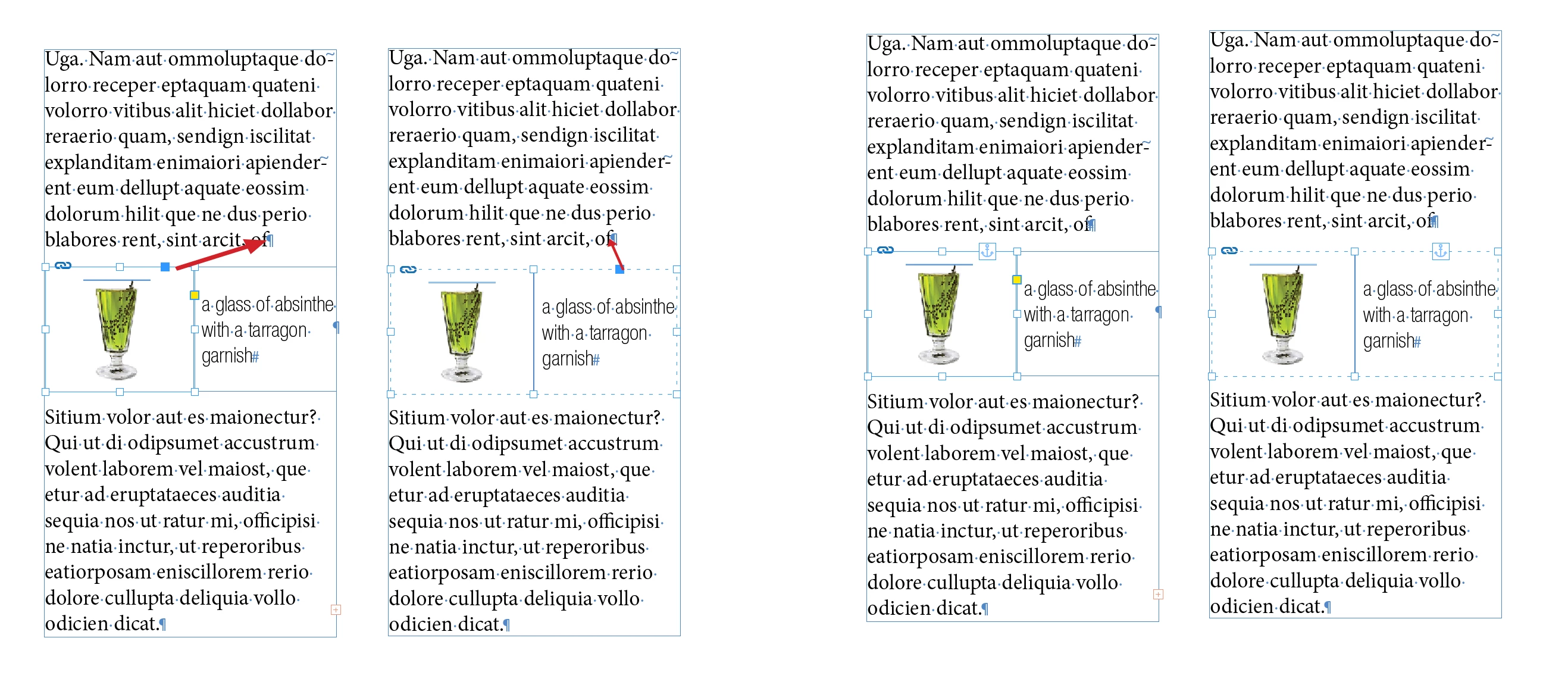
The example on the left of each set of columns assumes that the caption is already anchored. If that is the case then select the graphic and drag the blue box that appears on the upper right of the graphic frame into the end of the paragraph above it. In the example in the right column of each example the unanchored caption and the graphic are selected together, grouped and the single blue square that appears for them both is dragged to the same place as in the first example. The anchor icons shown in the set of columns on the right show that all objects are now part of the text chain.



 AdChoices