
Participant
November 26, 2020
Answered

How do I create a bulleted check list and export to PDF with interactive checkboxes?

  • November 26, 2020
  • 1 reply
  • 4889 views

Hello all,


I created a multi-page checklist and applied a paragaph style with bullets and numbering turned on. I styled the bullet using a character style and chose a web font with a square graphic.

Is there a way to convert these bullets into interactive checkboxes when exporting as an interactive PDF?

I am using InDesign 15.1.3

(See sample image below)

This topic has been closed for replies.
Correct answer Scott Citron

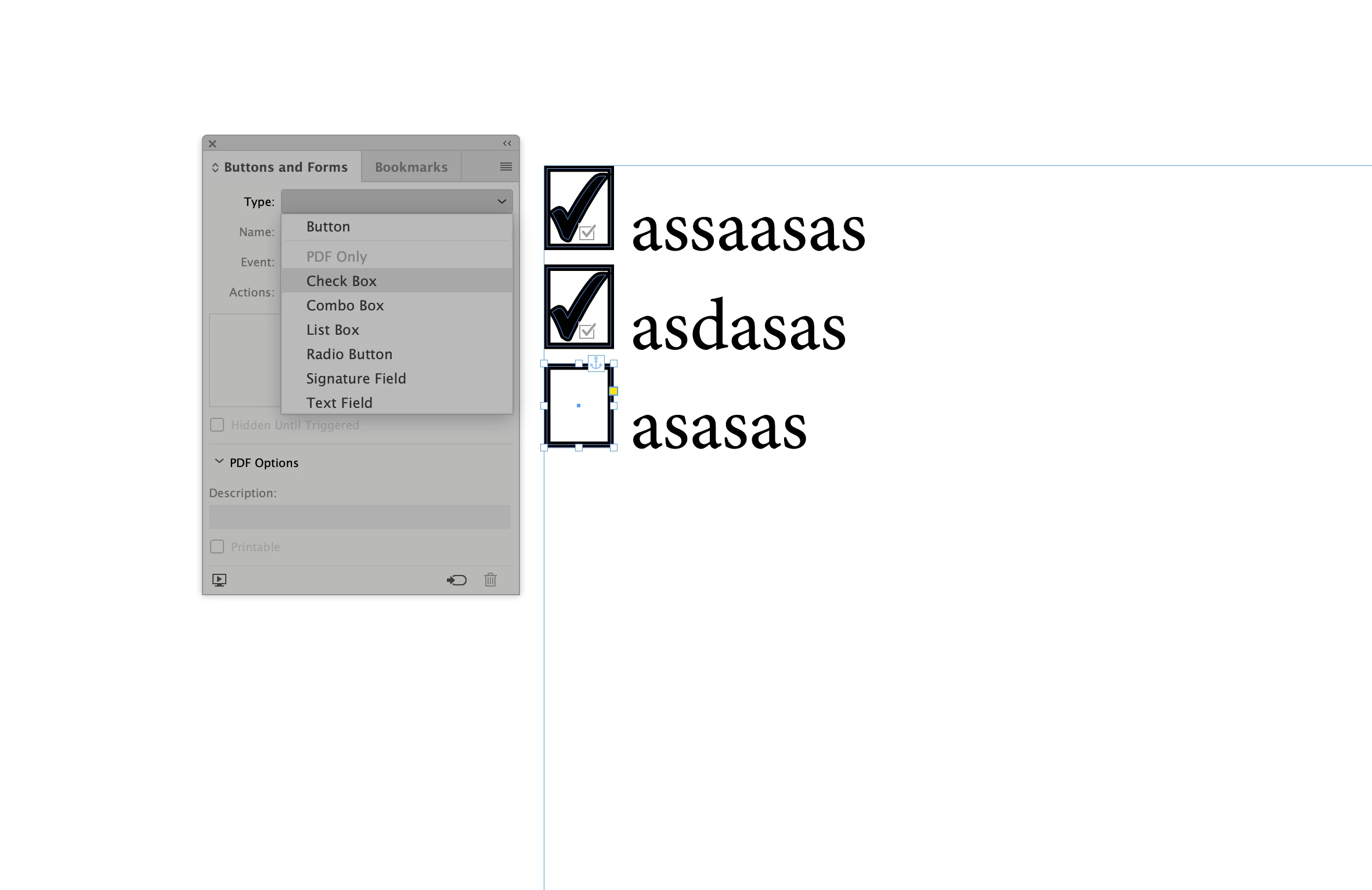
See my screen shot. In my sample I pasted in simple boxes at the beginning of each line. Next, I selected each box and chose Type > Check Box from InDesign's Buttons and Forms panel. Finally, export as PDF Interactive. The check boxes with display check marks when clicked. 
1 reply

Scott Citron
Scott CitronCorrect answer
Legend
November 26, 2020

See my screen shot. In my sample I pasted in simple boxes at the beginning of each line. Next, I selected each box and chose Type > Check Box from InDesign's Buttons and Forms panel. Finally, export as PDF Interactive. The check boxes with display check marks when clicked. 

JerryRossAuthor
Participant
November 26, 2020

Scott,


Thanks for reminding me of this method. 

Question, my box is touching the text following it, where do I find the settings to give the box some breathing space? 

JonathanArias
Legend
November 26, 2020

look in the "insert white space" section for what you want to use:

https://www.youtube.com/watch?v=TYakJqd2C_c