Answered
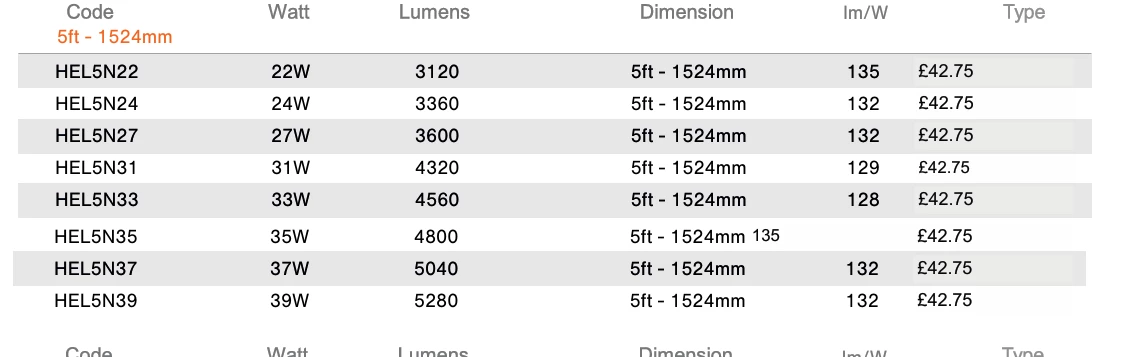
How do I create this effect with a table in indesign?

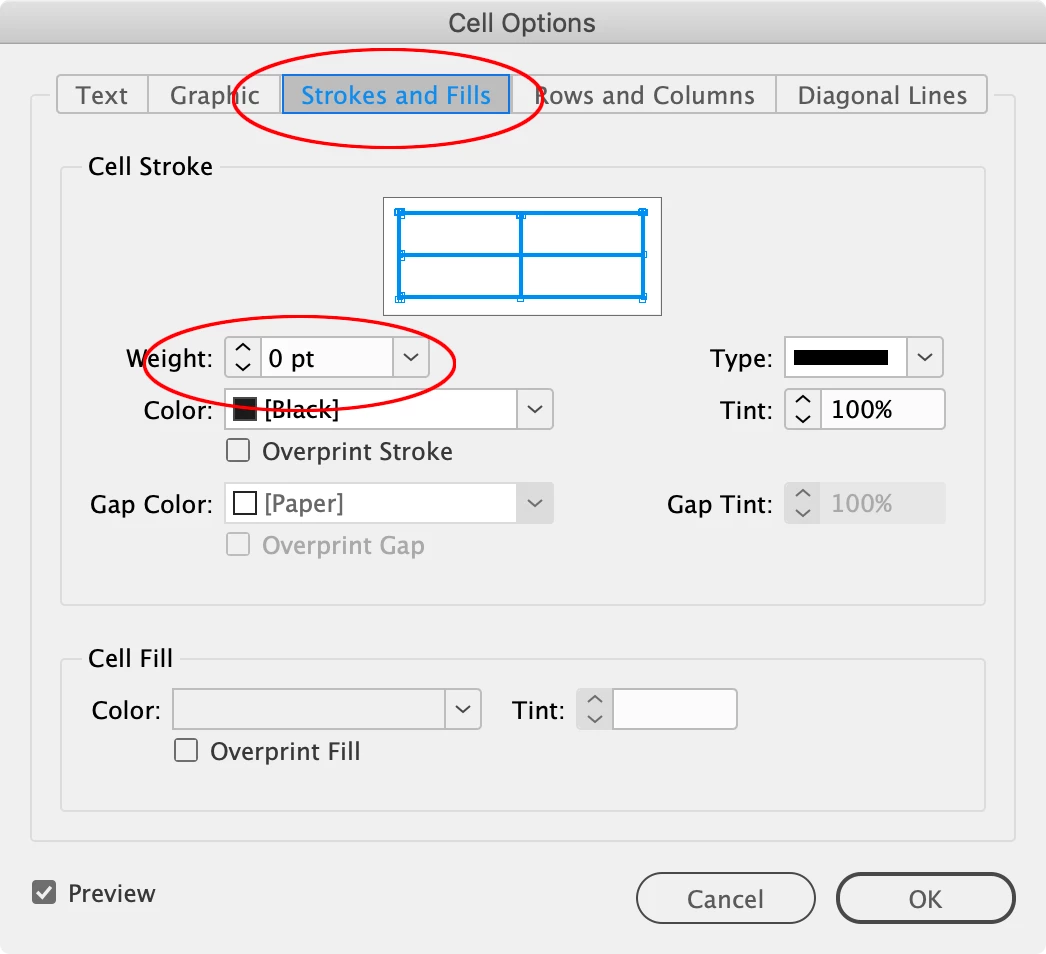
Hi @James3669094303ct , With your table selected choose Table>Cell Options>Strokes and Fills..., and set the strokes to 0:
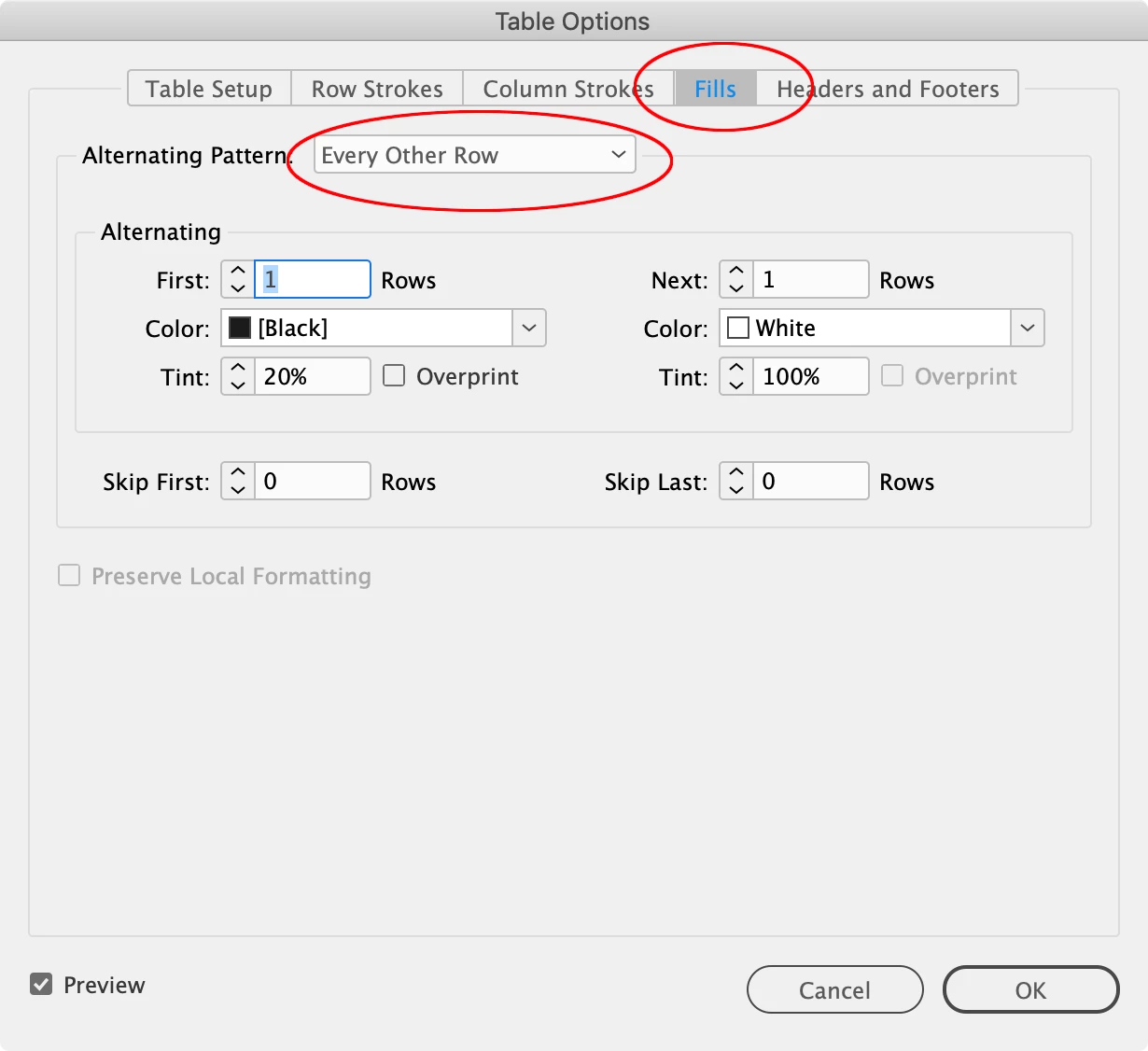
Then choose Table>Table Options>Fills>Alternating Pattern>Every Other Row, and set your alternating colors:

Already have an account? Login
Enter your E-mail address. We'll send you an e-mail with instructions to reset your password.
 AdChoices