
April 19, 2012
Answered

How do I distort/skew text?

  • April 19, 2012
  • 1 reply
  • 79578 views

Hi,

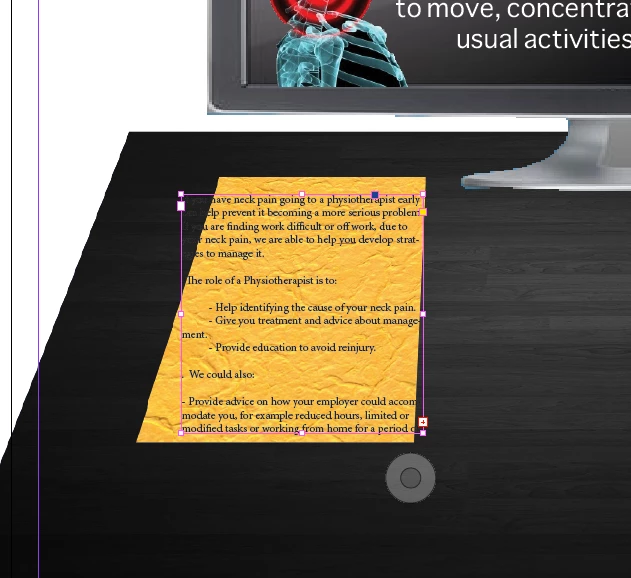
I need to change the perspective of the text on my poster document to make it look like a page lying on a desk, the top of the page smaller (giving the impresion it's further away) to match the paper I've already distorted in photoshop.  If you could tell me how to do this with images as well that would be great, then I won't have to distort the image in photoshop before placing it in InDesign.

Many thanks experts!

Sophie
Correct answer Peter Spier

Hi,

Thanks for this, I have found the 'transform' options, but I can't seem to just make the top of the text box thinner or the bottom of the box wider whether I have the chain broken or not..

Sophie


You can use the Direct Select tool (white arrow) to move inidividual corners of the text frame, to get the shape you want, but this won't distort the text inside the frame which would happen with true perspective. You'll have to go through line by line and manually tweak the font size, and maybe even add varying amounts of left and right skew to individual characters to really get the full effect.

1 reply

Inspiring
April 20, 2012

go to windows-->object & layout --->transform, you will find all the tools and option to play with for this task.  (break the chain lik icon in the transform panel for better control)

However it works on comlplete frame , hence if you want to edit the frame width or hight at one side then use direct selection or selection tool.

Jongware
Community Expert
Community Expert
April 20, 2012

.. all the tools and option to play with for this task ..

Except proper Perspective. That's not doable with InDesign.

Inspiring
April 20, 2012

yes,,,,valid point....but I beleive another image created from Photoshop as said in the OP can be used as the reference when working on the pictures in Indesign.

The reference picture couls help in setting up the prespective but yes it would not be automatic we have to do it manually and mainly depend on the options present and skills.\

as In indesign we will tricking to show the object in 3D but actually its in 2D , not as in Illustrator where we have prespective tool to use.(it also work on 2D but show as it is 3d)

more of the skill job and user requirement