Participant
Jun 7, 2025 11:04 AM UTC
Answered

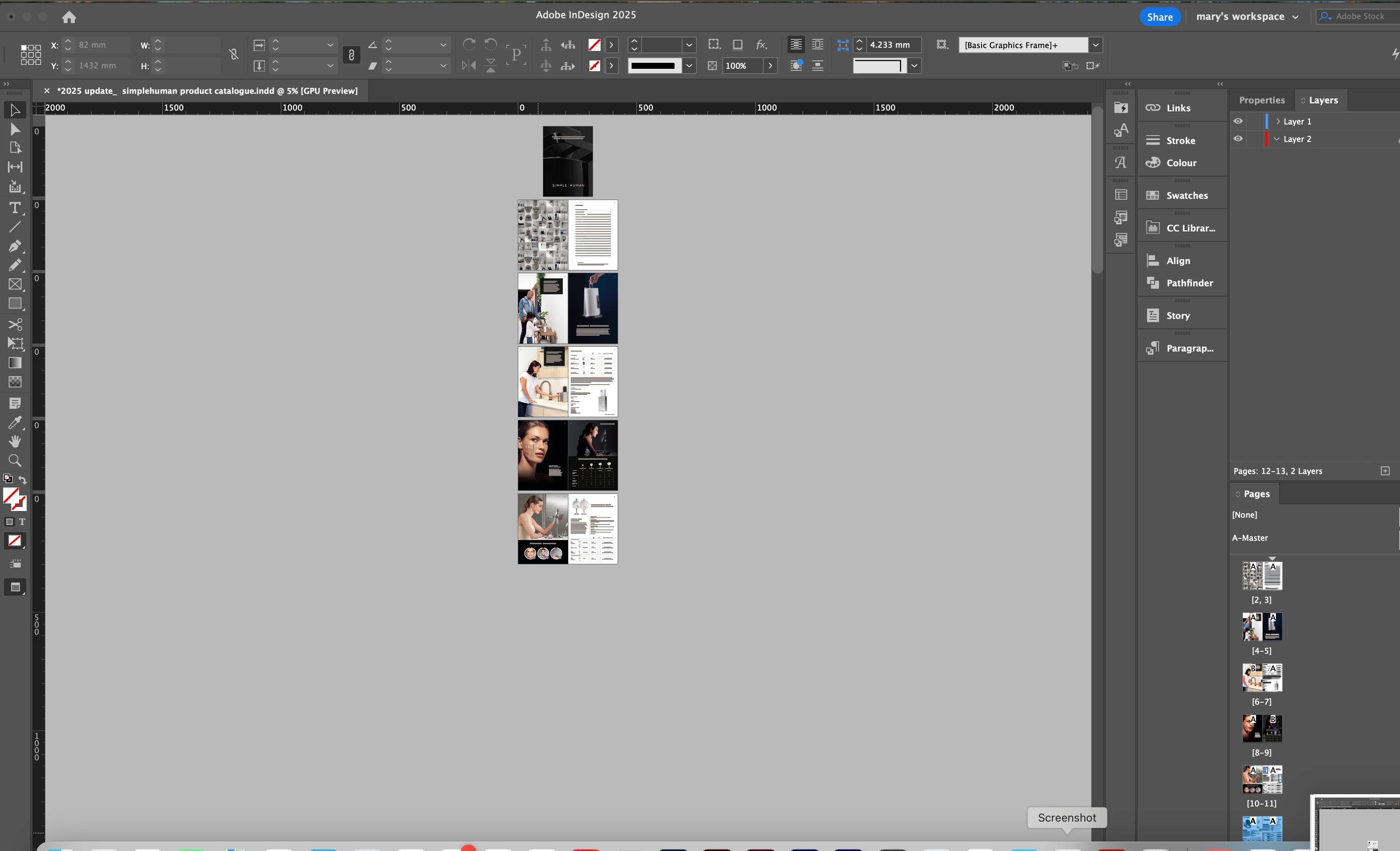
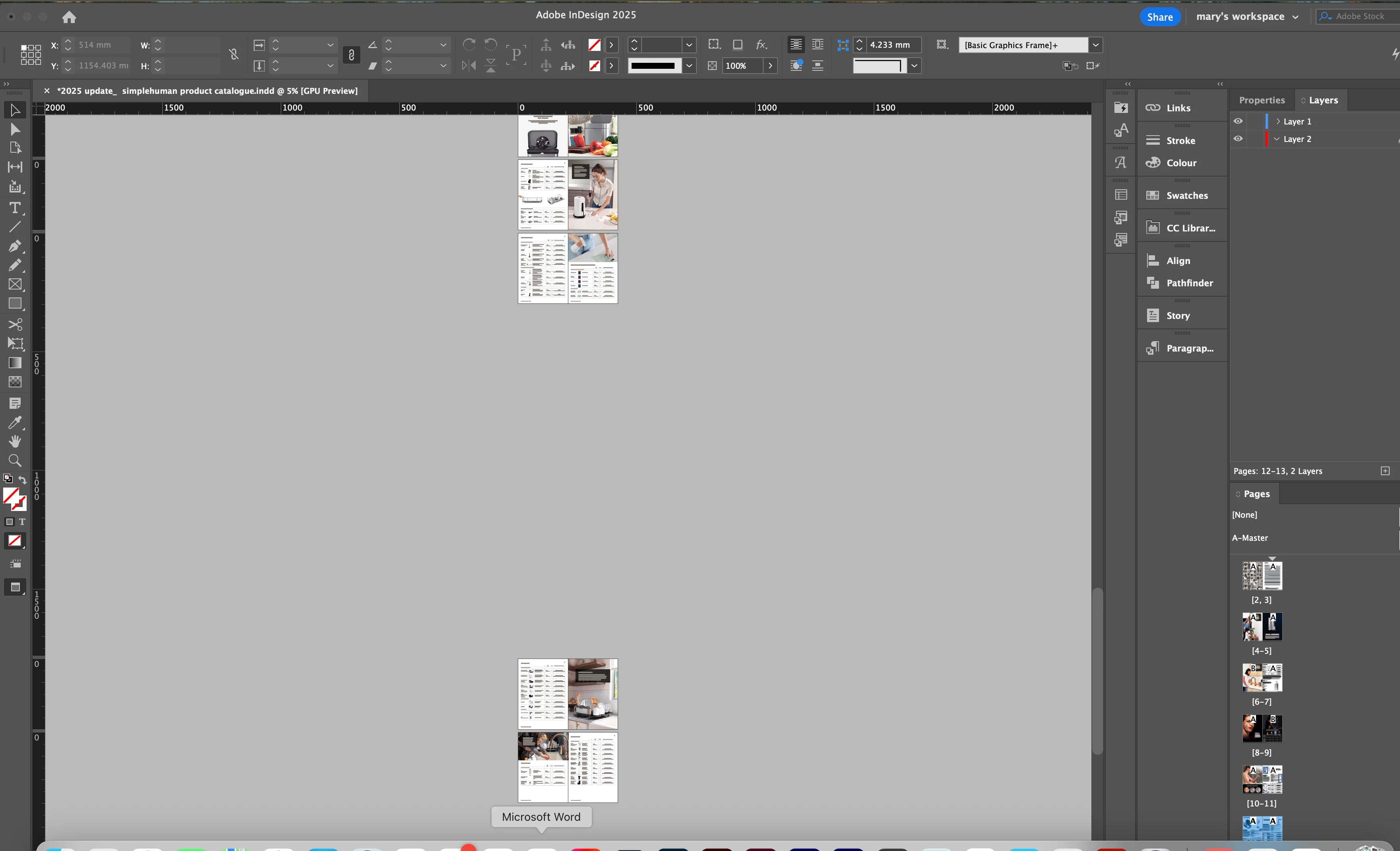
How do i fix the page spacing on this project?

I keep having this issue where some of the page spreads have a huge vertical space between them, and I'm not sure how to get rid of it??


I've tried setting the vertical pasteboard options to zero, but this only resets the ones that are currently spaced correctly already.

    

rob day
rob dayCorrect answer
Community Expert
Jun 10, 2025 2:32 PM UTC

See link to file here—https://www.transfernow.net/dl/20250610n83ZrUXq (it's a large file so i can't drag and drop)


Looks like there are some hidden objects on the pastboard. I ran this script to remove them, which dropped the file size from 100mb to 20mb and fixed the gap problem. I’ve attached the fixed file and here is the script:


var p = app.activeDocument.allPageItems;
var c = 0
for (var i = 0; i < p.length; i++){
    try {
        if (p[i].parentPage == null) {
            p[i].remove()
            c++
        } 
    }catch(e) {
    }
};

alert(c + " Items removed from the pasteboard")


10 replies

Abhishek Rao
Community Manager
Community Manager
Jun 9, 2025 1:48 PM UTC

Hi @Mary35352402nyxk,


I'm checking in to see if the expert's suggestion helped fix the issue. If you're still seeing the problem, feel free to share a few more details, like your InDesign version, operating system, and whether this happens across all files or just this one.


Looking forward to hearing how it's going!

Abhishek 

Translate
Participant
Jun 10, 2025 9:30 AM UTC

Yeah, I've tried following the above advice, but it's still not been fixed yet. So far it's only been happening with just this one file; the other ones are fine, so I think maybe this one has been corrupted somehow? It was a file that was duplicated from another file that was created by my colleague last year on a different Mac (not sure of the specs).


Please see my software/hardware info below:


Adobe InDesign ver. 20.3.1

Hardware ver. MacBook Pro 14, Apple M3 pro chip, memory 18gb

OS version Sequoia 15.5


Translate
rob day
Community Expert
Community Expert
Jun 10, 2025 10:32 AM UTC

Hi @Mary35352402nyxk , Can you share the IDML file?

Translate
BobLevine
Community Expert
Community Expert
Jun 7, 2025 11:42 AM UTC

Could be something wonky with the pasteboard settings. Try saving/exporting the document to IDML and then open that.

Translate
Participant
Jun 10, 2025 9:25 AM UTC

Ive tried re-saving as an IDML, but it's still showing the spaces, unfortunately. 😕😕

Translate