
Known Participant
October 8, 2025
Question

How Do I Fix This?

  • October 8, 2025
  • 3 replies
  • 145 views

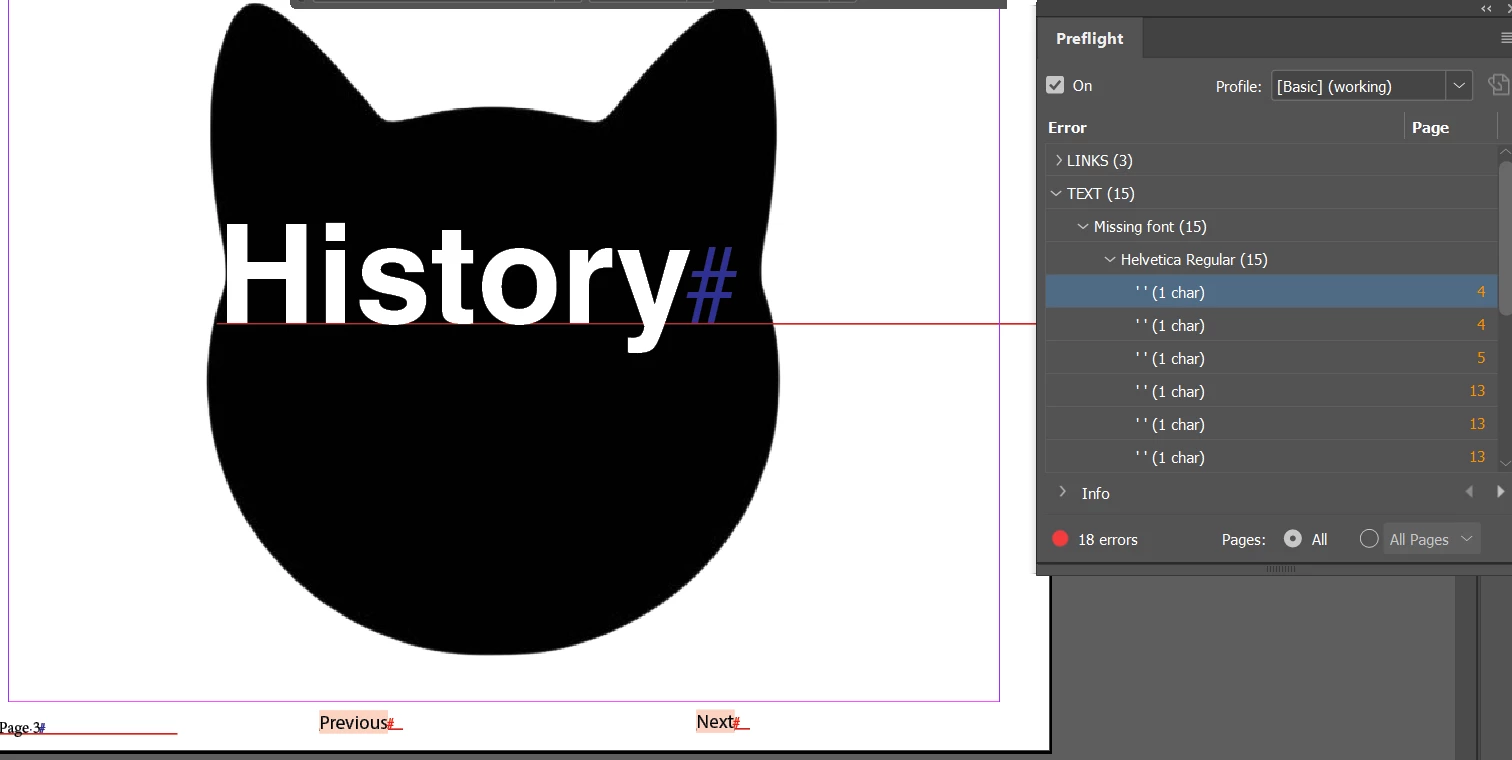
Good afternoon, InDesign community, so basically I reopened this document after a year of not working on it, and I corrected everything in the preflight panel except for the chars, and I have Show Hidden Characters on and selected. However, when I have tried to delete the text and retype it, it still appears, and I have no idea how to correct this so that it disappears. Any suggestions on how to fix this would be greatly appreciated, as it's driving me nuts. 


If someone could please respond to me with a permanent solution today, that would be great!


Thanks so much in advance 


PS: Here's a visual of the problem
 

3 replies

Mike Witherell
Community Expert
Community Expert
October 8, 2025

Have a look, also, at your paragraph styles. It may be that the style is calling for the missing Helvetica Regular font. Either install it, or better, install Helvetica Neue, and redefine any paragraph styles calling for Helvetica Regular.

Mike Witherell
Peter Spier
Community Expert
Community Expert
October 8, 2025

You should be able to redefine the styles directlyu from the Find Font dialog when you replace a font...

Peter Spier
Community Expert
Community Expert
October 8, 2025

IOr perhaps I'm misunderstanding and these are not hidden characters, but text that you want, but the Helvitica font is missing (not installed). Could be an old Type 1 version, which is no longer supported, as well.

In any case, Type > Find Font... and pick a different font to eliminate that problem.

Known Participant
October 8, 2025

I tried both of those they didn't work 😞

vevegirl13
Peter Spier
Community Expert
Community Expert
October 8, 2025

Are you trying to replace a missing font (there is highlighted text in your screen shot indicatint the font is missing), or delete the text entirely? If you just want to fix the missing font, Find Font should do it. Can you show us the find Font dialog, please.

Waht is your version of InDesign and your OS?

Peter Spier
Community Expert
Community Expert
October 8, 2025

Try clcicking the link in the preflight panel to go to the error, then hit Ctrl/Cmd + Y to open the story editor and you should be able to delete it there.